I Let an AI Assistant Manage My Rank Math SEO Through MCP: Here Is What Happened
Some links on this page are affiliate links. If you buy through them we may earn a commission, at no extra cost to you. It never changes our verdict. How we test and make money
On this page
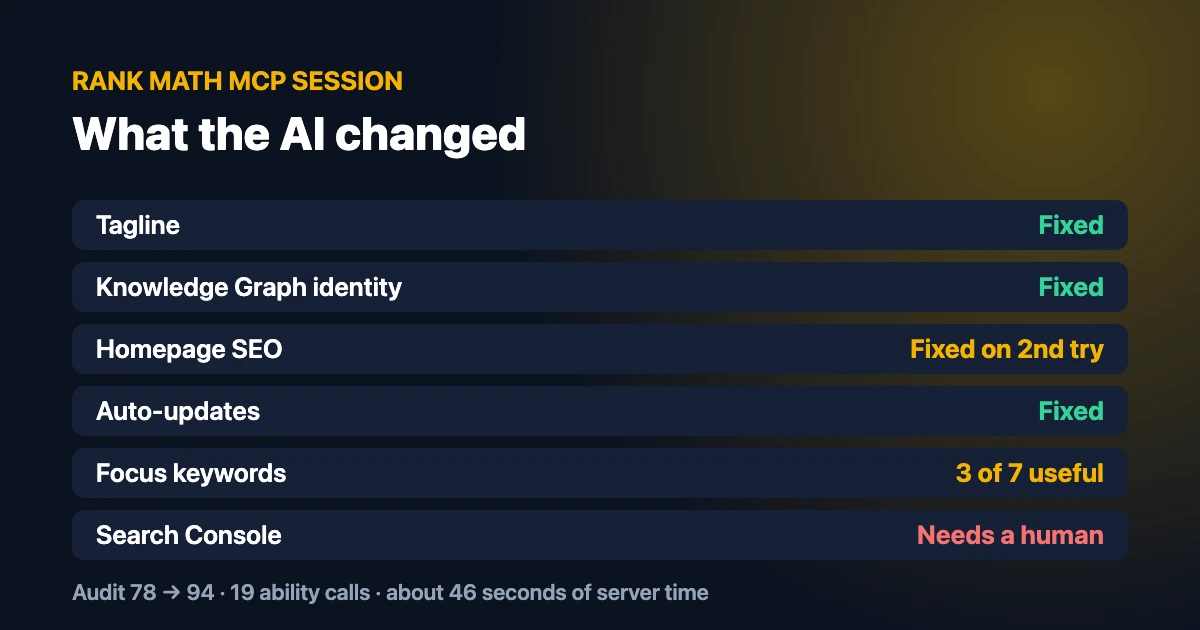
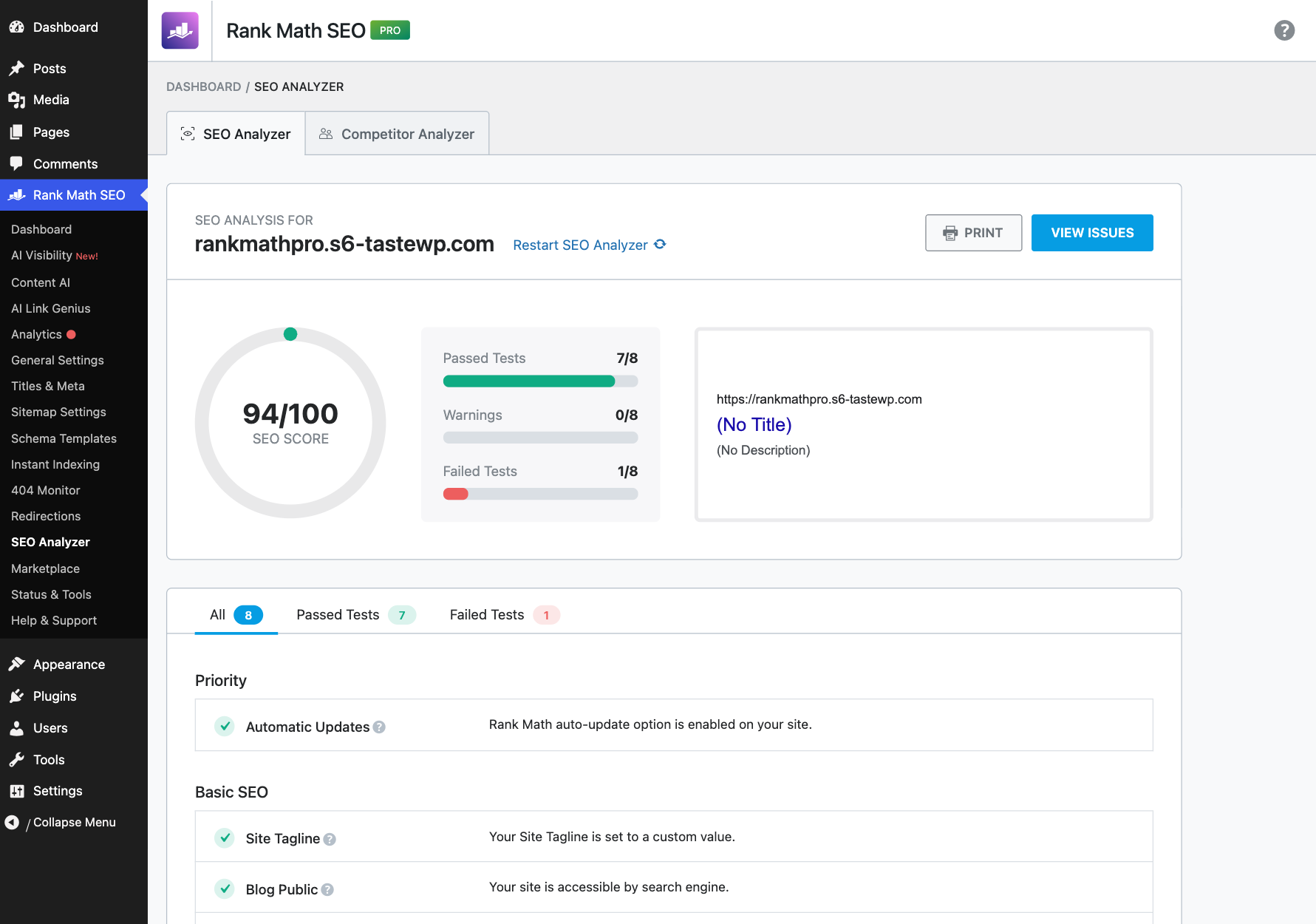
Short answer: I connected an AI assistant (Claude) to the Rank Math MCP server and let it run the SEO of a fresh test site. In 19 ability calls and about 46 seconds of server time, it raised the Rank Math site audit score from 78/100 to 94/100: it fixed the tagline, set the Knowledge Graph identity, wrote the homepage SEO and switched on auto-updates. It also made three mistakes you should know about. The automatic focus keywords were taken from the first words of each title (“how to store”, “the best coffee”), two settings changes sent at the same time overwrote each other, and the AI cannot edit a single post’s SEO meta through MCP yet.
Rank Math now ships an MCP server, so AI assistants like Claude and ChatGPT can audit and change your SEO settings for you. Most articles about Rank Math MCP list the tools and stop there. I wanted to know what actually happens when you hand an AI the keys.
So I built a small coffee blog on a clean WordPress site, gave it the usual beginner problems (a default tagline, no focus keywords, an over-long title, a 12-word post and no homepage SEO), and let Claude fix it through Rank Math MCP. I logged every call, timed it, and checked the result in WordPress after each change. This article shows what worked, what broke and the rules I now follow before I let an AI touch a client site.
New to Rank Math? Start with my complete Rank Math setup guide. If you are deciding whether to upgrade, my Rank Math free vs PRO test covers what PRO adds.
What is the Rank Math MCP server?
MCP (Model Context Protocol) is an open standard that lets an AI assistant call tools on another system. WordPress added an Abilities API, and Rank Math registers its SEO features as “abilities”: run a site audit, read a post’s SEO meta, change the homepage title, switch modules on or off and so on. The official MCP Adapter plugin turns those abilities into an MCP server that Claude Desktop, ChatGPT, Cursor or GitHub Copilot can connect to.
In plain words: instead of clicking through ten Rank Math settings pages, you type “audit my SEO and fix what you can” and the AI does the clicking through Rank Math MCP.
My Rank Math MCP test setup
| Item | What I used |
|---|---|
| WordPress | 7.1.5, fresh TasteWP site, Twenty Twenty-Three theme |
| SEO plugin | Rank Math SEO 1.0.282 + Rank Math SEO PRO 3.0.125 |
| MCP server | MCP Adapter 0.7.1 (by WordPress.org) |
| AI assistant | Claude |
| Test content | 7 posts and 1 page about coffee brewing, with typical beginner SEO problems |
| Endpoint | /wp-json/mcp/mcp-adapter-default-server |
I used a temporary test site on purpose. An AI with write access can change real settings, so test on staging first. I explain why in the safety section below.
How to set up Rank Math MCP (5 steps)
- Update Rank Math to the latest version. The MCP abilities are in the free plugin.
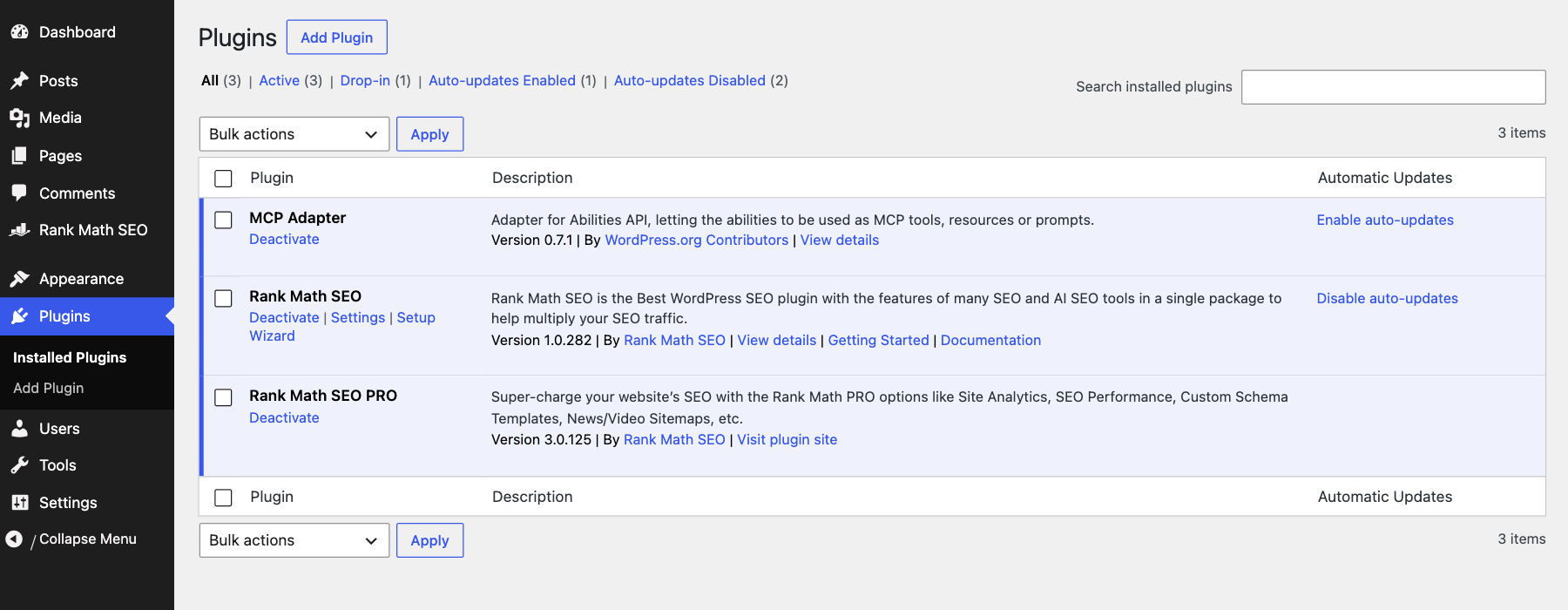
- Install and activate the MCP Adapter plugin. Rank Math links to it from its own menu, and it is also in the WordPress.org plugin directory. Once it is active, your site gets the endpoint
/wp-json/mcp/mcp-adapter-default-server. - Choose how the AI logs in. Rank Math recommends the OAuth connector in Claude Desktop (Settings → Connectors → Add, with
/wp-json/mcp/mcp-oauth-server), so you approve the connection in your browser. The other option is a JSON config with an application password from Users → Profile, never your main password. - Ask the AI to list the available Rank Math MCP tools. If it answers with a list, you are connected.
- Start with read-only requests (audit, scores, settings) before you let it change anything.
What the AI can see through Rank Math MCP
The first thing Claude did was ask the server what it could use. The MCP Adapter returned 13 tools. Three of them are general: discover abilities, get ability info and execute an ability. Everything Rank Math offers runs through those three, so I asked Claude to discover the abilities next. It found 42:
| Group | Count | Examples |
|---|---|---|
| Rank Math SEO (free) | 29 | audit-site-seo, fix-site-seo, get-seo-scores, analyze-post-content, set-homepage-seo, get-llms-txt |
| Rank Math Marketplace (PRO) | 6 | list-products, list-installed, list-subscriptions |
| Plugin management | 4 | install, activate, deactivate and delete a plugin |
| WordPress core | 3 | get-site-info, get-user-info, get-environment-info |
Each ability carries labels that tell the AI if it is read-only or can change things. The four plugin tools are exposed directly as MCP tools and two of them are marked destructive (install and delete). That is fine on a test site, but it is a good reason to connect with an account that has limited rights on a live site.
The Rank Math MCP session, step by step
Here is every request I gave the AI, the ability it chose, what came back and how long the server took. Times are the server response times I measured for each call.
| # | My request | Ability used | Result | Time |
|---|---|---|---|---|
| 1 | Audit my site’s SEO | audit-site-seo | 78/100, 8 tests: 5 passed, 2 failed, 1 warning | 13.9 s |
| 2 | Which posts need work? | get-seo-scores | 7 posts, all “Not available” | 0.7 s |
| 3 | Check my French press post | analyze-post-content | 83 words, no meta description, no images, no links | 0.8 s |
| 4 | Fix the missing focus keywords | fix-site-seo (focus_keywords) | Keywords set on 7 posts, taken from titles | 1.1 s |
| 5 | Fix the tagline | fix-site-seo (site_description) | New tagline saved | 1.1 s |
| 6 | Set the site identity | set-website-identity | Company name and description saved | 0.8 s |
| 7 | Write the homepage SEO | set-homepage-seo | Reported saved, but lost (see below) | 0.8 s |
| 8 | Turn on automatic updates | set-plugin-preferences | Rank Math auto-updates on | 0.7 s |
| 9 | Show me the llms.txt file | get-llms-txt | File enabled and readable | 0.8 s |
| 10 | Audit again | audit-site-seo | 94/100, 7 passed, 1 failed | 14.1 s |
The two audits took most of the time. Every other call came back in under two seconds. Including seven follow-up checks of individual posts, the whole Rank Math MCP session was 19 ability calls and about 46 seconds of server time.
Step 1: The audit (78/100)
The audit returned a score, a grade and a list of findings with fix hints. Two tests failed: Focus Keywords (“1 Page, 6 Posts with no focus keyword set”) and Search Console (not linked). Automatic updates came back as a warning. The audit also reported that the remote rankmath.com tests were unavailable on this host, so only the eight local tests ran.
One result surprised me. The audit marked the tagline as fine, because it was not the exact WordPress default. But the tagline was “Just another WordPress site by TasteWP.com”, which is just as useless. The AI spotted that by reading the actual value, and suggested a better one. This is where an AI adds something a simple pass/fail test cannot.
Step 2: Post scores came back empty
When I asked which posts needed work, get-seo-scores returned all seven posts with a score of “Not available”. Rank Math calculates the SEO score in the block editor, in your browser, so a post that was never opened in the editor has no saved score. Rank Math’s own tool description says the same: the scoring engine only runs client-side.
The workaround is analyze-post-content. It hands the AI the post content, headings, images, links and the list of 22 tests to run, and the AI scores the post itself. For my French press post it flagged the right problems: only 83 words, no meta description, no images, no internal or external links, and a title that already starts with the keyword (a pass).
Step 3: Automatic focus keywords (the first mistake)
The audit offers an automatic fix for missing focus keywords, so I let the AI run it. It updated 7 posts in about a second. Then I checked what it had set. The fix takes the first few words of each title:
| Post title | Keyword set by the fix | Good? |
|---|---|---|
| Cold Brew | cold brew | Yes |
| Espresso at Home Without a Machine | espresso at home | Yes |
| French Press Coffee: A Simple Guide | french press coffee: | Almost (keeps the colon) |
| How to Store Coffee Beans So They Stay Fresh | how to store | No |
| the best coffee grinders for home baristas… | the best coffee | No |
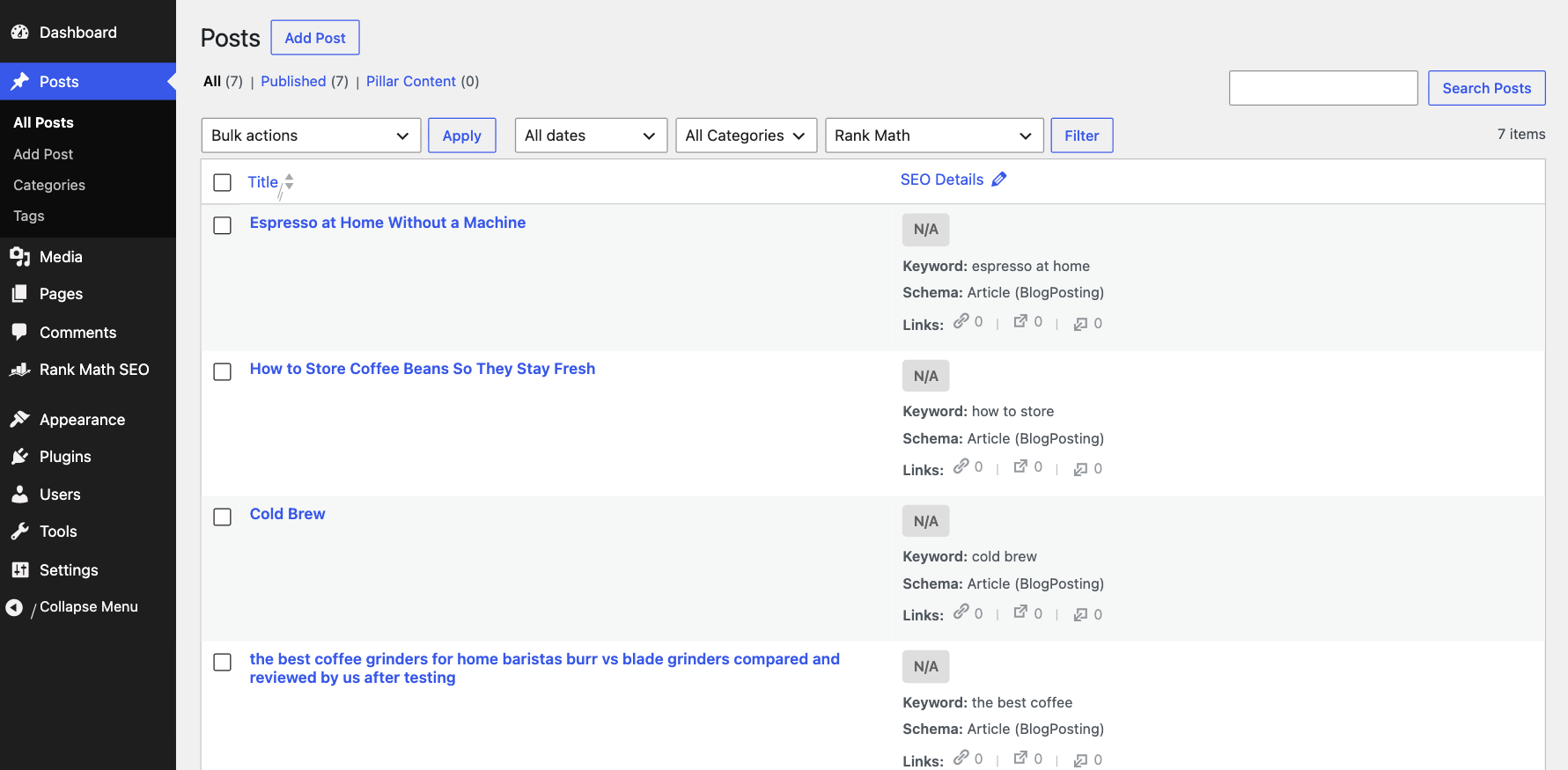
It also gave the default WordPress “Hello world!” post and “Sample Page” the keywords “hello world!” and “sample page”, which only shows that it does not check whether a page is worth optimizing. The audit then passed the Focus Keywords test, but only three of the seven keywords were actually useful. Worse, the AI could not correct them. Through MCP it can read a post’s SEO meta, but there is no ability to write a single post’s focus keyword, title or description yet. I fixed them by hand: “store coffee beans”, “coffee grinder” and “french press coffee”.
Lesson: do not let an AI run the bulk focus keyword fix on a real site without reviewing the result. A green audit test does not mean the keywords are good.
Step 4: Tagline, identity and auto-updates (worked)
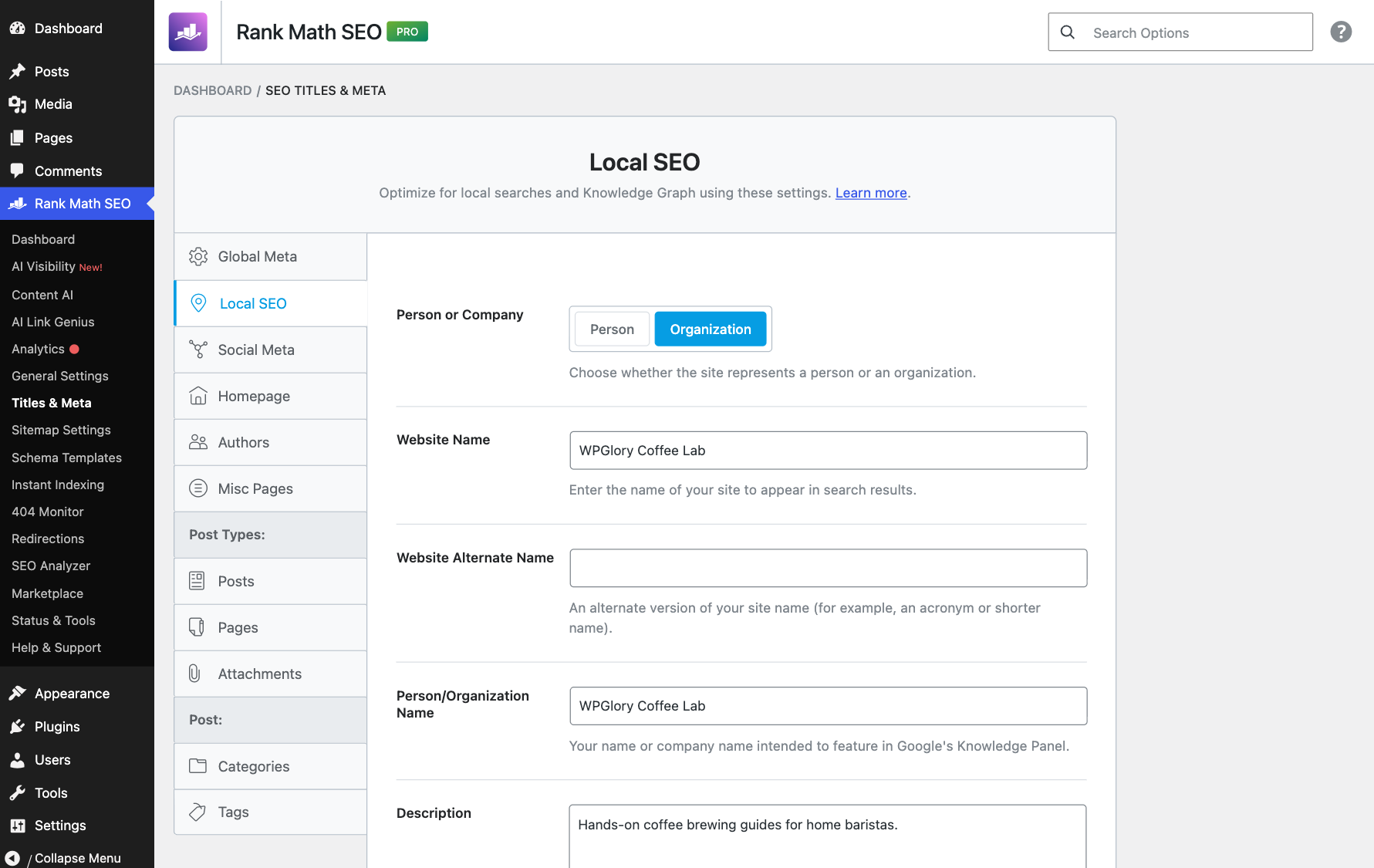
These went smoothly. The AI set the tagline to “Simple coffee brewing guides tested at home”, set the Knowledge Graph type to company with the name “WPGlory Coffee Lab” and a one-line description, and switched on automatic updates for Rank Math. Each change showed up straight away in Rank Math’s settings and on the live site.
Step 5: Homepage SEO (the second mistake)
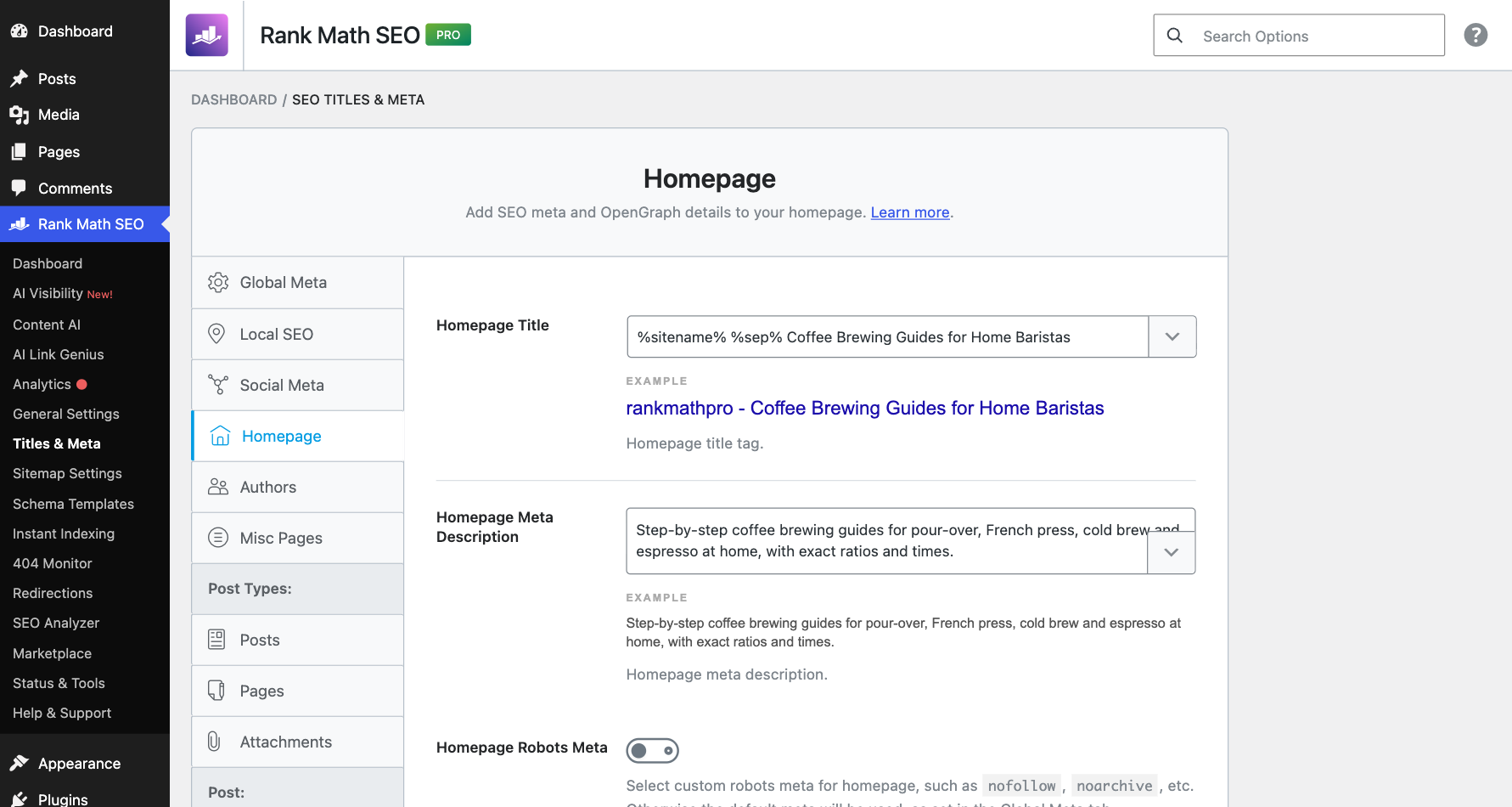
To save time, I sent the identity change and the homepage SEO change at the same moment. Both calls returned “saved”. But when I checked the homepage, the new title and description were not there. Both abilities write to the same block of Rank Math settings, so the second save overwrote the first.
I asked the AI to run set-homepage-seo again, on its own. This time the title “Coffee Brewing Guides for Home Baristas” and the new meta description appeared on the live homepage. The focus keyword for the homepage was not stored, because this site uses a latest-posts homepage.
Lesson: ask the AI to make one settings change at a time and to read the setting back after each change. “Saved” in the response does not always mean saved on the site.
Step 6: llms.txt and sitemaps
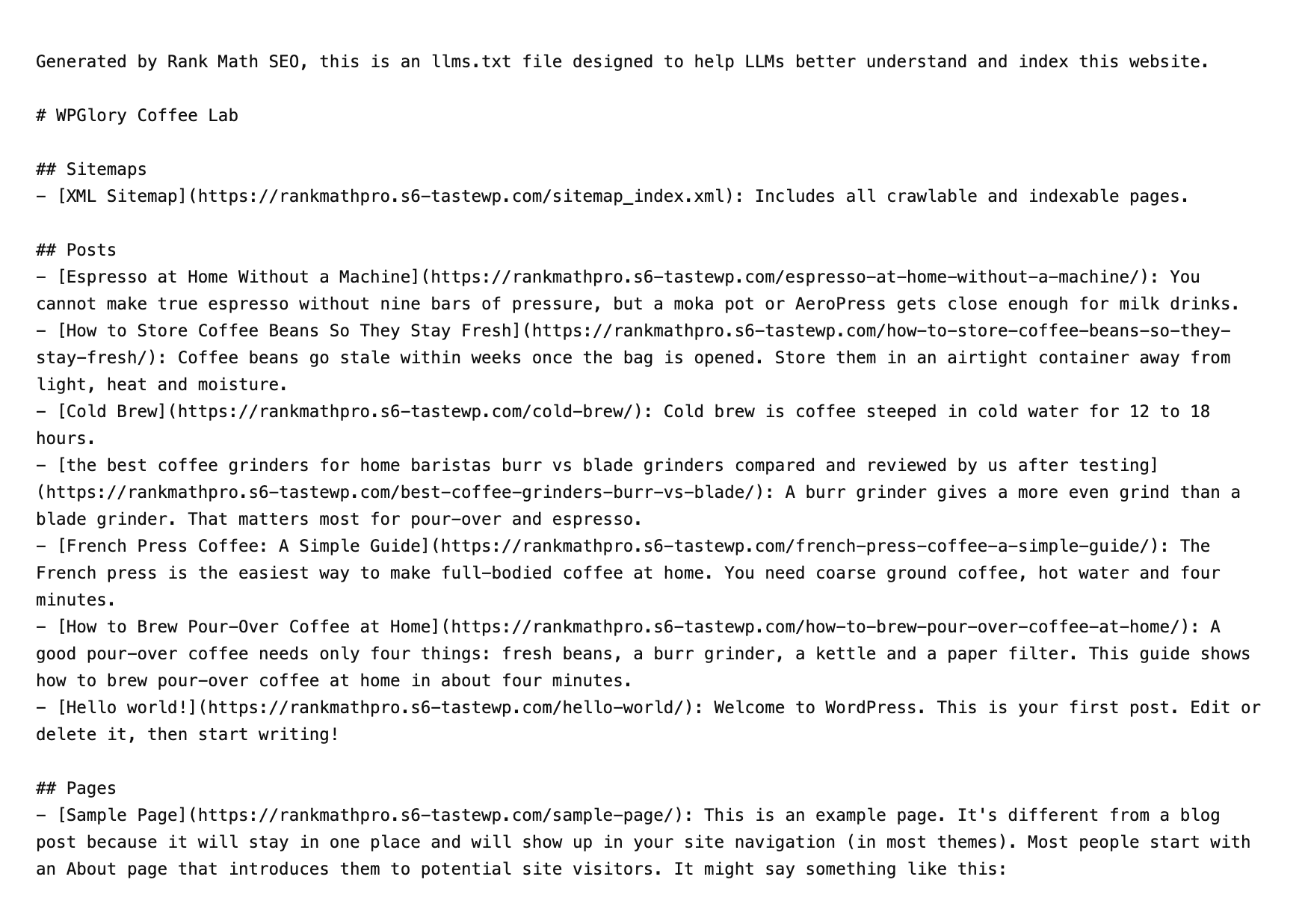
Finally, the AI read the llms.txt file and the sitemap status. Both were on, and llms.txt already used the new site name. It also showed a third limitation: llms.txt still listed the “Hello world!” post and the “Sample Page”. The AI correctly suggested deleting them, but it cannot delete or noindex content through Rank Math MCP, so that is another job for a human.
Step 7: The second audit (94/100)
The second audit scored 94/100, with seven of eight tests passing. The only failure left was Search Console, which needs you to sign in with Google. An AI cannot do that for you, and it should not.
What a Rank Math MCP call looks like
You never need to write this yourself, because the AI assistant sends it. But it helps to see that Rank Math MCP is plain JSON. This is the real request the AI sent to set the tagline, and the response it got back:
{"method": "tools/call",
 "params": {"name": "mcp-adapter-execute-ability",
  "arguments": {"ability_name": "rank-math/fix-site-seo",
   "parameters": {"test_id": "site_description",
    "value": "Simple coffee brewing guides tested at home"}}}}

{"success": true, "data": {"fixed": true,
 "summary": "Site tagline updated to: "Simple coffee brewing guides tested at home"."}}
What Rank Math MCP cannot do yet
- Edit one post’s SEO meta. It can read a post’s title, description and focus keyword, but not change them.
- Show real SEO scores for posts that were never opened in the editor.
- Delete or noindex content, such as the WordPress sample post.
- Connect Google Search Console, because that needs your Google sign-in.
- Write the content for you. The AI can suggest a better title or more words, but Rank Math MCP does not edit post content.
Rank Math releases updates every few weeks, so some of these may change. Check the Rank Math MCP tools list before you plan a workflow around them.
My Rank Math MCP safety checklist
- Test on staging first. Run your first Rank Math MCP session on a copy of the site.
- Never share your main password. Use the OAuth connector or an application password you can revoke from Users → Profile.
- Start read-only. Ask for an audit and a plan before you allow any changes.
- One change at a time. Ask the AI to read each setting back after it changes it.
- Review bulk fixes. Check every automatic focus keyword before you trust the green tick.
- Watch the plugin tools. The MCP server can also install, activate and delete plugins. Tell the AI not to use them unless you ask.
Do you need Rank Math PRO for MCP?
No. All 29 SEO abilities I used (audit, fixes, scores, homepage SEO, llms.txt) come with the free Rank Math plugin. Rank Math PRO adds 6 Marketplace abilities and its own features such as schema templates, the Rank Tracker and the News and Video sitemaps, which an AI can then report on. The AI Visibility abilities need a Content AI plan. I compared the two plans in detail in my Rank Math free vs PRO test.
Is Rank Math MCP worth using?
Yes, for site-wide setup and audits. In under a minute, the AI found and fixed the boring problems a new site always has, and it caught the TasteWP tagline that Rank Math’s own test missed. For an agency that sets up many sites, that is a real time saver.
It is not ready to manage a whole blog on its own. It cannot edit individual posts, its bulk keyword fix needs a human check, and you must make changes one at a time. Treat it like a fast junior assistant: give it the checklist, then review its work.
Rank Math MCP: FAQ
Is the Rank Math MCP server free?
Yes. The SEO abilities are part of the free Rank Math plugin. You also need the free MCP Adapter plugin and an AI assistant that supports MCP, such as Claude Desktop.
Which AI assistants work with Rank Math MCP?
Rank Math has setup guides for Claude Desktop, ChatGPT and GitHub Copilot. Any client that supports MCP over HTTP should work with the MCP Adapter endpoint.
Can the AI break my site through Rank Math MCP?
It can change SEO settings and, through the MCP Adapter, install or delete plugins. Use staging, an application password you can revoke, and ask for one change at a time.
Can Rank Math MCP edit my post titles and meta descriptions?
Not in the version I tested. It can read a post’s SEO meta and run a bulk fix for focus keywords and titles, but it cannot edit one post’s meta. You still do that in the editor.
Why does get-seo-scores show “Not available”?
Rank Math calculates post scores in the block editor. A post that has never been opened there has no saved score. Use analyze-post-content instead and let the AI score it.
Sources and further reading
- Rank Math MCP tools
- How to set up Rank Math MCP
- Connect Rank Math with Claude Desktop
- MCP Adapter plugin on WordPress.org
Final verdict
Rank Math MCP is a fast assistant, not an autopilot
An AI took my test site from 78 to 94 in under a minute through Rank Math MCP, and it found a problem the built-in audit missed. Use it for audits and site-wide settings, make one change at a time, and check every bulk fix yourself.