Best WordPress Popup Plugin (2026): 4 Plugins Tested
Some links on this page are affiliate links. If you buy through them we may earn a commission, at no extra cost to you. It never changes our verdict. How we test and make money
On this page
Short answer: The best WordPress popup plugin for most sites is Hustle: exit-intent, scroll and time triggers, slide-ins, embeds and email integrations are free (up to 3 of each). Popup Maker is the most popular and the best-rated, but exit intent and scroll triggers cost $99 a year. OptinMonster was the lightest plugin but needs an OptinMonster account, and Popup Builder is a simple free option for image and HTML popups.
A popup plugin shows a box (an email sign-up, a discount, an announcement) when a visitor clicks, scrolls, waits or moves to leave the page. Used well, popups are the biggest list-building lever most sites have. Used badly, they annoy visitors and add JavaScript to every page. So the best WordPress popup plugin is the one with the right free triggers and the smallest footprint.
We installed the four most popular popup plugins on the same clean WordPress site, one at a time, and measured what each adds before you create a popup. Then we checked which triggers each one gives you for free.
Our picks at a glance
1
HustleBest free triggers: exit intent and scroll
9.0/10
2
Popup MakerMost popular, best rating
9.1/10
3
OptinMonsterLightest plugin, hosted campaigns
9.0/10
4
Popup BuilderSimple image and HTML popups
9.5/10
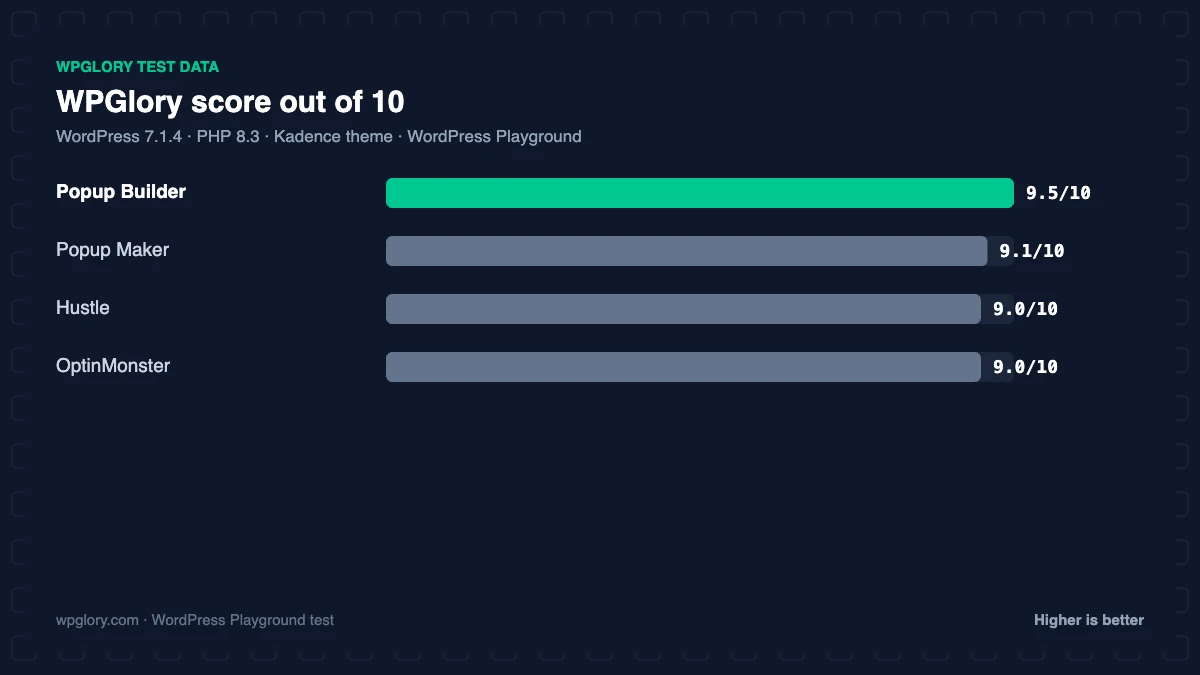
The order is our recommendation for most sites, weighing features and fit. The score measures only what each plugin costs your site.
WordPress popup plugins compared: test results
| Measurement | Popup Maker | Hustle | OptinMonster | Popup Builder |
|---|---|---|---|---|
| Version tested | 1.25.0 | 7.8.14.5 | 2.17.1 | 4.4.6 |
| Active installs | 600,000+ | 80,000+ | 1 million+ | 200,000+ |
| WordPress.org rating | 4.9 (4,515) | 4.4 (859) | 4.3 (822) | 4.7 (2,216) |
| CSS/JS added for visitors | 0 KB | 0 KB | 0 KB | 0 KB |
| Extra PHP memory (front end) | 5.8 MB | 7.6 MB | 0.8 MB | 2.3 MB |
| Extra PHP memory (admin) | 4.4 MB | 2.6 MB | 1.8 MB | 3.5 MB |
| Database tables | 0 | 5 | 0 | 2 |
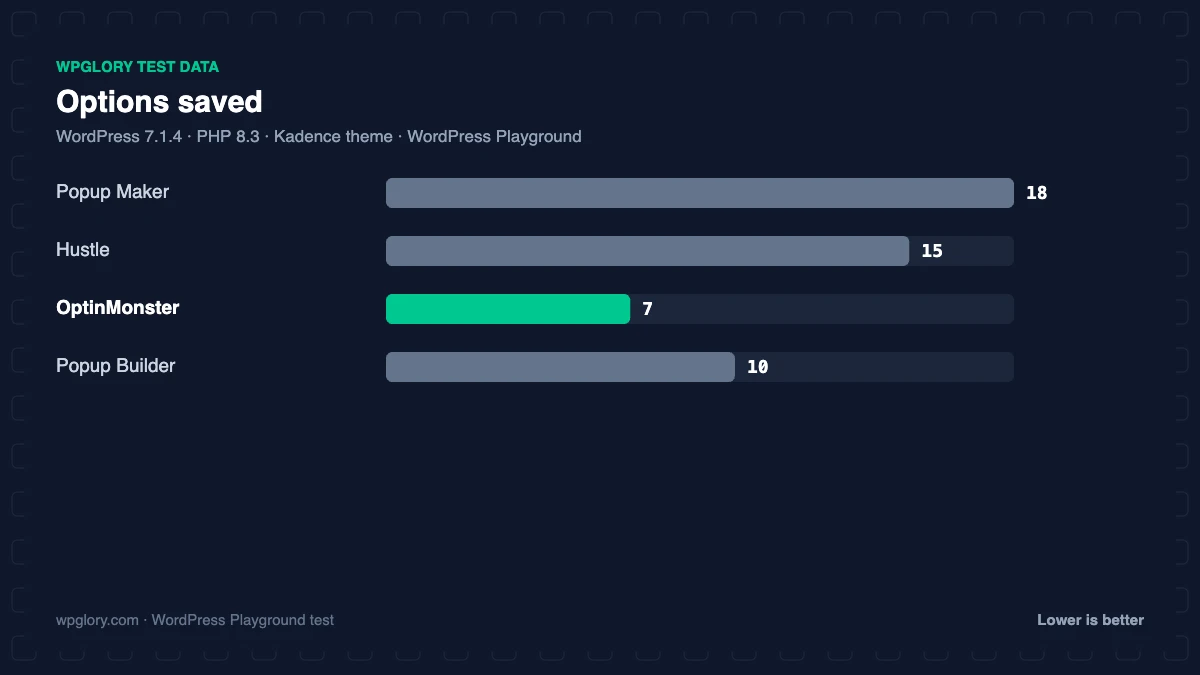
| Options saved | 18 | 15 | 7 | 10 |
| Content types added | 2 | 0 | 0 | 1 |
| Notices / redirects | setup redirect, dashboard widget | setup notice | setup redirect, dashboard widget | None |
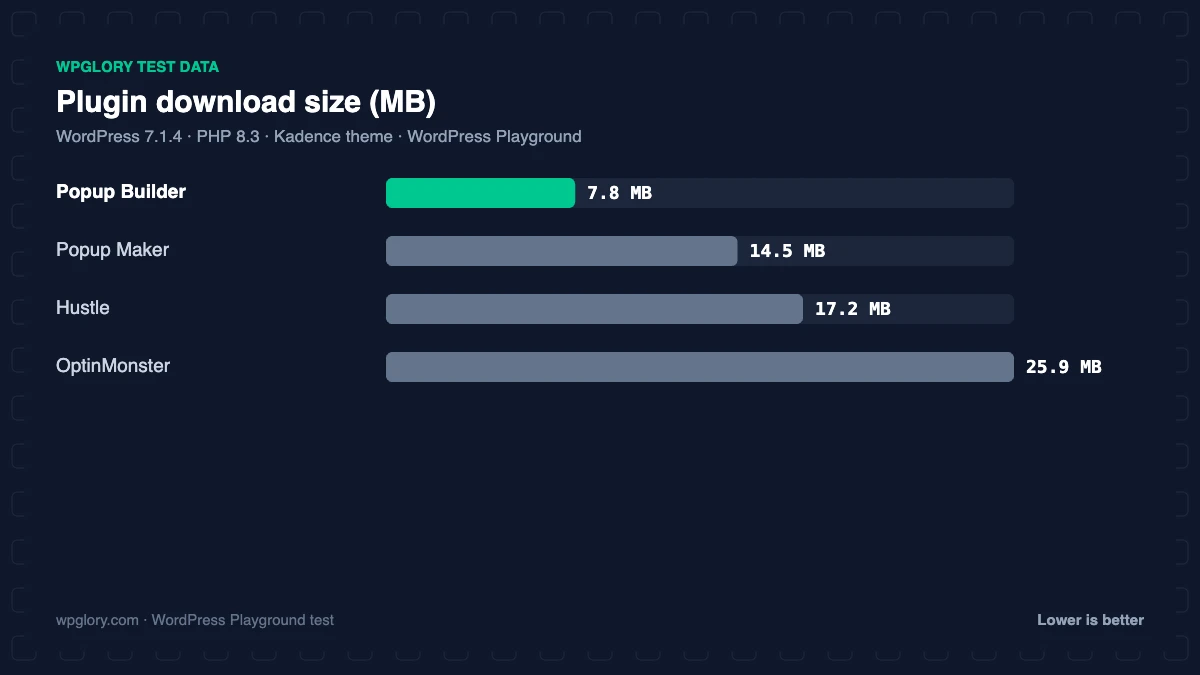
| Plugin size | 14.5 MB | 17.2 MB | 25.9 MB | 7.8 MB |
| WPGlory score | 9.1/10 | 9.0/10 | 9.0/10 | 9.5/10 |
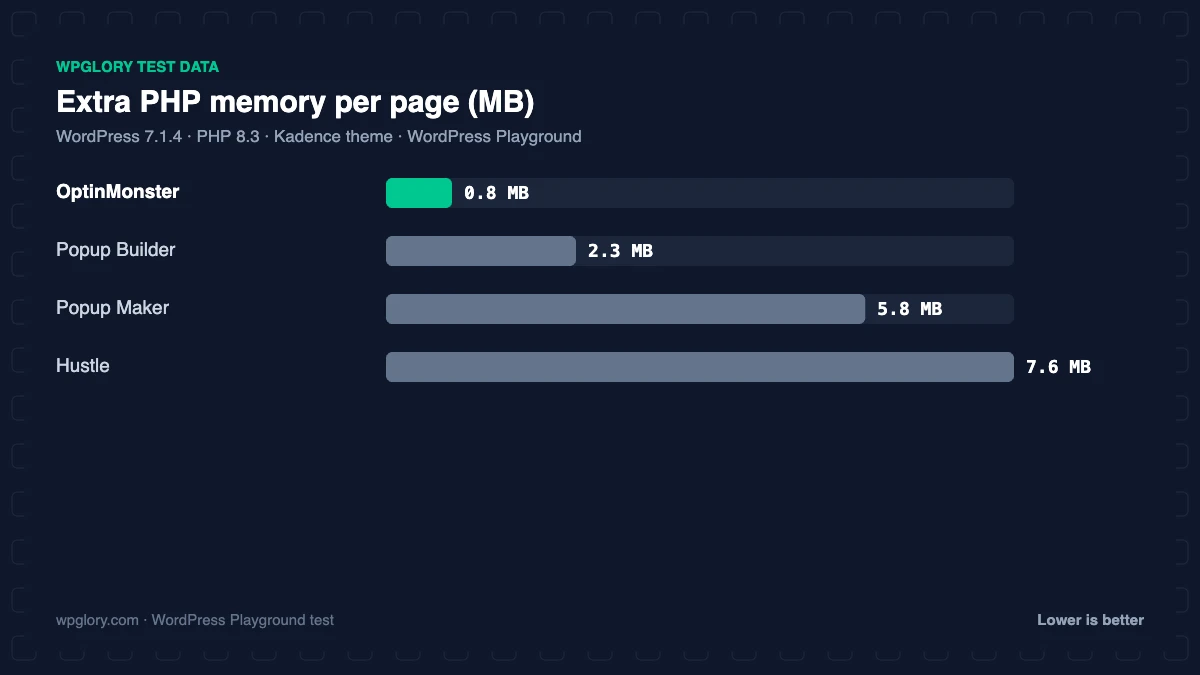
Good news first: none of the four loaded CSS or JavaScript for visitors until a popup exists, so installing one costs your pages nothing. The differences are on the server. Hustle added the most memory (7.6 MB) and 5 tables; Popup Maker 5.8 MB and no tables; Popup Builder 2.3 MB. OptinMonster was the lightest (0.8 MB) because its campaigns are built and hosted on OptinMonster’s servers. Once you publish a popup, each plugin adds its script on the pages where that popup can appear.
Odd notice: straight after activation, Hustle showed “You’ve been using Hustle for over a week now” and asked for a review. It is harmless, but it tells you how these review prompts are timed.
1. Hustle: best free triggers
9.0/10 Free plan v7.8.14.5 · 80,000+ installs · 4.4★ on WordPress.org
Hustle from WPMU DEV includes popups, slide-ins, inline embeds and social share bars, with time-on-page, scroll and exit-intent triggers, page, device and country targeting, scheduling and conversion stats in the free version. It connects to Mailchimp, AWeber, Constant Contact, GetResponse and many more. The free limit is 3 of each module type, which is plenty for most sites.
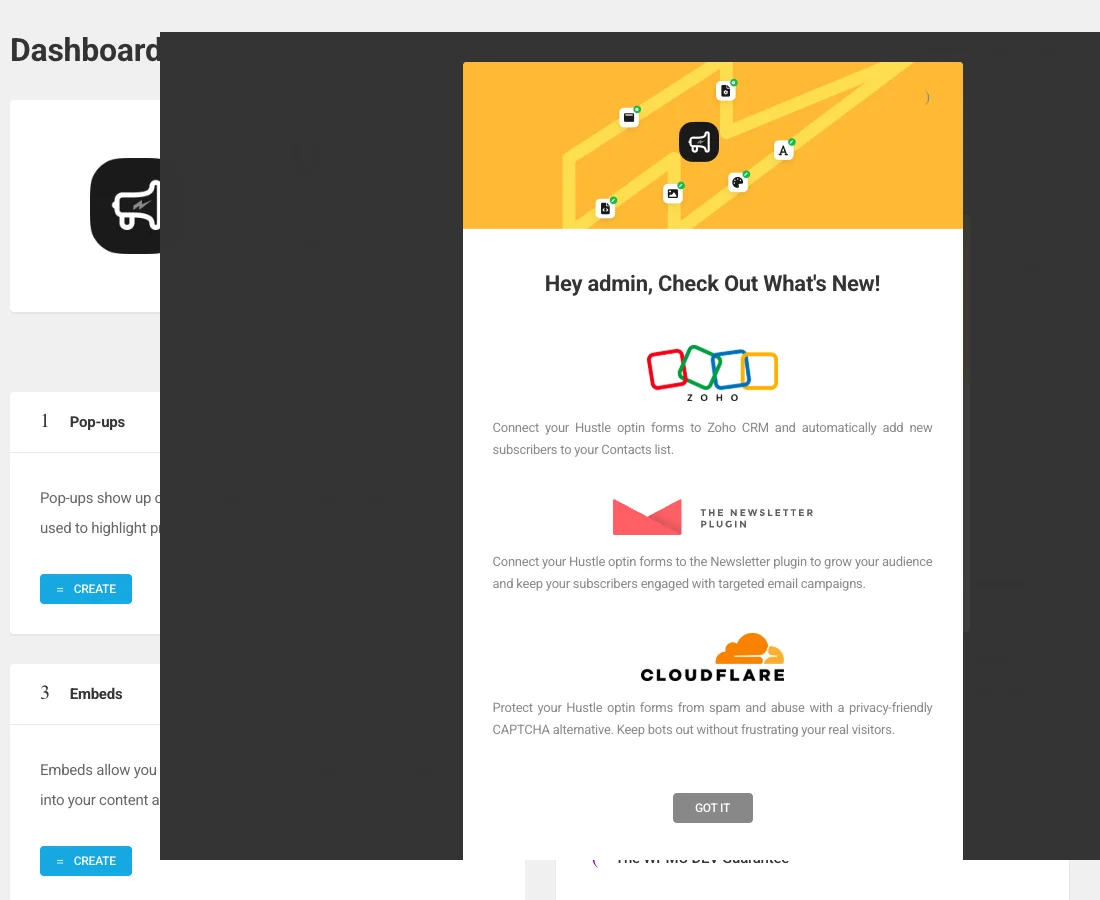
In our test it added 7.6 MB of memory, 5 tables, 2 cron jobs and a review request notice. No files were added to your pages until a popup was published.
Free download: Hustle on WordPress.org (version 7.8.14.5, last updated 4 November 2026).
Pros
- Exit-intent and scroll triggers free
- Popups, slide-ins, embeds and share bars
- Many email integrations
Cons
- Free limit: 3 of each module
- Most memory here (7.6 MB)
- Review notice right after activation
2. Popup Maker: most popular and best rated
9.1/10 Free plan v1.25.0 · 600,000+ installs · 4.9★ on WordPress.org
Popup Maker has 600,000+ active installs and 4.9 stars from 4,515 reviews. Popups are built with the block editor or classic editor, styled with reusable themes, and targeted to posts, pages, categories or the front page.
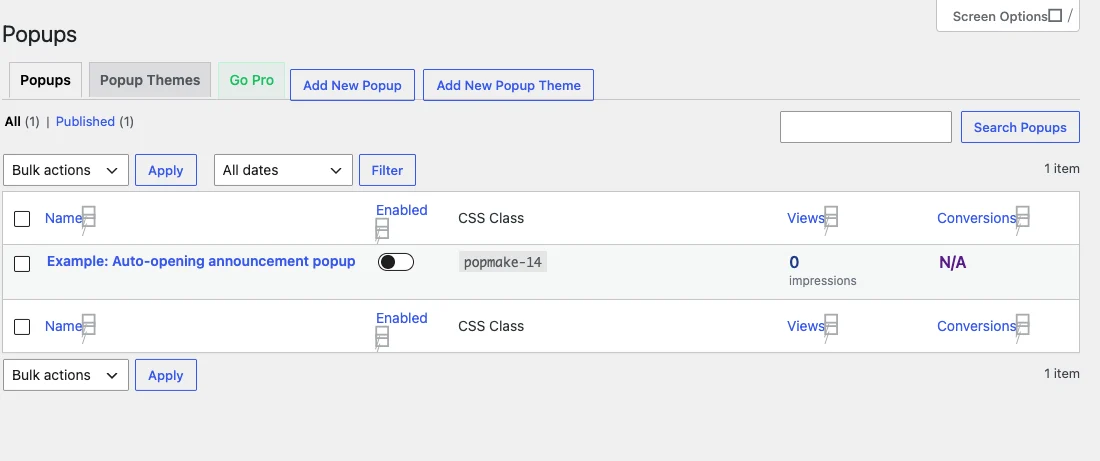
Free triggers are click, auto-open (with a delay) and form submission. Exit intent, scroll triggers and advanced targeting (user role, URL, referrer, geolocation, WooCommerce rules) need Popup Maker Pro, $99 a year. After activation it redirected to a welcome page and added a dashboard widget; it created no tables and used 5.8 MB of memory.
Free download: Popup Maker on WordPress.org (version 1.25.0, last updated 11 September 2026).
Pros
- Best rating: 4.9 stars from 4,500+ reviews
- No tables, reusable popup themes
- Works with any form plugin
Cons
- Exit intent and scroll are Pro ($99/year)
- Welcome redirect and dashboard widget
3. OptinMonster: lightest plugin, hosted campaigns
9.0/10 Free plan v2.17.1 · 1 million+ installs · 4.3★ on WordPress.org
The OptinMonster plugin connects WordPress to the OptinMonster service, where you build popups, floating bars, slide-ins and gamified wheels in a drag-and-drop builder. Because the heavy lifting happens on OptinMonster’s servers, the plugin itself is light.
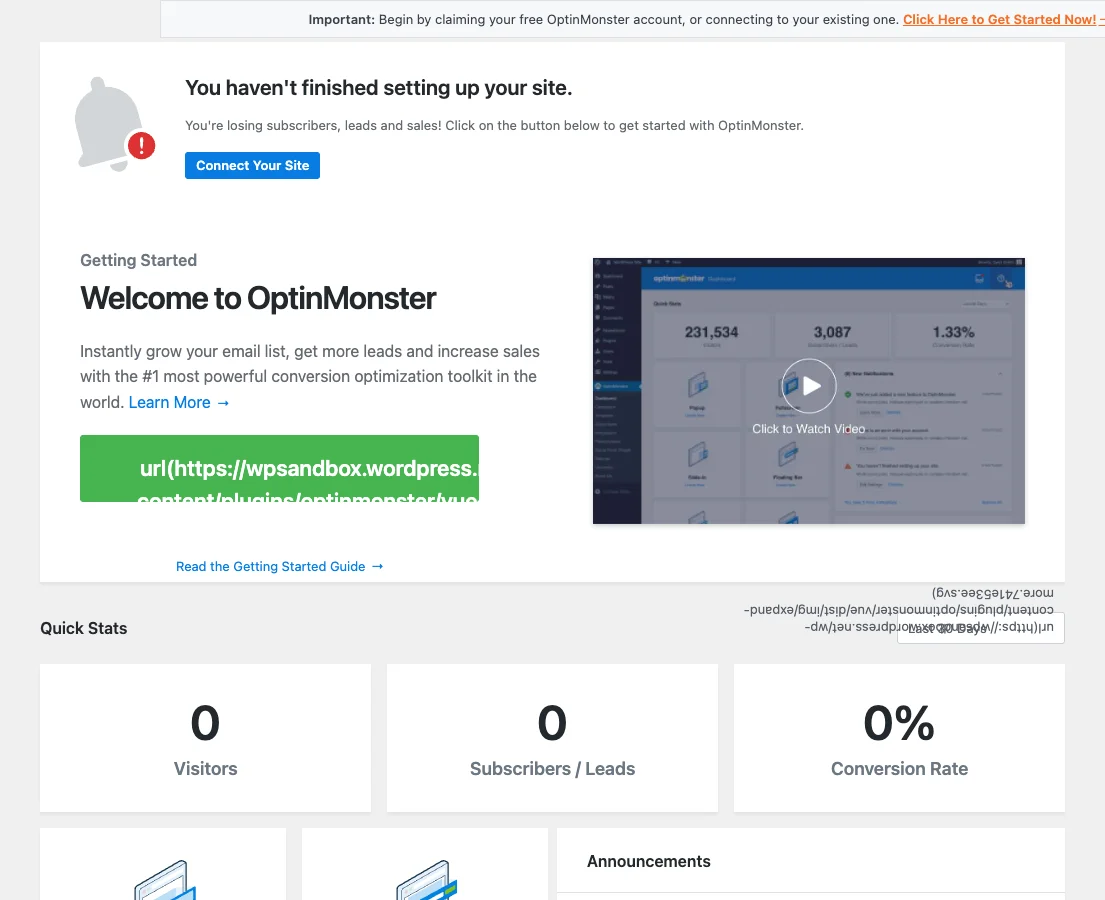
It used 0.8 MB of memory, no tables, and redirected to an onboarding screen. You need an OptinMonster account; the free account includes 3 campaigns and 500 impression credits, and exit intent, scheduling and countdown timers are in paid plans.
Free download: OptinMonster on WordPress.org (version 2.17.1, last updated 14 August 2026).
Pros
- Lightest plugin: 0.8 MB, no tables
- Powerful hosted builder and targeting
- 1 million+ installs
Cons
- Needs an OptinMonster account
- Free account limited to 500 impressions
- Tested up to WordPress 7.0
4. Popup Builder: simple image and HTML popups
9.5/10 Free plan v4.4.6 · 200,000+ installs · 4.7★ on WordPress.org
Popup Builder gives you image, HTML, Facebook and subscription popups for free, opened on page load, after a delay, or on click or hover. Exit intent, inactivity, video, WooCommerce and login popups are paid extensions.
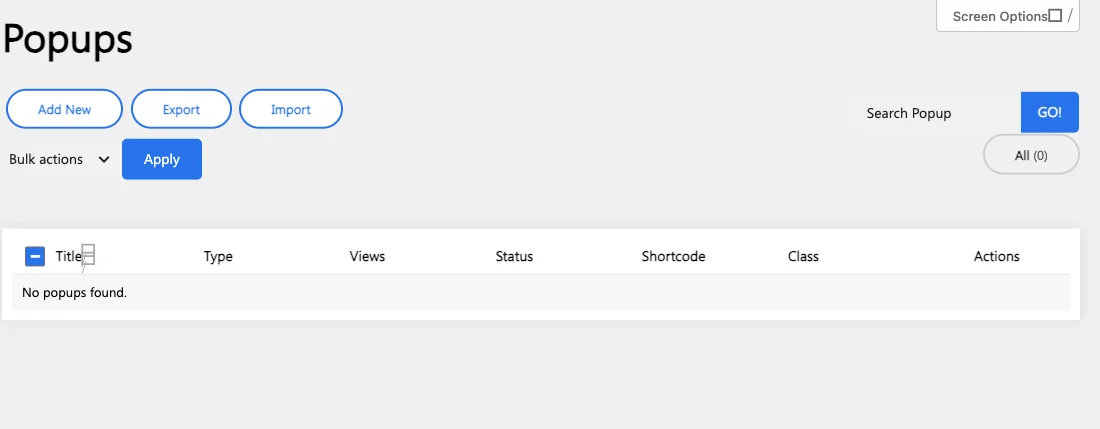
It added 2.3 MB of memory, 2 tables and one content type, with no notices or redirect.
Free download: Popup Builder on WordPress.org (version 4.4.6, last updated 19 October 2026).
Pros
- Quiet: no notices or redirect
- Light: 2.3 MB memory
- Image and HTML popups free
Cons
- Exit intent is a paid extension
- Tested up to WordPress 7.0
Free triggers compared
| Trigger | Hustle | Popup Maker | OptinMonster | Popup Builder |
|---|---|---|---|---|
| Click | Free | Free | Free account | Free |
| Time delay | Free | Free | Free account | Free |
| Scroll | Free | Pro | Depends on plan | Paid |
| Exit intent | Free | Pro | Paid plan | Paid |
| Free limit | 3 per module | Unlimited | 3 campaigns, 500 impressions | Unlimited |
How to use popups without hurting SEO
- Avoid full-screen popups that cover content on mobile as soon as the page loads; Google treats intrusive interstitials as a poor experience.
- Prefer exit intent, scroll depth or a delay of 30 seconds or more.
- Show each visitor a popup once per session or week, not on every page.
- Offer something specific: a checklist, a discount or a free course beats “Join our newsletter”.
Collecting emails? Send them somewhere useful: our best WordPress CRM plugin test and newsletter plugin test cover the options.
What to look for in the best WordPress popup plugin
A popup plugin is only as good as its triggers and targeting. Check these before you install.
- Free triggers: exit intent and scroll depth are the most useful and often Pro-only.
- Targeting: show popups on the right pages, devices and countries.
- Frequency caps: limit how often a visitor sees the same popup.
- Email integrations: connect directly to your CRM or email service.
- Page weight: check what loads on pages once a popup is live.
How we tested
Every plugin was installed from WordPress.org on a clean WordPress 7.1.4 site (PHP 8.3, Kadence theme) in WordPress Playground in November 2026. We activated one plugin at a time, measured the site, then deactivated it again, so each result is compared with the same baseline.
We loaded the home page and a normal blog post as a logged-out visitor three times and kept the median PHP peak memory, added up the CSS and JavaScript files the plugin added, and recorded database tables, options, scheduled cron jobs, admin menus, notices, dashboard widgets and any redirect on the first admin visit.
Screenshots were taken on the same test site right after activation. Ratings, installs and versions come from the WordPress.org plugin directory on the same day. No popups were created, so the numbers show what each plugin adds before you publish a campaign.
The WPGlory score rates what a plugin costs your site, not how many features it has: front-end weight 30%, server cost 20%, admin clutter 20%, WordPress.org rating 20% (weighted by the number of reviews) and maintenance 10%. Features are covered in the text. Read the full method.
FAQ
What is the best WordPress popup plugin?
Hustle for the best free triggers (exit intent and scroll). Popup Maker is the most popular and best rated, with exit intent in Pro.
Is there a free popup plugin with exit intent?
Yes. Hustle includes exit-intent triggers in its free version.
Do popup plugins slow down WordPress?
Not before you publish a popup: none of the four added files to pages in our test. Each adds its script where a popup can appear.
Do popups hurt SEO?
Intrusive popups on mobile can. Use delays, exit intent or scroll triggers and keep them easy to close.
Can a popup plugin hurt my conversion rate?
Yes, if it shows too early or too often. Start with exit intent and a once-per-session limit.
Do popups work with page caching?
Yes. All four plugins decide in the browser when to show a popup, so cached pages are fine.
Final verdict
Hustle is the best WordPress popup plugin for free
It gives you exit-intent and scroll triggers, slide-ins and embeds without paying. Choose Popup Maker if you want the most trusted plugin and are happy to upgrade for exit intent.
9.0/10