Best WooCommerce Abandoned Cart Plugin (2026): Free Plugins Tested
Some links on this page are affiliate links. If you buy through them we may earn a commission, at no extra cost to you. It never changes our verdict. How we test and make money
On this page
Short answer: The best WooCommerce abandoned cart plugin for most stores is Cart Abandonment Recovery by CartFlows: free recovery emails with unique coupons, 300,000+ installs and nothing added to your pages. CartBounty is the lightest and includes an exit-intent popup for free, Abandoned Cart Lite captures guest emails at checkout, and FunnelKit Automations is the pick if you want cart recovery inside a full CRM.
Around seven in ten online shopping carts are abandoned before payment, according to the Baymard Institute’s long-running average. A WooCommerce abandoned cart plugin saves the cart and the email address the shopper typed, then sends a reminder (often with a coupon) to bring them back. It is one of the few marketing tools that pays for itself in the first week.
We installed the most popular free cart recovery plugins on the same clean WooCommerce store, measured what each adds, and opened their settings and onboarding screens.
Our picks at a glance
1
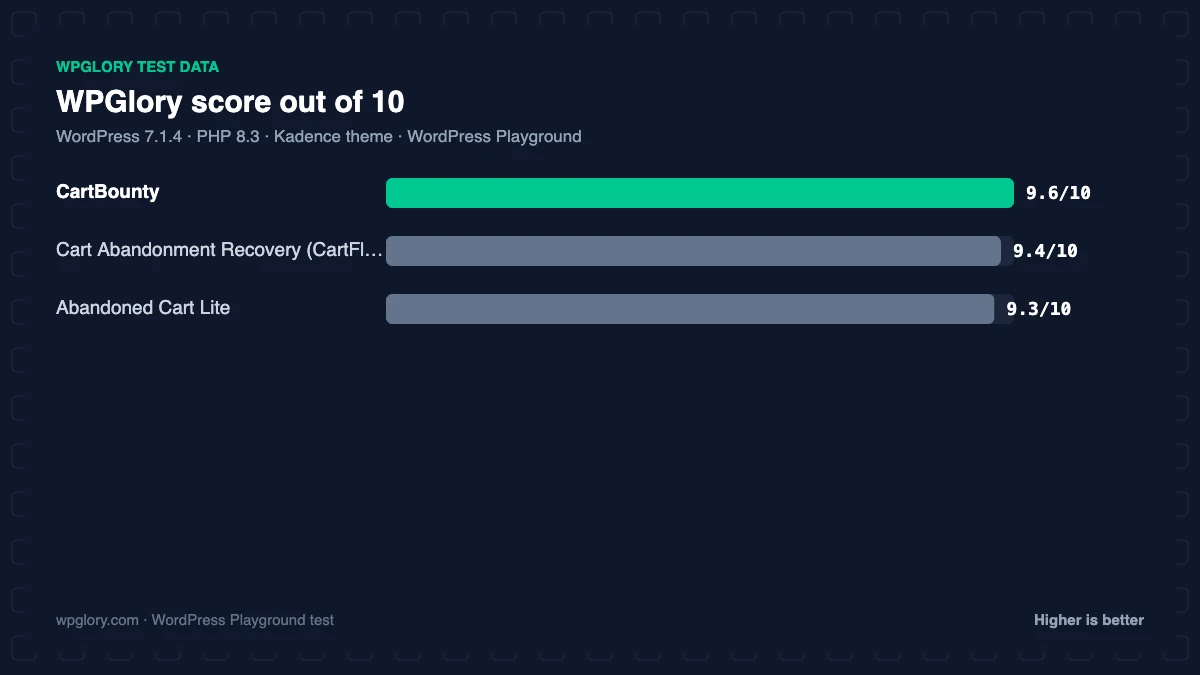
Cart Abandonment Recovery (CartFlows)Best overall: free emails with coupons
9.4/10
2
CartBountyLightest, free exit-intent popup
9.6/10
3
Abandoned Cart LiteSimple guest capture and reports
9.3/10
The order is our recommendation for most sites, weighing features and fit. The score measures only what each plugin costs your site.
WooCommerce abandoned cart plugins compared: test results
| Measurement | Cart Abandonment Recovery (CartFlows) | CartBounty | Abandoned Cart Lite |
|---|---|---|---|
| Version tested | 2.2.2 | 8.11.1 | 6.9.0 |
| Active installs | 300,000+ | 10,000+ | 20,000+ |
| WordPress.org rating | 4.8 (626) | 4.8 (84) | 4.1 (84) |
| CSS/JS added for visitors | 0 KB | 11.4 KB | 0 KB |
| Extra PHP memory (front end) | 1.9 MB | 0.8 MB | 0.8 MB |
| Extra PHP memory (admin) | 1.1 MB | 0.8 MB | 1.8 MB |
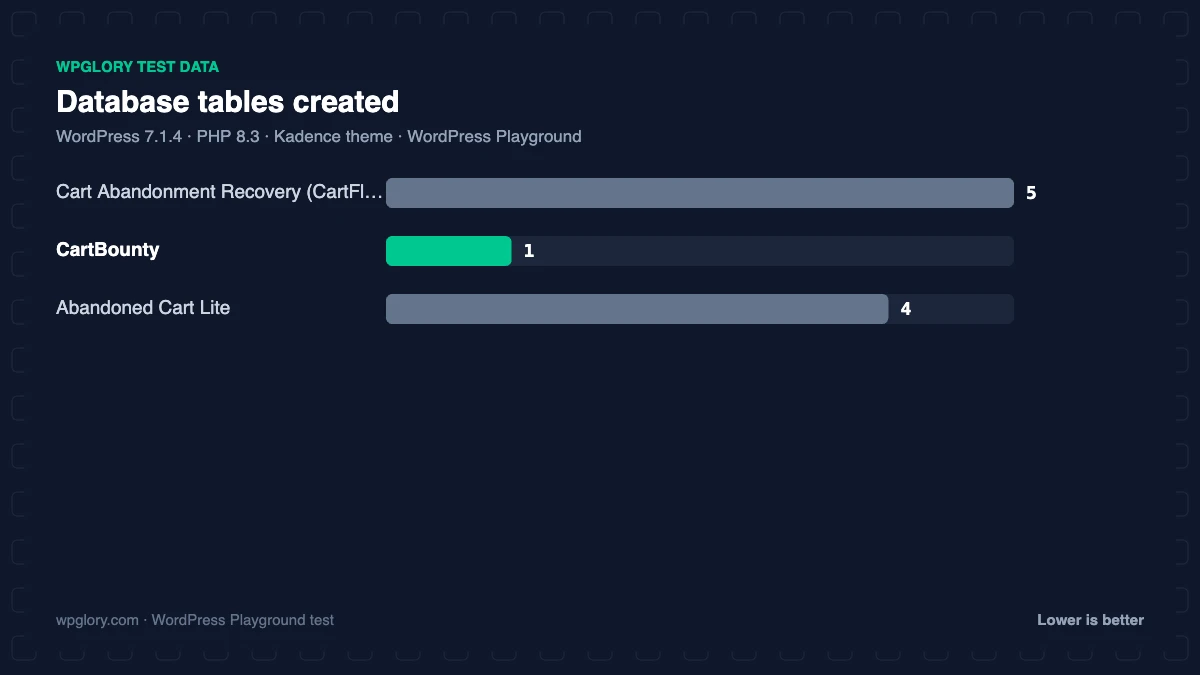
| Database tables | 5 | 1 | 4 |
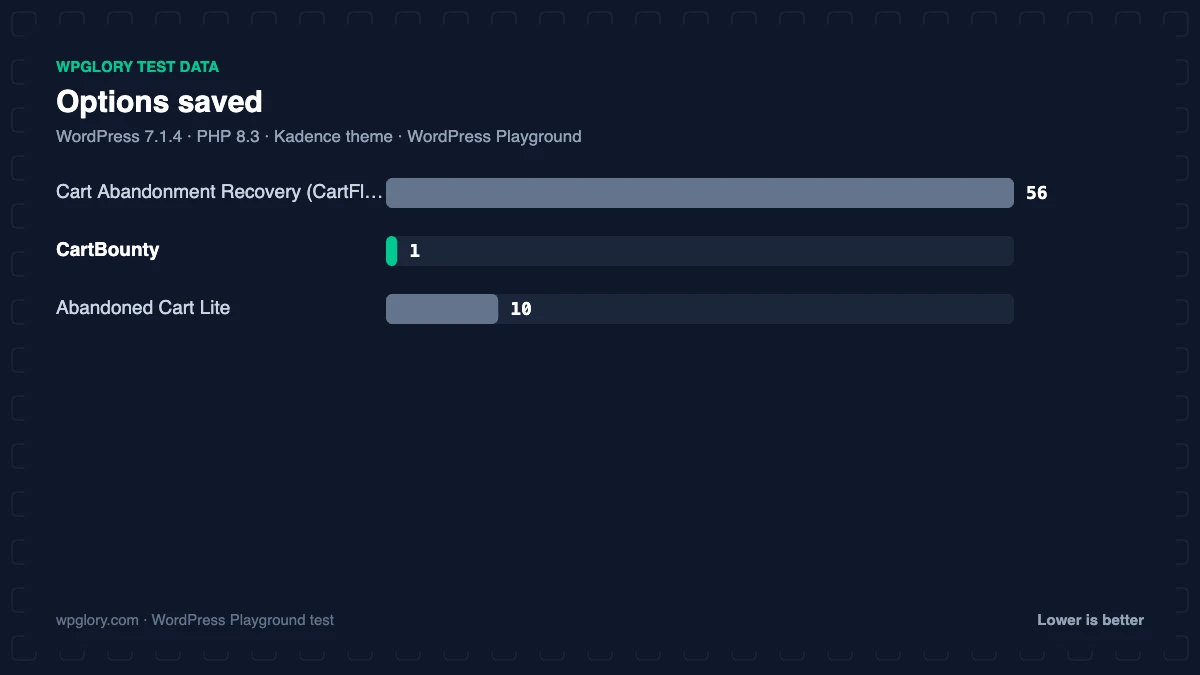
| Options saved | 56 | 1 | 10 |
| Scheduled cron jobs | 0 | 0 | 2 |
| Notices / redirects | setup redirect | None | setup notice |
| Plugin size | 5.8 MB | 4.0 MB | 4.2 MB |
| WPGlory score | 9.4/10 | 9.6/10 | 9.3/10 |
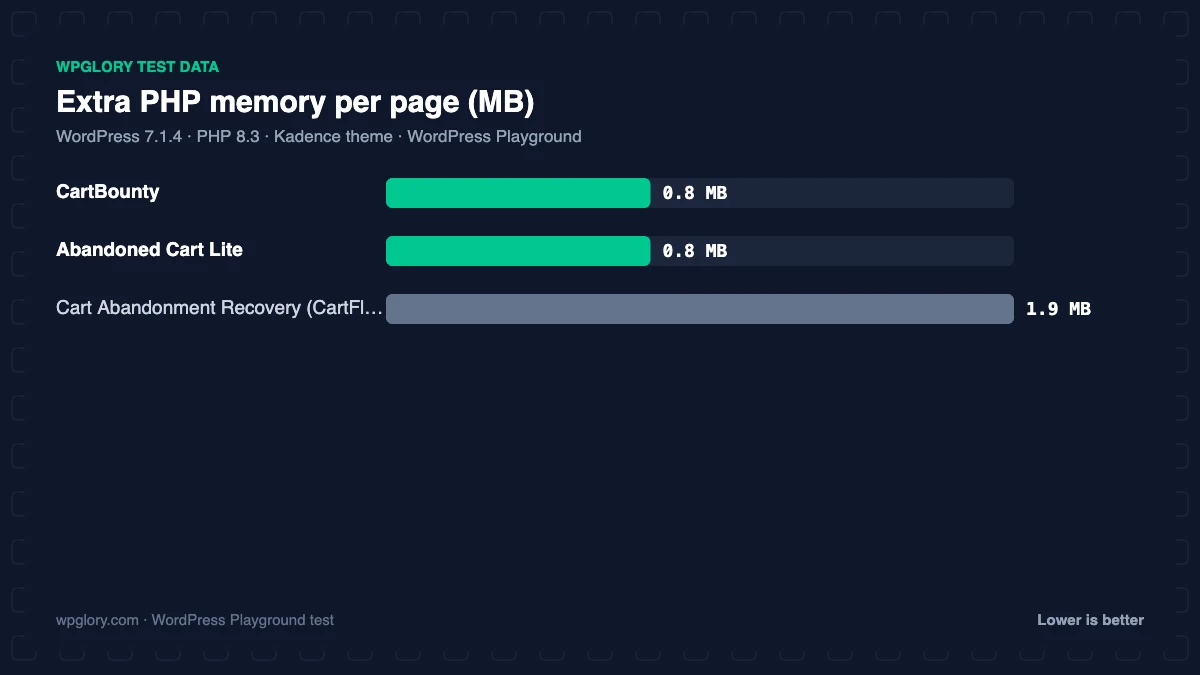
All three are light. Cart Abandonment Recovery used the most memory (1.9 MB) and saved 56 options, and it was the only one that redirected to an onboarding screen after activation. CartBounty added 11.4 KB of JavaScript for its exit-intent popup, 0.8 MB of memory and a single table. Abandoned Cart Lite added 4 tables, 2 cron jobs and a notice asking you to back up before it updates its email templates. For comparison, FunnelKit Automations (a full CRM) used 4.7 MB and 33 tables on the same store.
1. Cart Abandonment Recovery (CartFlows): best WooCommerce abandoned cart plugin overall
9.4/10 Free plan v2.2.2 · 300,000+ installs · 4.8★ on WordPress.org
Cart Abandonment Recovery, from the CartFlows team, is the most installed WooCommerce abandoned cart plugin (300,000+) and rated 4.8 stars. It captures the email at checkout, then sends a sequence of editable recovery emails. Each email can include a unique, time-limited coupon, and there is an optional GDPR consent checkbox and webhooks for other tools.
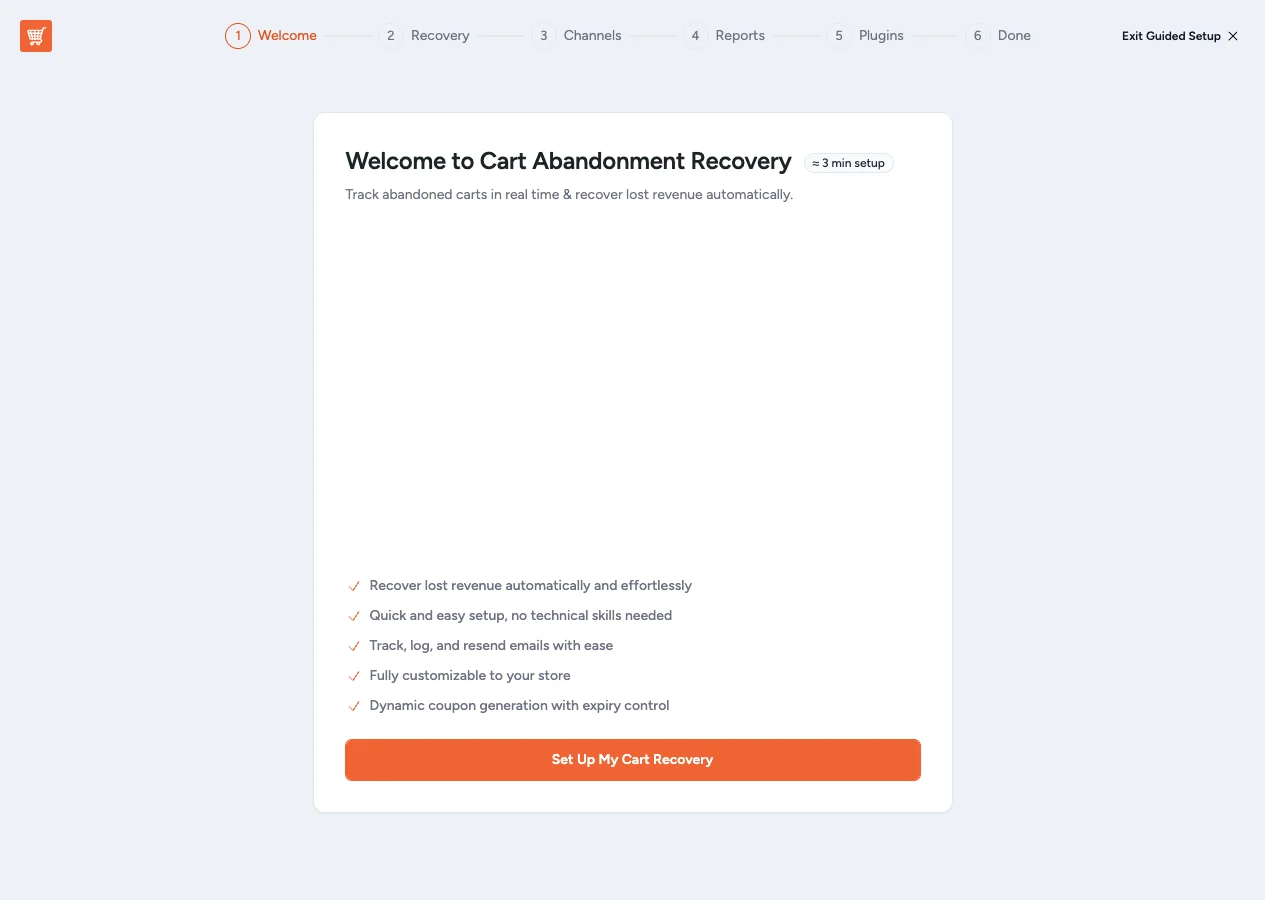
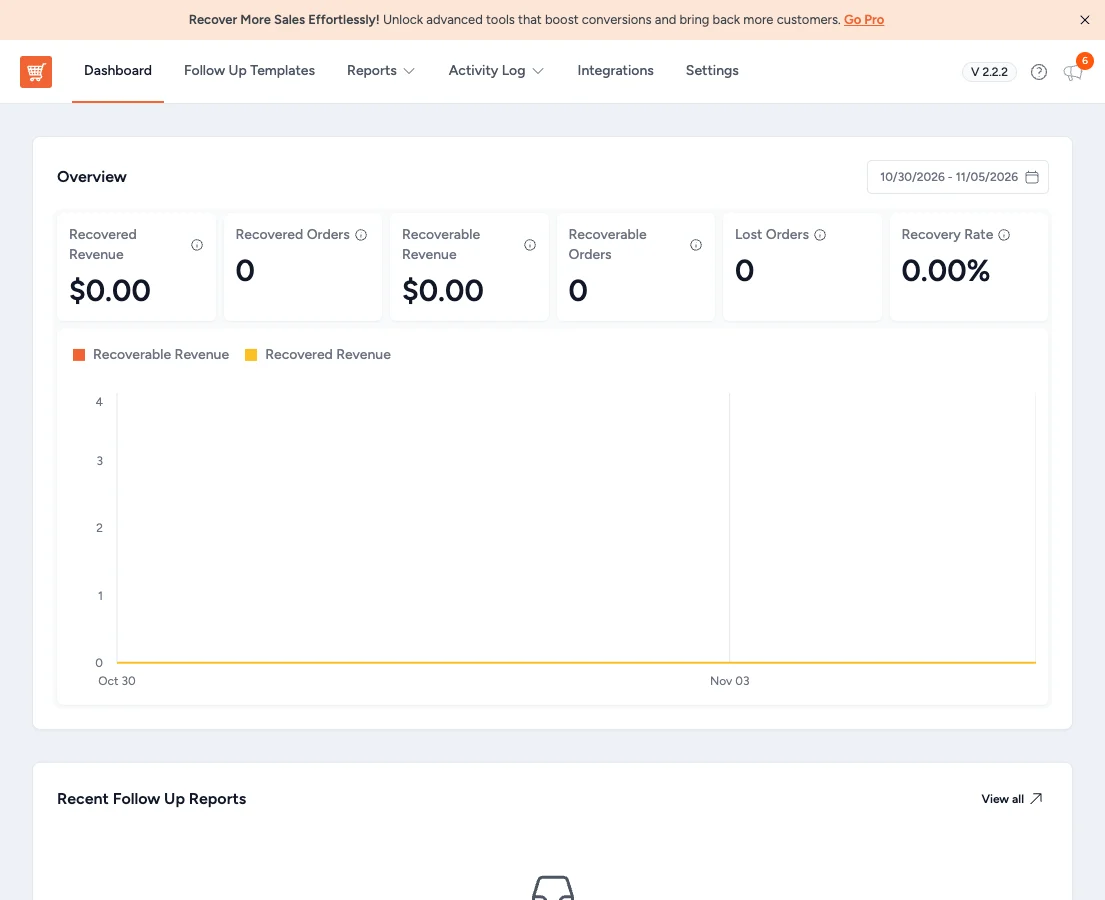
After activation it opened a short onboarding screen. It added no files to your pages, 1.9 MB of memory and 5 tables. Product-level reports, open and click tracking, a rule engine and SMS are Pro features.
Free download: Cart Abandonment Recovery (CartFlows) on WordPress.org (version 2.2.2, last updated 26 October 2026).
Pros
- Free recovery email sequence with unique coupons
- Most installs: 300,000+
- Nothing added to the front end
- GDPR consent and webhooks
Cons
- Onboarding redirect after activation
- Email tracking and rules need Pro
2. CartBounty: lightest, with a free exit-intent popup
9.6/10 Free plan v8.11.1 · 10,000+ installs · 4.8★ on WordPress.org
CartBounty saves carts in real time, shows them in a live dashboard (including anonymous “ghost” carts) and sends basic reminder emails through WordPress. Its exit-intent popup asks for an email when a shopper is about to leave, and it is free.
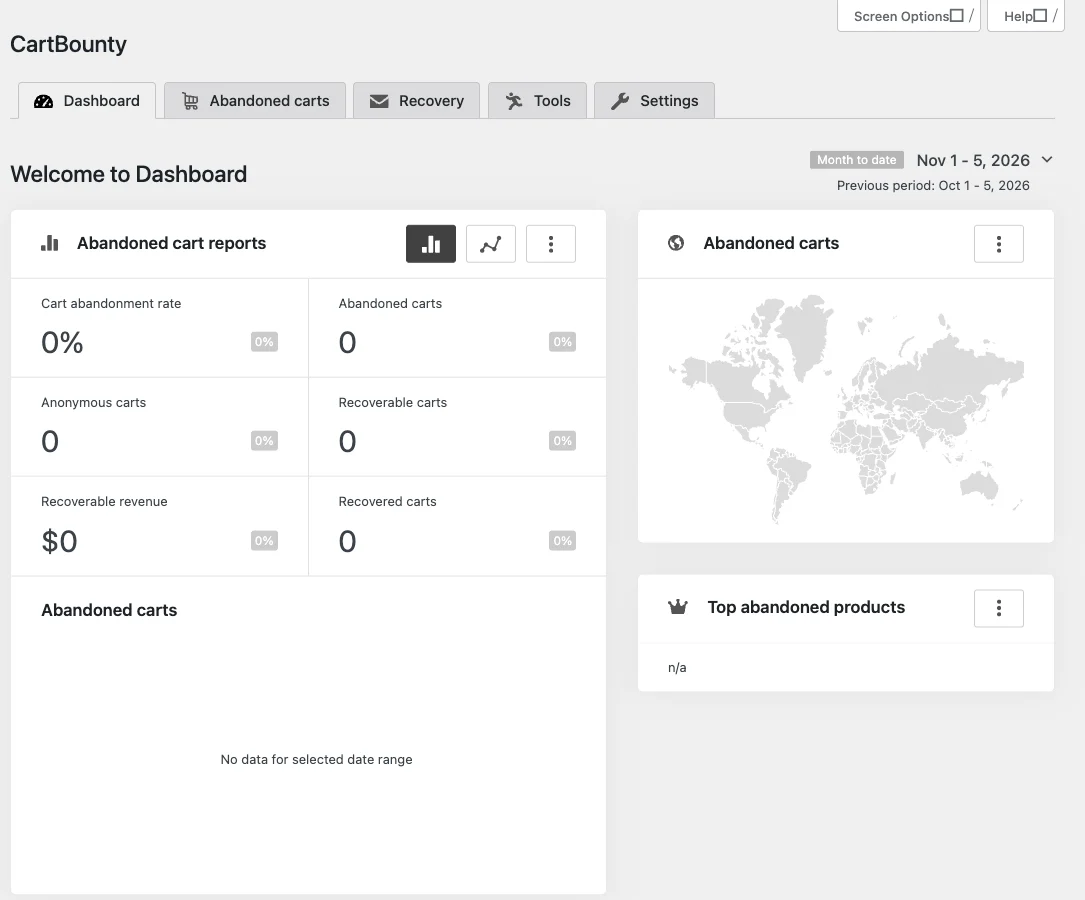
In our test it was the lightest overall: 11.4 KB of JavaScript for the popup, 0.8 MB of memory, 1 table and 1 option. Email series, SMS, WhatsApp, web push, unique coupons and open/click tracking are CartBounty Pro features.
Free download: CartBounty on WordPress.org (version 8.11.1, last updated 11 October 2026).
Pros
- Lightest server footprint: 1 table, 1 option
- Exit-intent popup free
- Live cart and ghost-cart view
Cons
- Only basic reminders in the free version
- Adds 11 KB of JavaScript to pages
3. Abandoned Cart Lite: simple guest capture and reports
9.3/10 Free plan v6.9.0 · 20,000+ installs · 4.1★ on WordPress.org
Abandoned Cart Lite from Tyche Softwares tracks carts for guests and logged-in customers, captures the guest email as it is typed at checkout, and sends scheduled reminder emails from editable templates. It includes exclusion rules (by IP, email, domain or country) and recovery reports.
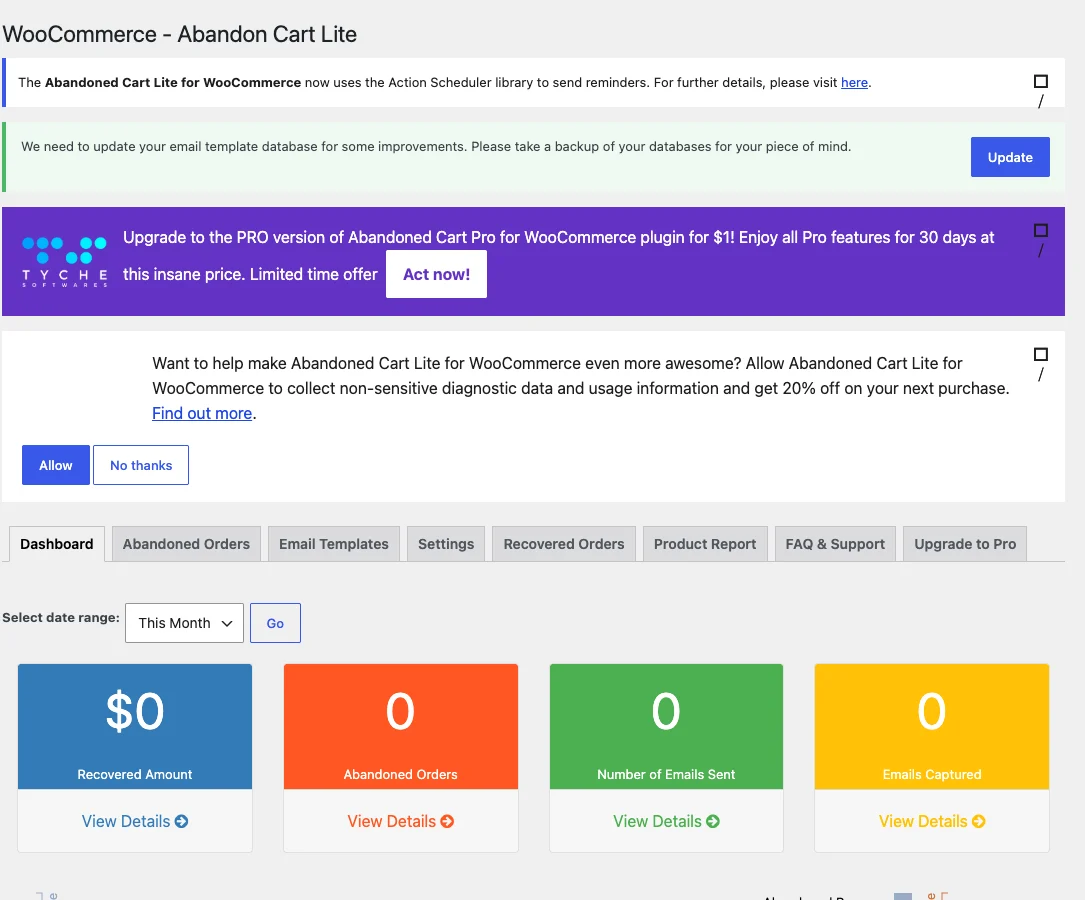
It added no files to your pages, 0.8 MB of memory, 4 tables and 2 cron jobs. After activation it showed a notice asking you to back up the database before updating its email template table, which is good practice but an extra step. Capture on “Add to Cart”, popups and SMS are Pro.
Free download: Abandoned Cart Lite on WordPress.org (version 6.9.0, last updated 23 October 2026).
Pros
- Captures guest emails during checkout
- Exclusion rules and reports free
- Nothing added to the front end
Cons
- Database update notice after activation
- Lowest rating here (4.1 stars)
FunnelKit Automations: cart recovery inside a CRM
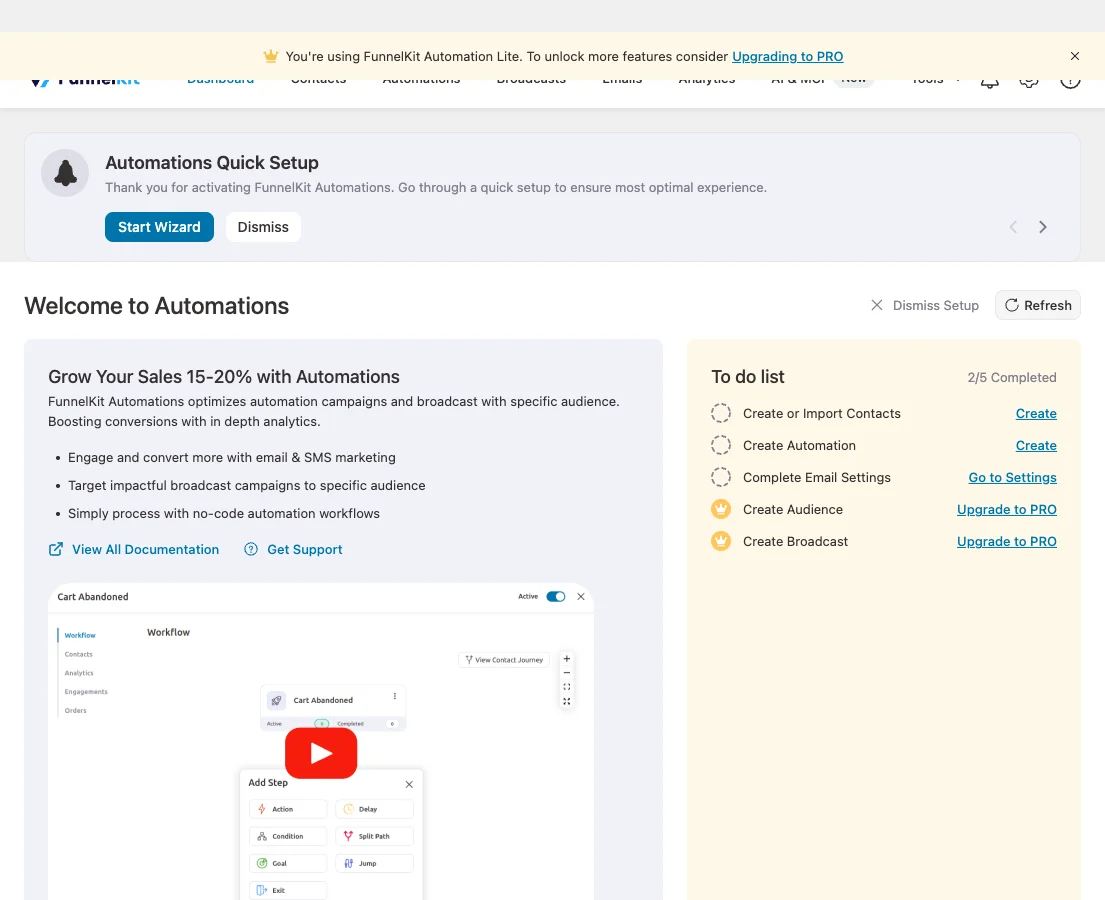
If you want recovery emails plus customer profiles, post-purchase flows and win-back campaigns, FunnelKit Automations tracks abandoned carts in its free version too. It is heavier (4.7 MB, 33 tables) because it is a full CRM. See FunnelKit Automations vs FluentCRM.
A cart recovery sequence that works
- Email 1, after 1 hour: a friendly reminder with the product image and a link back to the cart. No discount yet.
- Email 2, after 24 hours: answer the likely objection (shipping, returns, sizing) and add reviews.
- Email 3, after 72 hours: a small, time-limited coupon if your margins allow it.
Send from a proper SMTP or API service so reminders do not land in spam; our SMTP plugin test shows how.
What to look for in the best WooCommerce abandoned cart plugin
Before you choose a WooCommerce abandoned cart plugin, check these points.
- Email capture: at checkout (all), on add-to-cart or via exit intent (CartBounty free).
- Sequence: how many reminder emails you can send for free.
- Coupons: unique, expiring codes stop discount sharing.
- Consent: a GDPR checkbox for regions that require it.
- Reporting: recovered revenue, not just emails sent.
How we tested
Every plugin was installed from WordPress.org on a clean WordPress 7.1.4 site (PHP 8.3, Kadence theme) in WordPress Playground in November 2026. We activated one plugin at a time, measured the site, then deactivated it again, so each result is compared with the same baseline.
We loaded the home page and a normal blog post as a logged-out visitor three times and kept the median PHP peak memory, added up the CSS and JavaScript files the plugin added, and recorded database tables, options, scheduled cron jobs, admin menus, notices, dashboard widgets and any redirect on the first admin visit.
Screenshots were taken on the same test site right after activation. Ratings, installs and versions come from the WordPress.org plugin directory on the same day. WooCommerce 11.2.2 was active with four sample products, and we measured the home page, shop page, cart page and a blog post.
The WPGlory score rates what a plugin costs your site, not how many features it has: front-end weight 30%, server cost 20%, admin clutter 20%, WordPress.org rating 20% (weighted by the number of reviews) and maintenance 10%. Features are covered in the text. Read the full method.
FAQ
What is the best WooCommerce abandoned cart plugin?
Cart Abandonment Recovery by CartFlows: free email sequences with unique coupons and nothing added to your pages.
Is there a free abandoned cart plugin for WooCommerce?
Yes. Cart Abandonment Recovery, CartBounty, Abandoned Cart Lite and FunnelKit Automations all recover carts for free.
Do abandoned cart plugins slow down WooCommerce?
Barely. In our test they used 0.8 to 1.9 MB of memory, and only CartBounty added a file (11 KB) for its exit-intent popup.
Is it legal to email abandoned carts?
In many regions you need consent first. Cart Abandonment Recovery has a GDPR checkbox; check the rules for your country.
How much revenue can an abandoned cart plugin recover?
It varies by store, but recovery emails are among the highest-converting emails a store sends.
Will cart emails go to spam?
They can if WordPress sends them. Use an SMTP or API service.
Final verdict
Cart Abandonment Recovery is the best WooCommerce abandoned cart plugin
It recovers carts with a free email sequence and unique coupons, adds nothing to your pages and is trusted by 300,000+ stores. Choose CartBounty for the lightest setup and a free exit-intent popup.
9.4/10