Rank Math Free vs PRO: 9 PRO Features I Tested (Is It Worth It?)
Some links on this page are affiliate links. If you buy through them we may earn a commission, at no extra cost to you. It never changes our verdict. How we test and make money
On this page
Short answer: In the Rank Math free vs PRO question, the free plugin already covers the basics of SEO. Rank Math PRO is worth paying for if you use schema on many pages, publish news or video, or want unlimited focus keywords. On my test site, PRO added schema templates with display rules, schema import from any URL (it found 6 schema types on one of my own posts), advanced Image SEO, and 4 PRO-only modules. One thing surprised me: Content AI is not included in PRO and needs a separate Rank Math AI plan.
Last month I wrote a complete Rank Math setup guide using only the free plugin. The most common question I got afterwards was simple: what do I actually get if I pay for Rank Math PRO?
Most Rank Math free vs PRO comparisons copy the feature table from the pricing page. I wanted to see the features working. So I built a brand-new WordPress site, installed the free plugin, added Rank Math PRO, connected my account and went through every PRO screen. I imported schema from a live page, built a schema template with display rules, switched on the PRO-only modules and counted what changed. This article shows each step with a clean screenshot, so you can decide if the upgrade is worth it for your site.
Who this is for: bloggers, agencies and store owners who already use the free Rank Math plugin and want to know if PRO is worth it. If you are still choosing an SEO plugin, read our Rank Math vs Yoast vs AIOSEO test first.
Rank Math free vs PRO at a glance
This table only lists what I checked on the test site or what Rank Math states in its own documentation. Items I could not test (they need a connected Google account) are marked.
| Feature | Free | Rank Math PRO | Tested here? |
|---|---|---|---|
| Setup wizard, titles, meta, XML sitemap | Yes | Yes | Yes |
| Focus keywords per post | Up to 5 | Unlimited | Yes (3 used) |
| Schema Templates with display conditions | No | Yes | Yes |
| Import schema from a URL or HTML | No | Yes | Yes (6 types found) |
| Custom Schema builder | No | Yes | Yes |
| Image SEO: captions, descriptions, casing, find and replace | Alt and title only | Yes | Yes |
| News Sitemap and Video Sitemap | No | Yes (PRO-only modules) | Yes |
| Podcast and Marketplace modules | No | Yes (PRO-only modules) | Yes |
| Rank Tracker and advanced Analytics | Basic Analytics only | Yes | No (needs Google) |
| Content AI | Separate plan | Separate plan | Yes (not included) |
| MCP abilities for AI assistants | 29 | 35 (29 + 6 Marketplace) | Yes |
My Rank Math PRO test setup
I used a clean TasteWP site so nothing from older plugins could affect the results. The site ran WordPress 7.1.5 with the default Twenty Twenty-Three theme and no other plugins. I installed Rank Math SEO 1.0.282 from WordPress.org, uploaded Rank Math SEO PRO 3.0.125 from my Rank Math account, and connected the site with Rank Math → Dashboard → Connect Account. Once connected, the PRO badge appears next to the Rank Math logo and the PRO settings unlock.
Rank Math PRO is not a separate SEO plugin. It is an add-on that sits on top of the free plugin, so both stay active. If you deactivate the free plugin, PRO stops working too.
The Rank Math PRO setup wizard
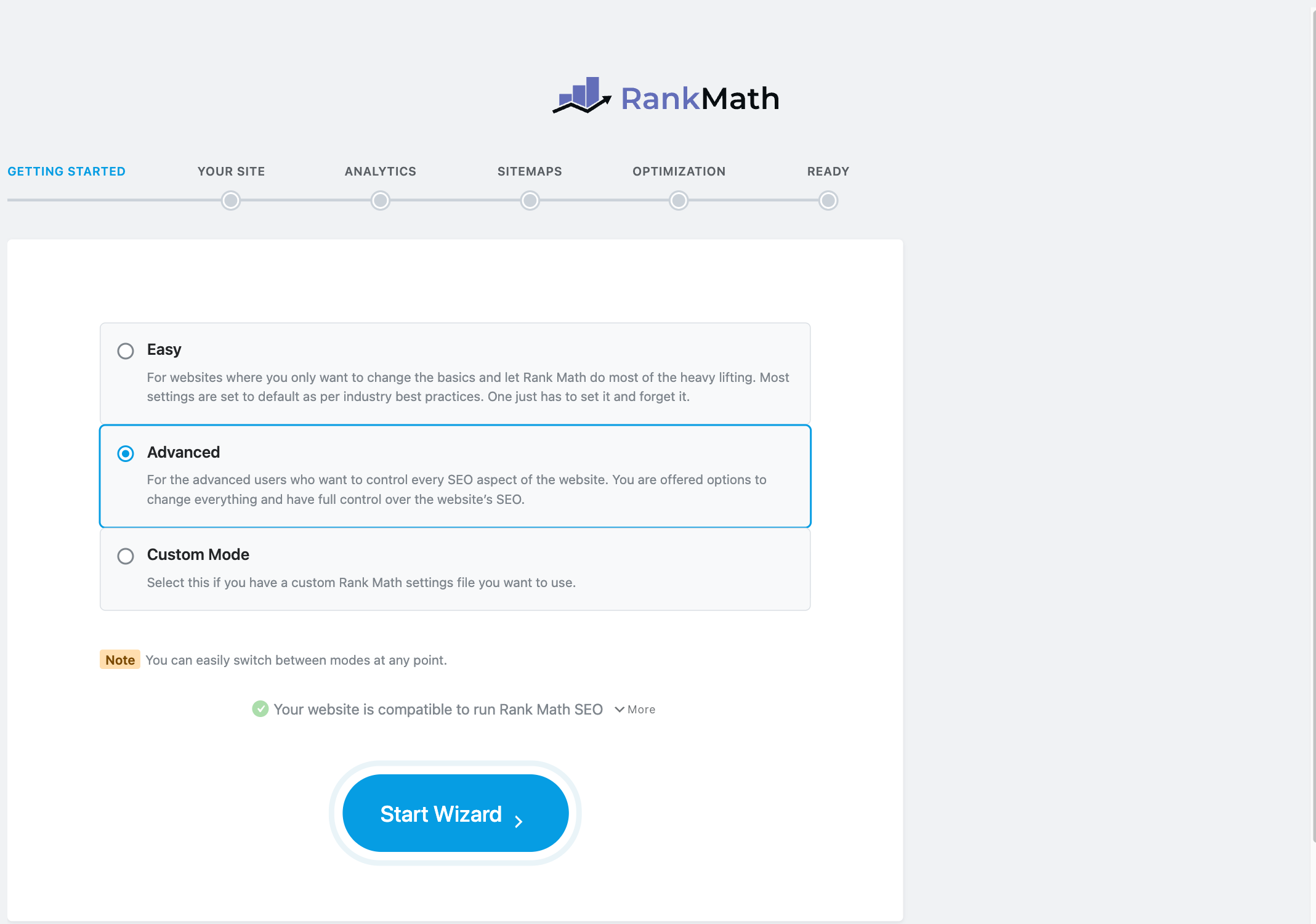
The setup wizard looks the same in free and PRO, but PRO shows more options in Advanced mode. Choose Advanced on the first screen. Easy mode hides most of the settings that make PRO worth paying for.
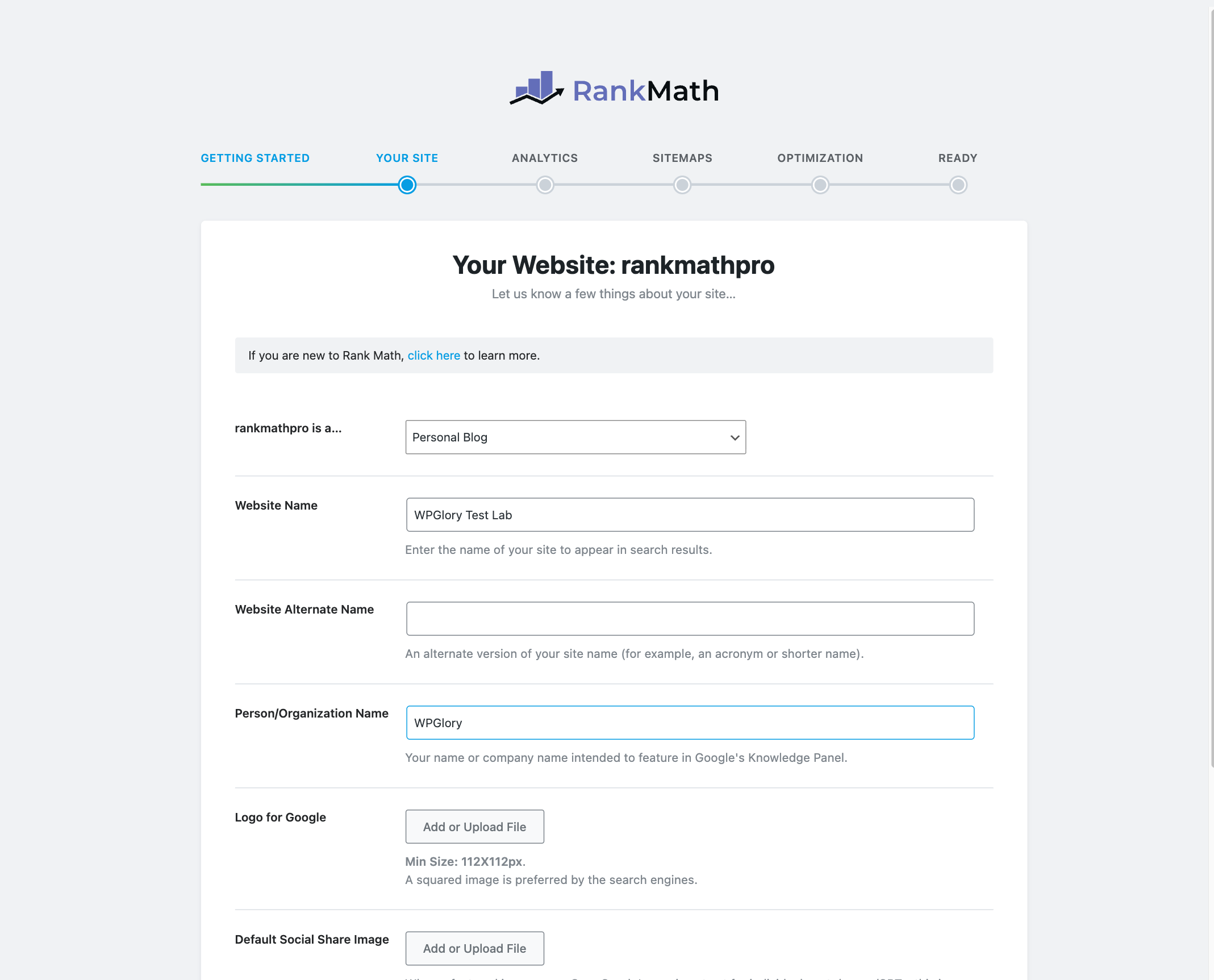
On the Your Site step, set the site type (blog, shop, local business, news site and so on), the site name and your logo. These values feed the Knowledge Graph and the default schema for your whole site, so it is worth getting them right.
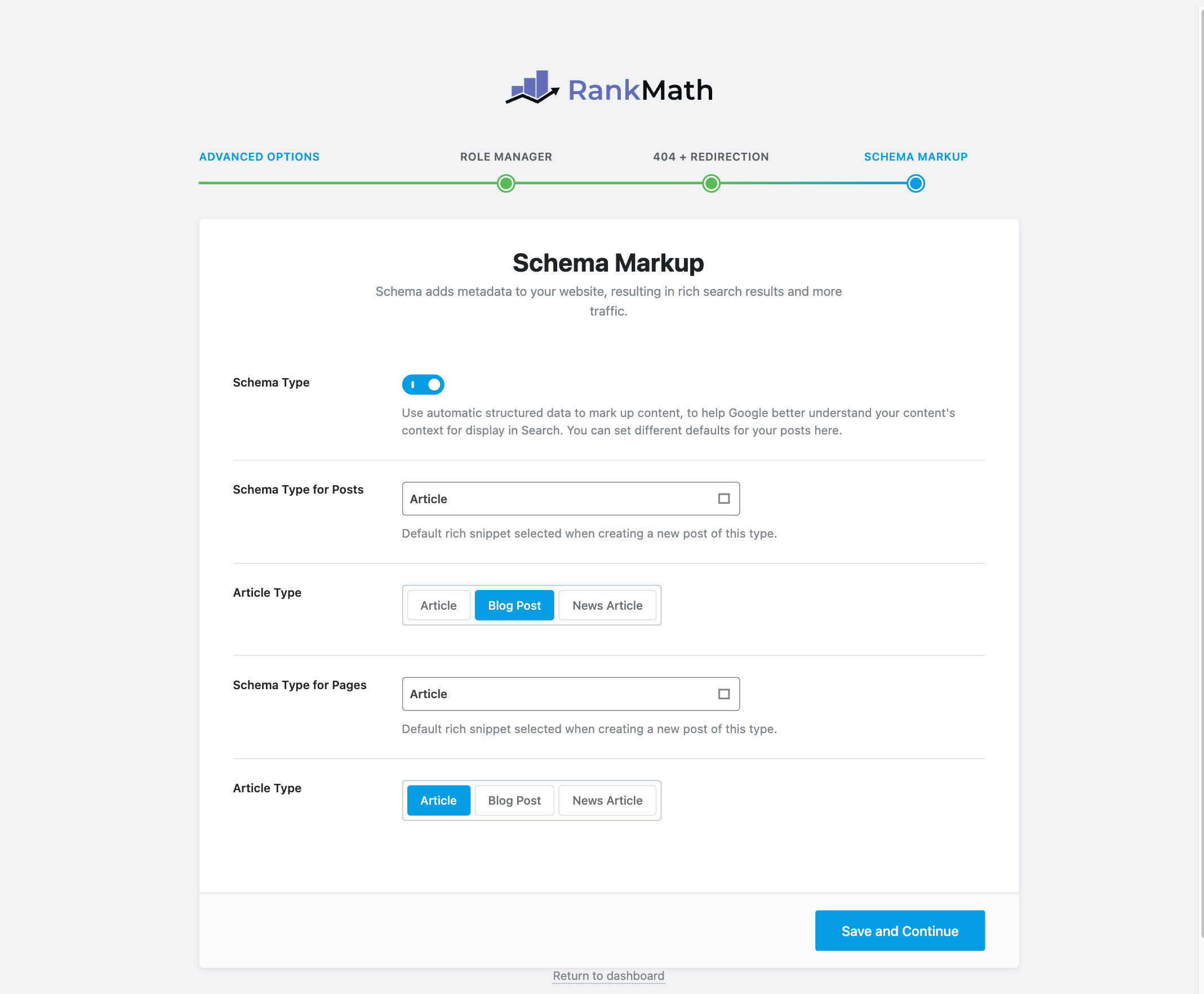
I skipped the Google step on the test site, because a temporary site cannot be verified in Search Console. On a real site, connect it: the PRO Rank Tracker and the advanced Analytics reports depend on it. After the sitemap and SEO tweaks steps, click Setup Advanced Options on the final screen. That opens three more steps: Role Manager, 404 Monitor and Redirections, and Schema Markup.
1. Schema Templates with display conditions (PRO)
This is the main reason I would pay for Rank Math PRO. In the free plugin you add schema post by post. With PRO you build a schema template once and tell Rank Math where to use it.
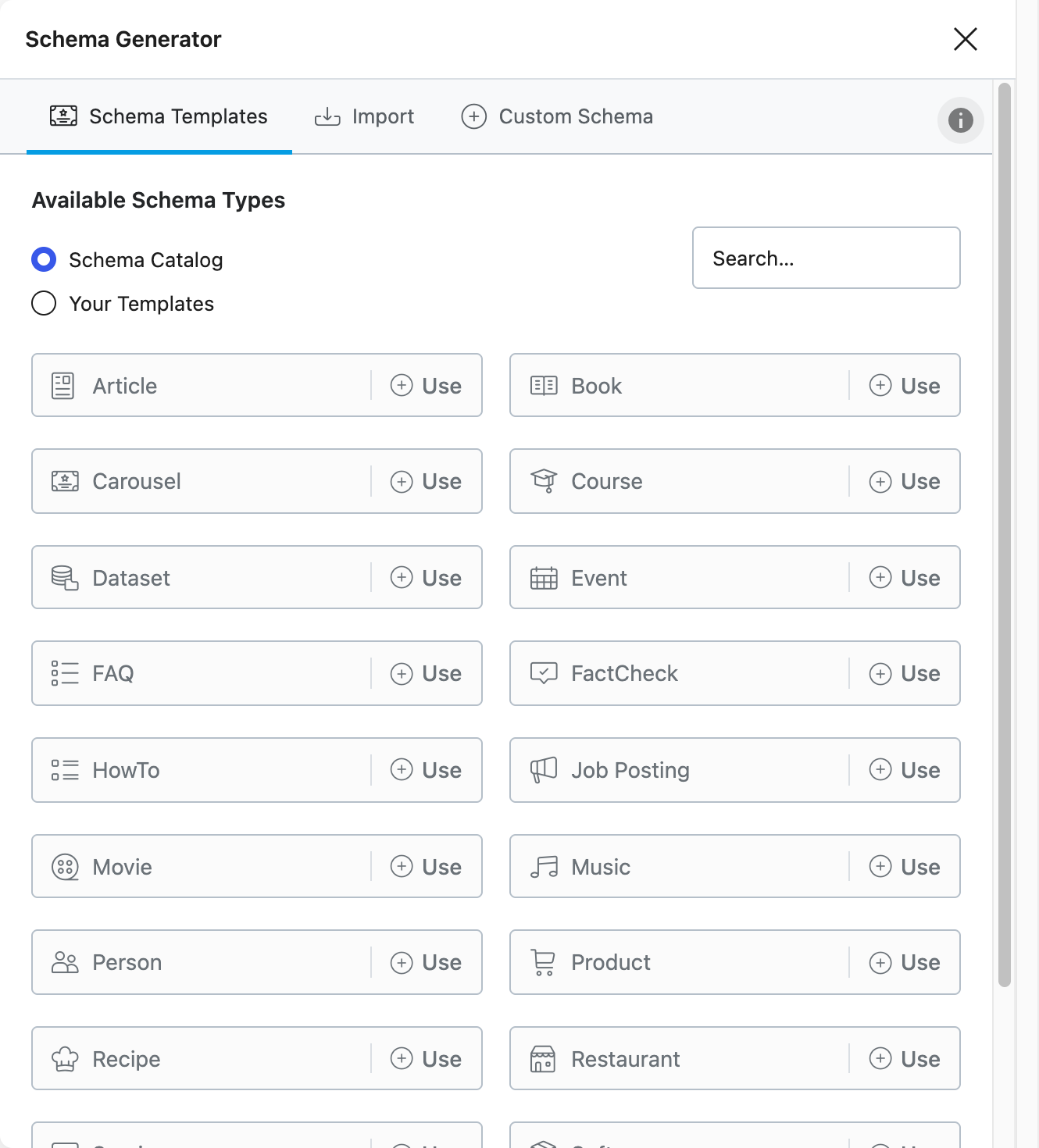
Go to Rank Math → Schema Templates → Add New. The Schema Generator opens with three tabs: Schema Templates, Import and Custom Schema. The catalog on my test site listed 19 schema types: Article, Book, Carousel, Course, Dataset, Event, FAQ, FactCheck, HowTo, Job Posting, Movie, Music, Person, Product, Recipe, Restaurant, Service, Software and Video.
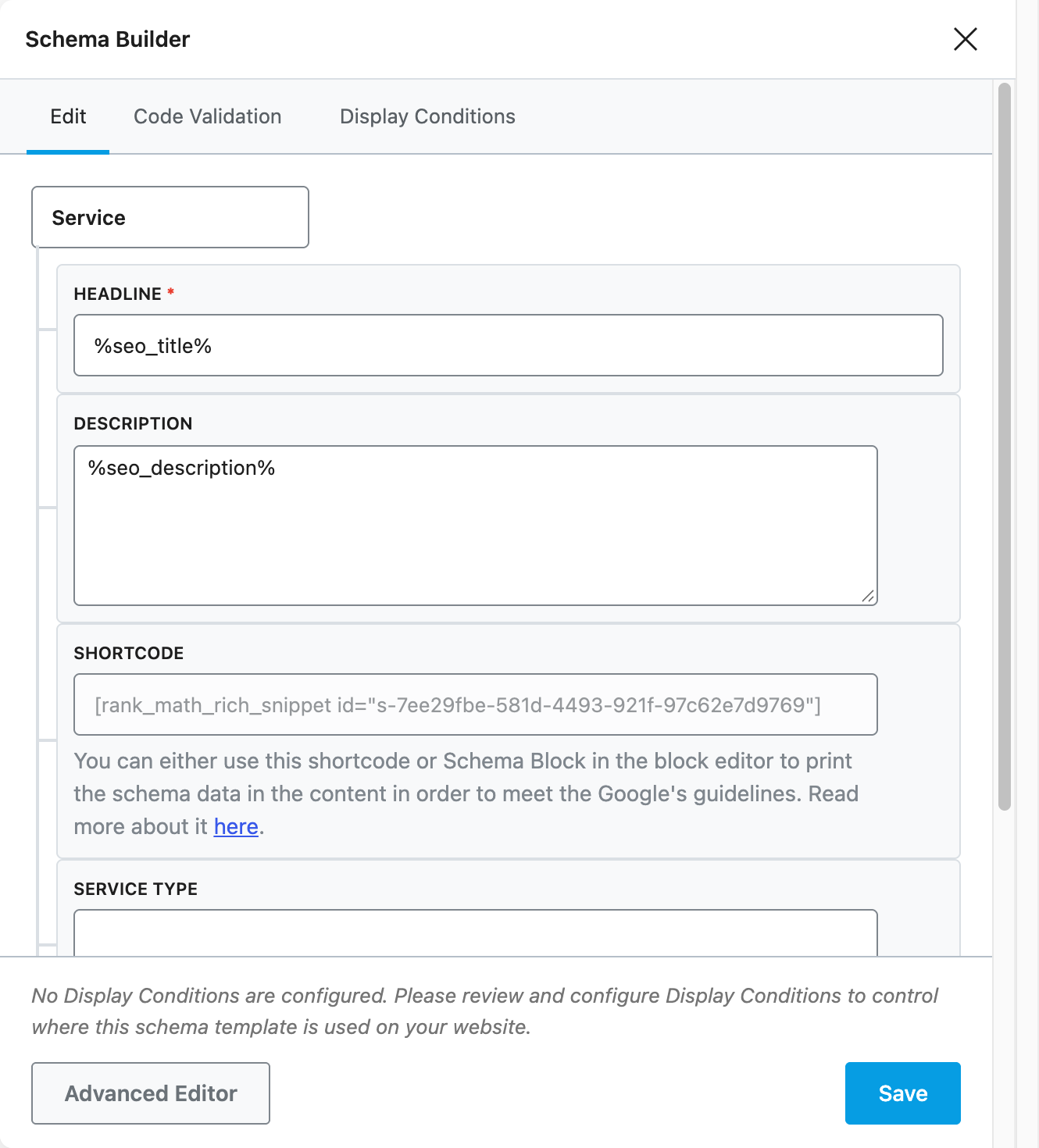
I picked Service. The Schema Builder opens with the fields already filled with variables such as %seo_title% and %seo_description%, so each page gets its own values automatically. It also gives you a shortcode, so you can print the schema data on the page if Google’s guidelines require the content to be visible.
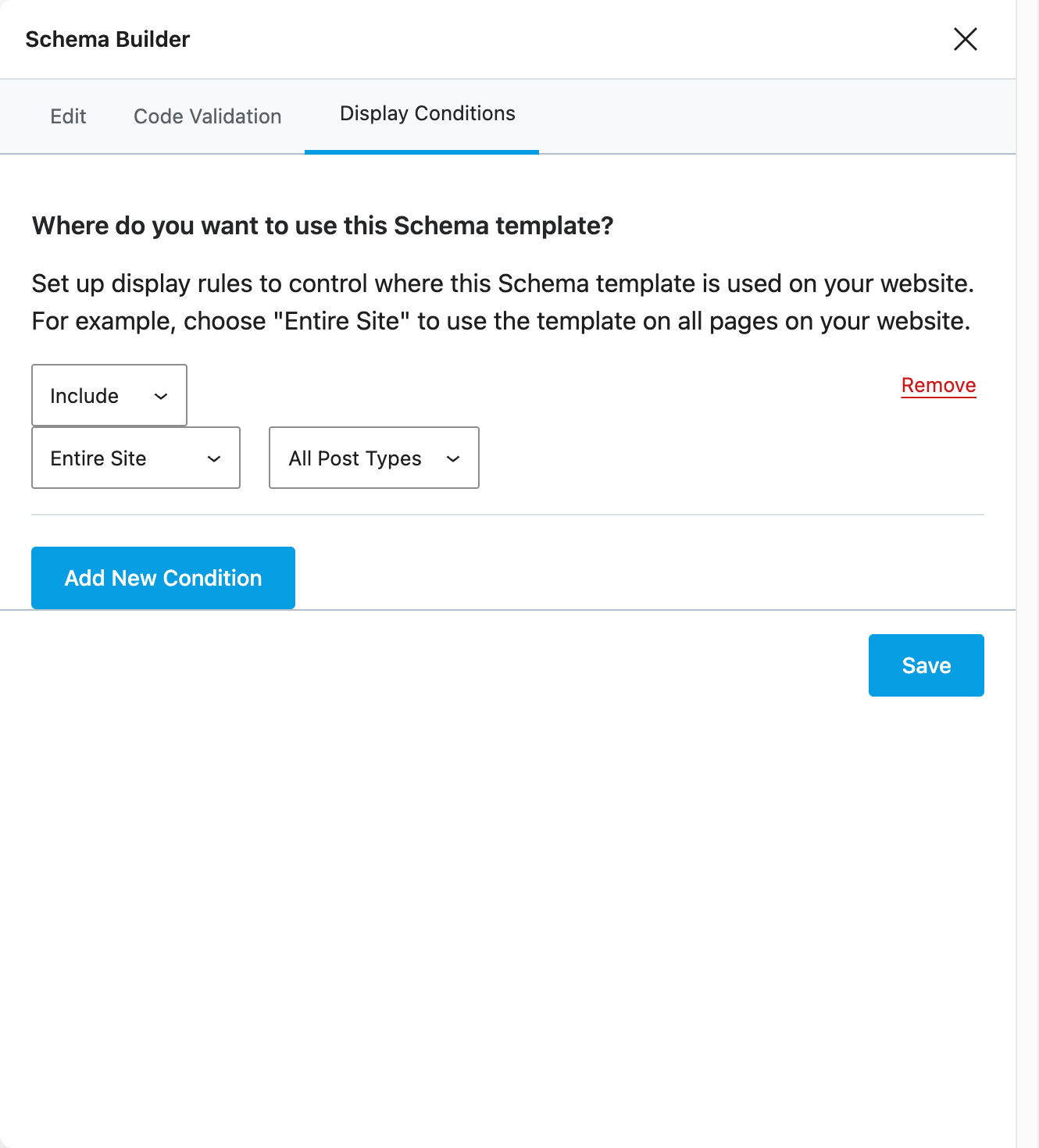
The Display Conditions tab is where it gets useful. You can include or exclude the template for the entire site, for archives or for single posts, and then narrow it down to a post type. For example, an agency can add Service schema to every page in one step instead of editing 40 pages by hand.
2. Import schema from any URL (PRO)
The Import tab can read schema from a live page, from pasted HTML or from JSON-LD code. I tested it with my own Rank Math setup article on WPGlory. Rank Math PRO found 6 schema types on that page in a few seconds: Organization, WebSite, ImageObject, WebPage, Person and BlogPosting. Each one has a Use button and a Preview button.
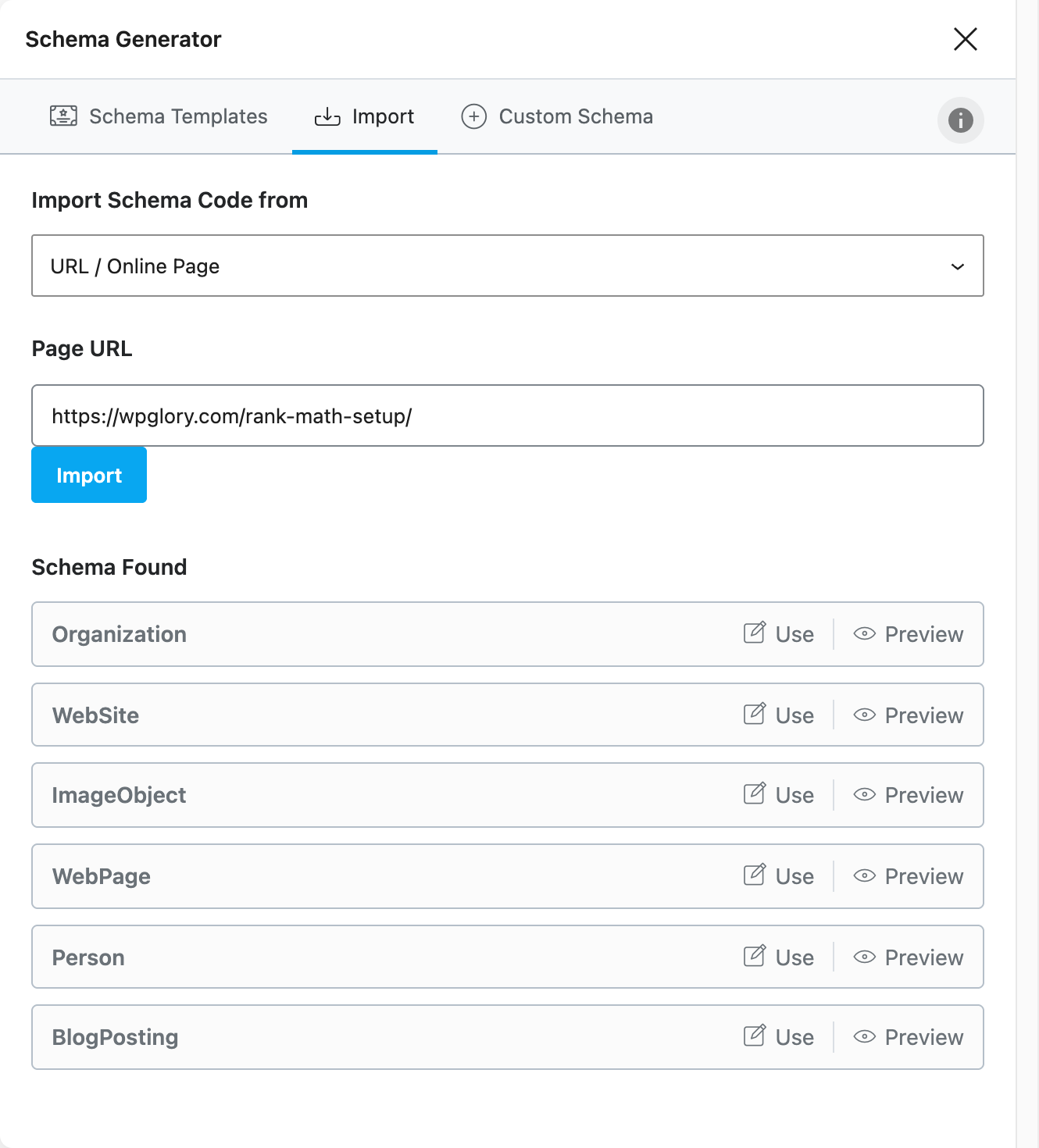
This is handy when you move a site from another SEO plugin, or when you want to copy a schema setup that already works on another page. Only import schema from your own pages, and check it with Google’s Rich Results Test before you publish.
3. Custom Schema builder (PRO)
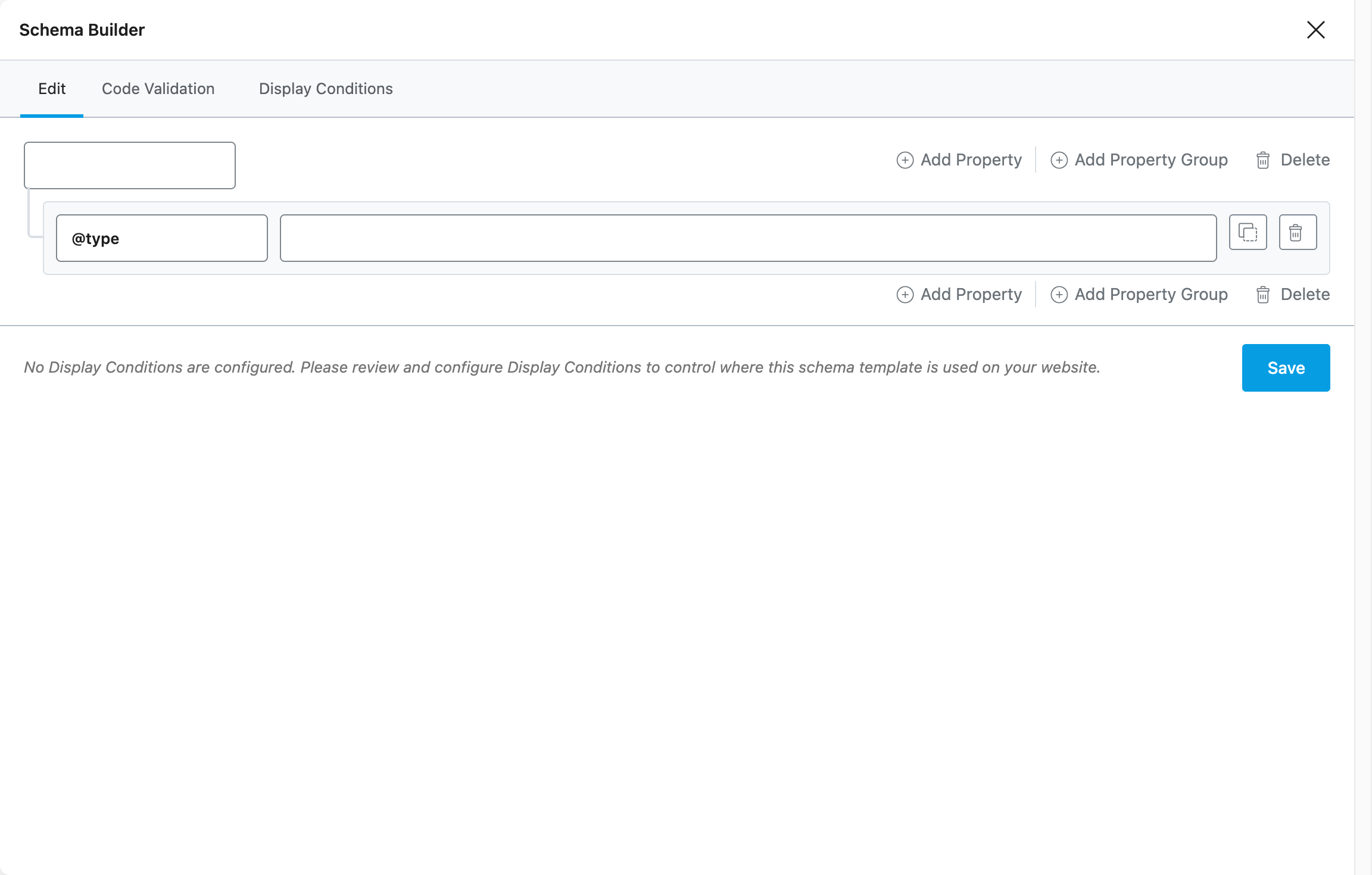
The third tab, Custom Schema, lets you build your own schema from scratch with properties and property groups. Rank Math warns you to validate the code yourself, which is good advice. Most sites will never need this, but if you run a niche site with an unusual content type, it saves you from adding hand-written JSON-LD to your theme.
4. Advanced Image SEO (PRO)
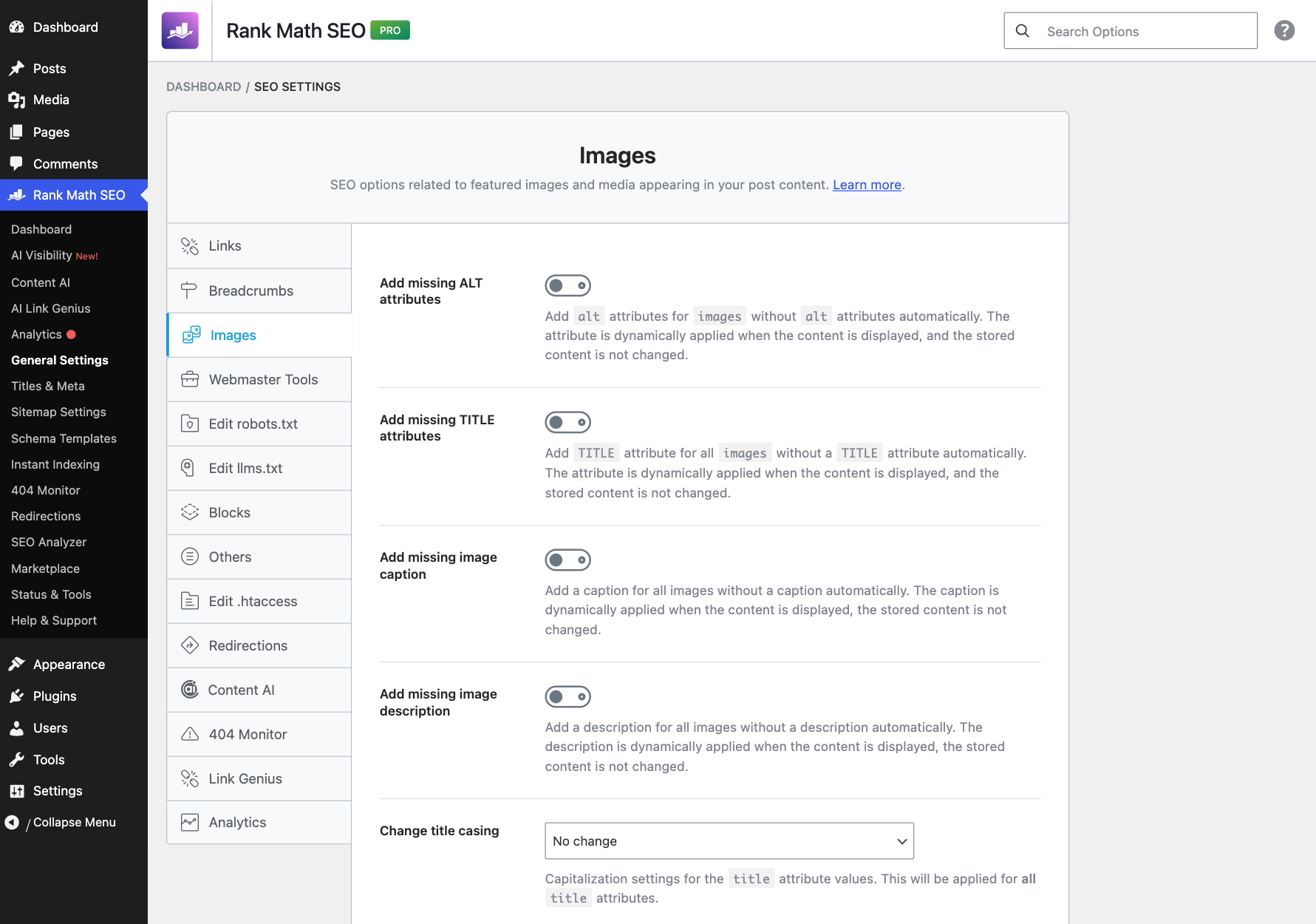
The free Image SEO module adds missing alt and title attributes. Rank Math PRO adds a lot more on the same settings screen (General Settings → Images):
- Add missing image captions and descriptions automatically.
- Change the casing of titles, alt text, captions and descriptions (Title Casing, Sentence casing, lowercase or uppercase).
- Add alt text to commenter avatars (it uses the username).
- Find and replace words or characters in alt tags, titles and captions, for example to remove “IMG_” or “-scaled” from file names.
All of these are applied when the page is displayed. Rank Math does not change the content stored in your database, so you can switch them off again without damage.
5. News Sitemap and Video Sitemap (PRO-only modules)
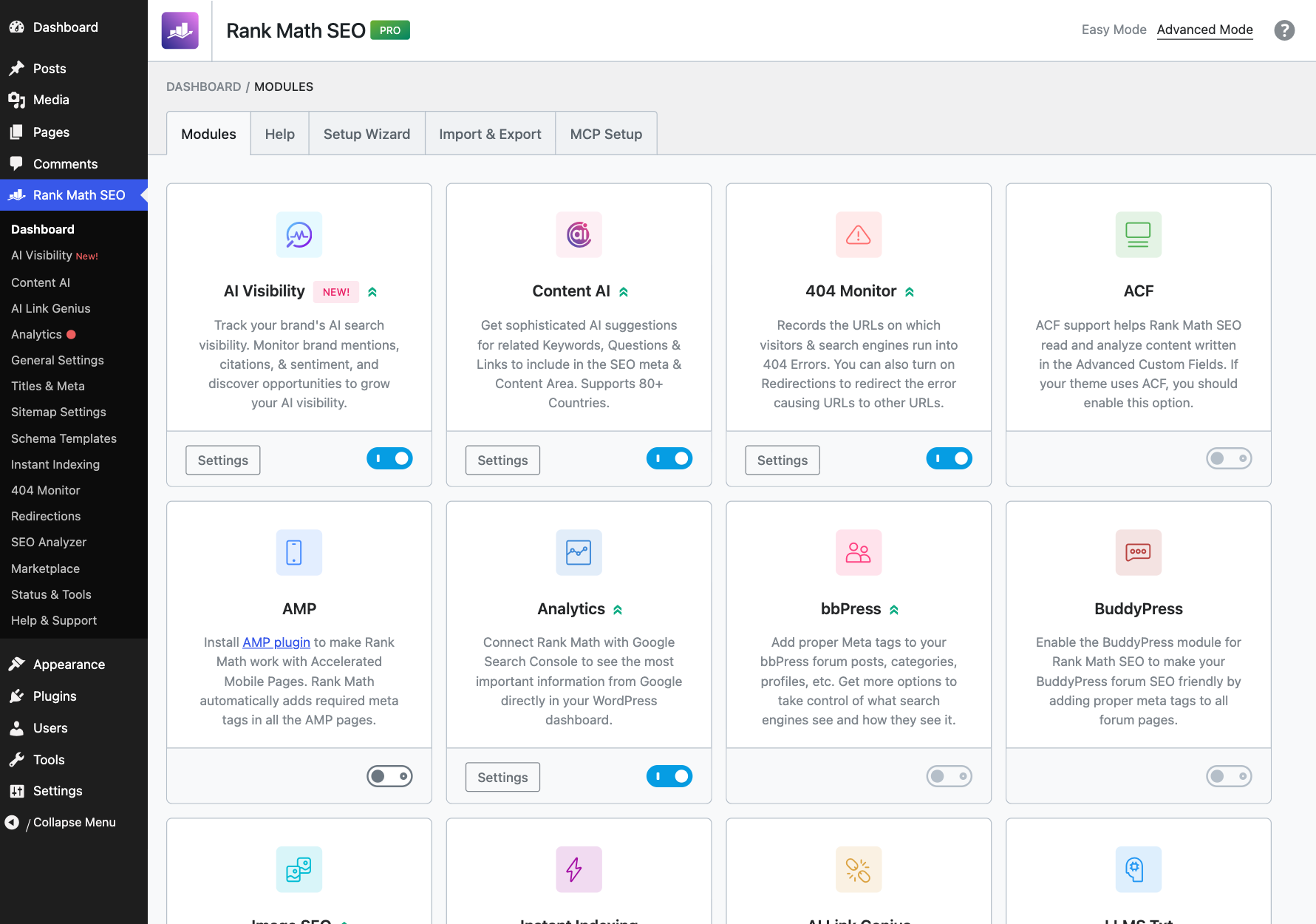
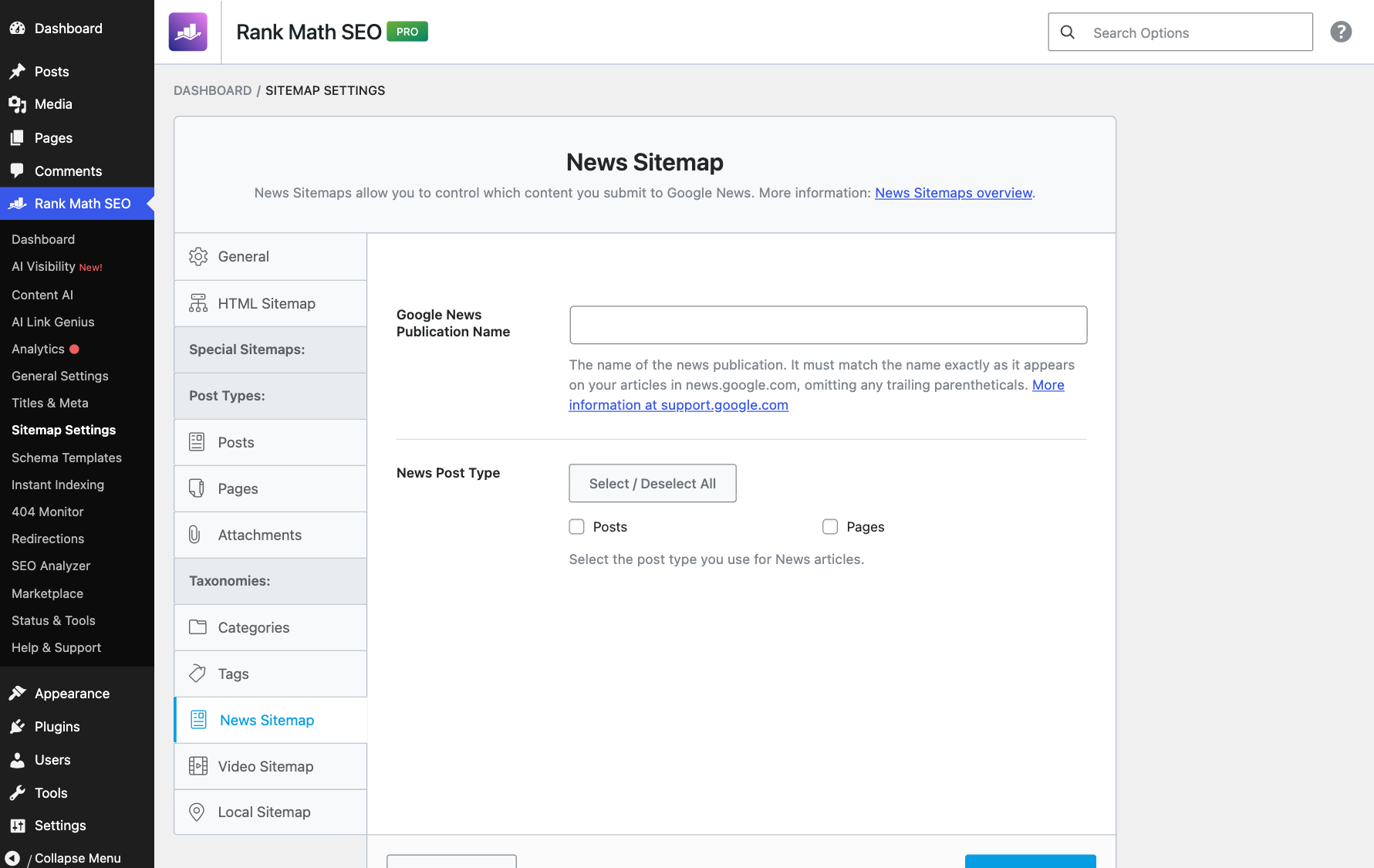
Rank Math PRO adds four modules that do not exist in the free plugin: News Sitemap, Video Sitemap, Podcast and Marketplace. I confirmed this on the test site: these four are loaded from the PRO plugin and carry the PRO badge on the modules screen.
The News Sitemap is only useful if you publish news and want to appear in Google News. You set the publication name (it must match your name in Google News exactly) and choose the post types. Rank Math then serves the file at /news-sitemap.xml. The Video Sitemap helps Google find videos embedded in your posts.
6. Unlimited focus keywords in the editor (PRO)
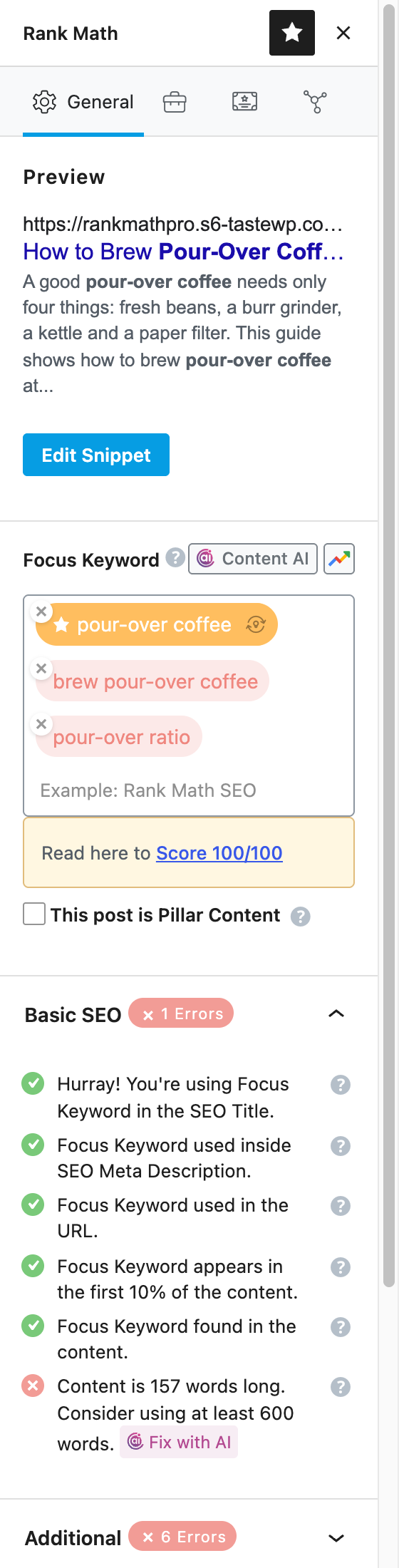
The free plugin lets you add up to five focus keywords per post. Rank Math PRO removes that limit. To test it, I created a short post called “How to Brew Pour-Over Coffee at Home” and added three focus keywords. The editor sidebar checks each keyword separately and shows the Google preview, the score and the Basic SEO tests in one place.
Honestly, five keywords is enough for most posts. Unlimited keywords matter more for long pillar pages and for product pages that target many variations.
7. Local SEO for businesses (PRO)
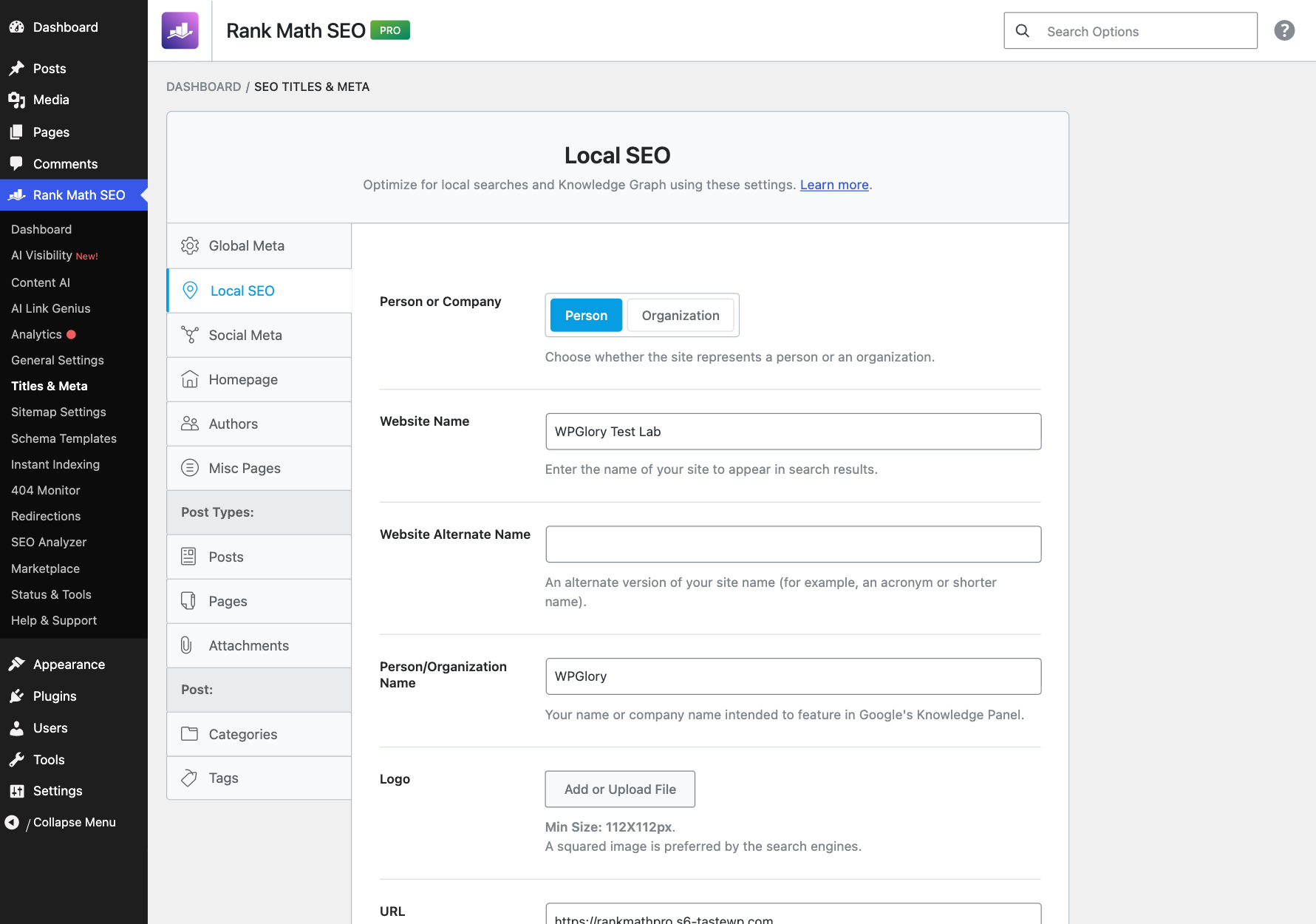
Local SEO lives under Titles & Meta → Local SEO. Here you set whether the site is a person or an organization, plus the logo, email, phone, address, About page and Contact page. Rank Math uses these for the Knowledge Graph and the LocalBusiness schema, and the [rank_math_contact_info] shortcode prints them on a page. According to Rank Math’s documentation, PRO adds multiple locations, opening hours and a Local Sitemap, which matters if your business has more than one branch.
8. Rank Tracker and advanced Analytics (PRO)
Rank Math PRO tracks keyword positions from Google Search Console and shows them inside WordPress, along with more detailed traffic reports. I could not test this on a temporary site, because it needs a verified Google account and a few days of data. On a real site, this is the feature I check most often: it shows which posts are slipping before the traffic drop becomes obvious.
9. More MCP abilities for AI assistants
Rank Math now registers “abilities” that AI assistants such as Claude or ChatGPT can use through MCP to read and change your SEO settings. In my free-only test last month I counted 29 of them. With Rank Math PRO active, the WordPress Abilities API listed 35: the same 29 core abilities plus 6 Marketplace abilities from PRO (list products, get a product, list installed products, list subscriptions, get a subscription and refresh products). Of the 35, 23 are read-only and 12 can make changes.
So PRO does not change much for AI assistants yet. The useful MCP tools, such as the site audit, the SEO meta for a post and the llms.txt file, are already free.
What Rank Math PRO does not include: Content AI
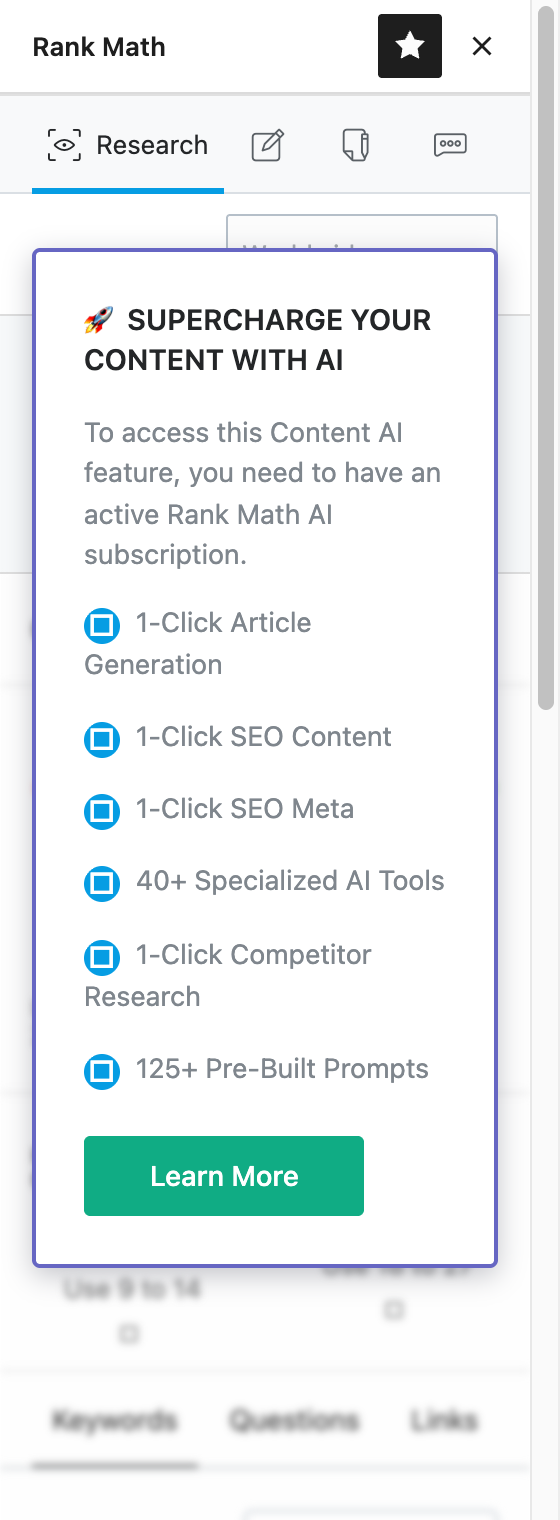
This is the part most Rank Math free vs PRO articles get wrong. Content AI (keyword research, AI writing, 40+ AI tools and SEO meta generation) is not part of the PRO licence. When I typed a keyword into the Content AI tab on my PRO site, Rank Math showed a box saying you need an active Rank Math AI subscription. Budget for it separately if you want the AI features.
Rank Math PRO pricing: is it worth it?
At the time of writing, Rank Math PRO costs $5.59 a month billed yearly during the current sale, for unlimited personal websites, and renews at $8.99 a month (before VAT). Business and Agency plans cover client sites. Prices change often around Black Friday, so check our WordPress Black Friday deals page for the price we checked today.
| Your site | Free or PRO? | Why |
|---|---|---|
| Personal blog, one author | Free | The free plugin covers titles, sitemaps, schema per post and llms.txt. |
| Blog that wants rank tracking | PRO | Rank Tracker and the advanced Analytics reports are the main upgrade. |
| Agency or service business | PRO | Schema Templates with display conditions save hours on every client site. |
| News site | PRO | The News Sitemap is a PRO-only module. |
| Video or podcast site | PRO | Video Sitemap and Podcast are PRO-only modules. |
| Local business with several branches | PRO | Multiple locations and the Local Sitemap. |
| You mainly want AI writing | Neither alone | Content AI needs a separate Rank Math AI plan. |
My view: if you only run one simple blog, stay on the free plugin and set it up properly. If you run more than one site, publish for clients, or care about schema and rank tracking, Rank Math PRO is one of the cheapest upgrades in WordPress and pays for itself in time saved.
How to upgrade from Rank Math free to PRO
- Keep the free Rank Math SEO plugin installed and active. Your settings stay as they are.
- Buy a PRO plan and download the PRO zip file from your Rank Math account.
- In WordPress, go to Plugins → Add New → Upload Plugin, upload the zip, then click Activate.
- Open Rank Math → Dashboard and click Connect Account to activate the licence.
- Switch on the PRO modules you need, then build your first schema template.
The whole upgrade took me under five minutes on the test site, and nothing in the existing setup changed.
Rank Math free vs PRO: FAQ
Is Rank Math PRO better than the free version?
It adds features on top of the free version rather than replacing it. The biggest upgrades are Schema Templates with display conditions, schema import, advanced Image SEO, the Rank Tracker and four PRO-only modules (News Sitemap, Video Sitemap, Podcast and Marketplace).
Do I need to keep the free Rank Math plugin with PRO?
Yes. Rank Math PRO is an add-on. Both plugins must stay active, and PRO only works once you connect your Rank Math account.
Does Rank Math PRO include Content AI?
No. On my PRO test site, Content AI asked for a separate Rank Math AI subscription before it would run keyword research.
How many focus keywords can I use in Rank Math free vs PRO?
The free version allows up to five focus keywords per post. Rank Math PRO removes the limit.
Will I lose my settings if I cancel Rank Math PRO?
Your free settings, titles and meta stay in place because they belong to the free plugin. PRO-only features such as schema templates and the News Sitemap stop working.
Sources and further reading
- Rank Math PRO changelog
- Google’s structured data guidelines
- My full Rank Math setup guide (free plugin)
Final verdict
Rank Math PRO is worth it once you manage schema at scale
Stay on the free plugin for a simple blog. Upgrade to Rank Math PRO if you build sites for clients, publish news or video, or want rank tracking inside WordPress. Schema Templates with display conditions alone save hours on every site. Just remember that Content AI is a separate plan.