Best WordPress Translation Plugin (2026): 4 Plugins Tested
Some links on this page are affiliate links. If you buy through them we may earn a commission, at no extra cost to you. It never changes our verdict. How we test and make money
On this page
Short answer: The best WordPress translation plugin for a real multilingual site is Polylang: unlimited languages, SEO-friendly language URLs and almost no overhead (0.9 MB of memory, 0.2 KB on pages) in our test. TranslatePress is the easiest because you translate on the live page, but the free version is limited to one extra language. GTranslate is instant machine translation, but the free version gives no SEO benefit, and Loco Translate translates theme and plugin text, not your content.
Translating a WordPress site can mean three different things: publishing proper translated pages that rank in Google in each language, showing visitors a quick machine translation, or translating the text inside your theme and plugins. The best WordPress translation plugin depends on which of those you need, so we tested one of each type, plus TranslatePress, which sits in between.
We installed the four most popular translation plugins on the same clean WordPress site, one at a time, and measured what each adds to your pages, server and dashboard.
Our picks at a glance
1
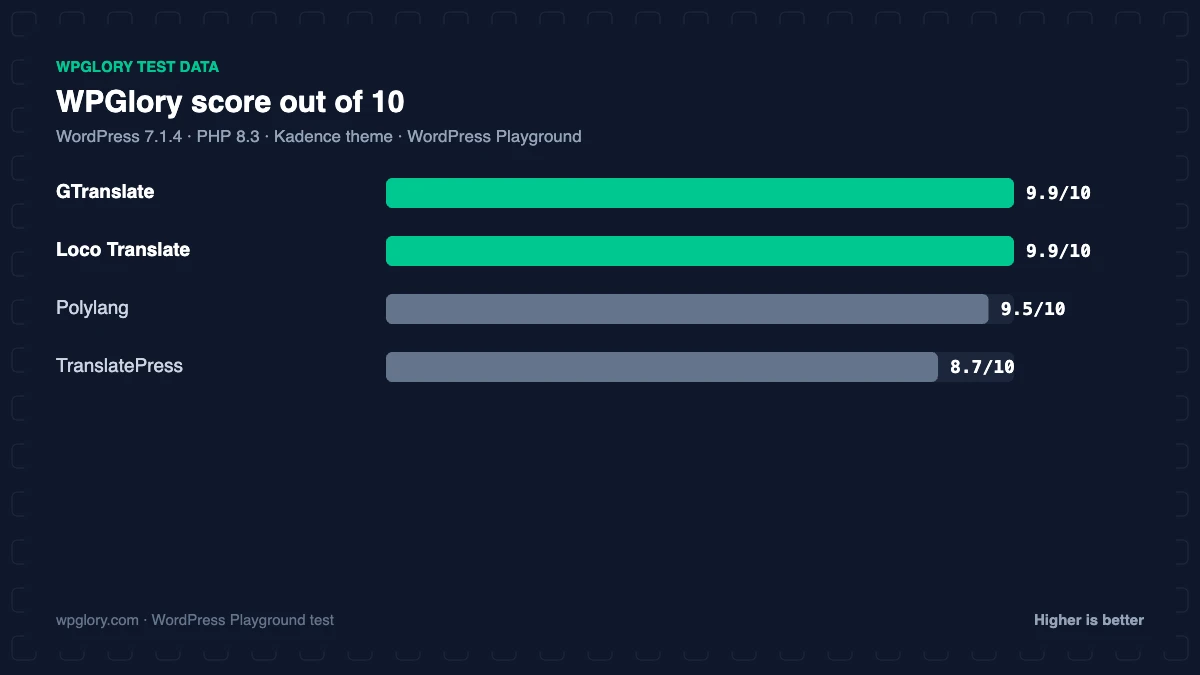
PolylangBest for SEO: real translated pages
9.5/10
2
TranslatePressEasiest: translate on the live page
8.7/10
3
GTranslateInstant machine translation
9.9/10
4
Loco TranslateTranslate theme and plugin text
9.9/10
The order is our recommendation for most sites, weighing features and fit. The score measures only what each plugin costs your site.
WordPress translation plugins compared: test results
| Measurement | Polylang | TranslatePress | GTranslate | Loco Translate |
|---|---|---|---|---|
| Version tested | 3.9.1 | 3.3.9 | 5.0.2 | 2.8.9 |
| Active installs | 900,000+ | 400,000+ | 900,000+ | 1 million+ |
| WordPress.org rating | 4.7 (3,004) | 4.7 (1,667) | 4.9 (4,962) | 4.8 (453) |
| CSS/JS added for visitors | 0.2 KB | 24.9 KB | 0 KB | 0 KB |
| Extra PHP memory (front end) | 0.9 MB | 7.5 MB | 0.8 MB | 0.0 MB |
| Extra PHP memory (admin) | 0.7 MB | 5.5 MB | 0.8 MB | 0.7 MB |
| Database tables | 0 | 3 | 0 | 0 |
| Options saved | 10 | 15 | 3 | 0 |
| Notices / redirects | setup redirect | setup notice, admin-bar item | None | None |
| Plugin size | 2.0 MB | 36.3 MB | 1.2 MB | 1.7 MB |
| WPGlory score | 9.5/10 | 8.7/10 | 9.9/10 | 9.9/10 |
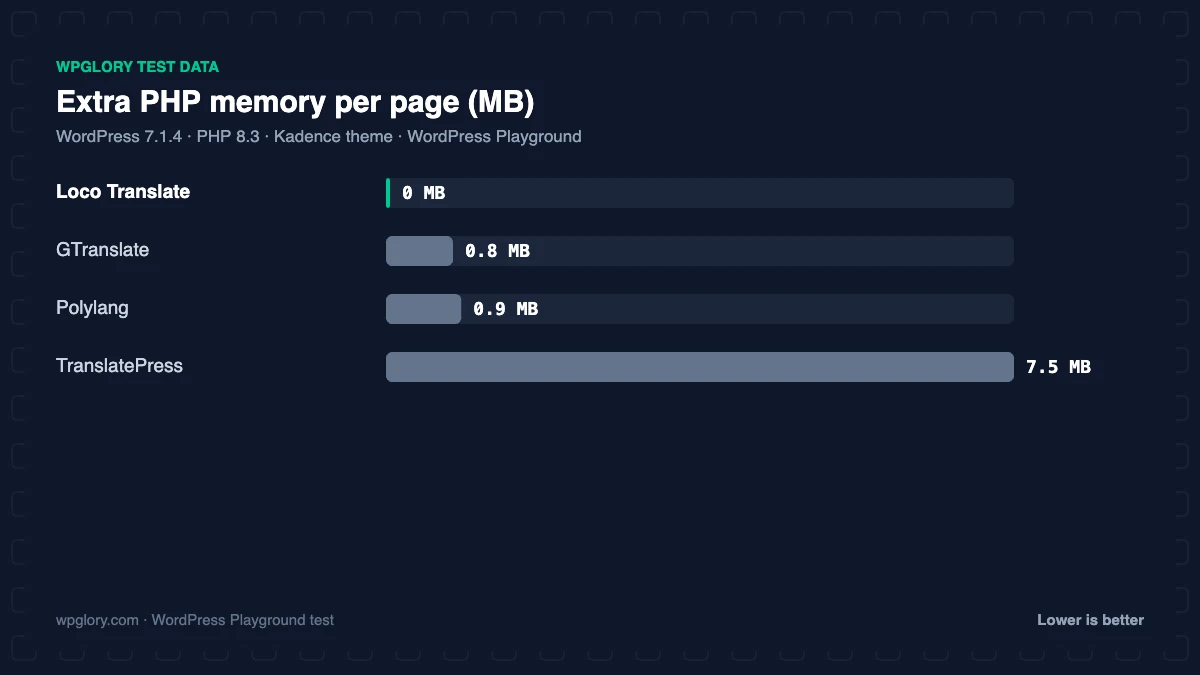
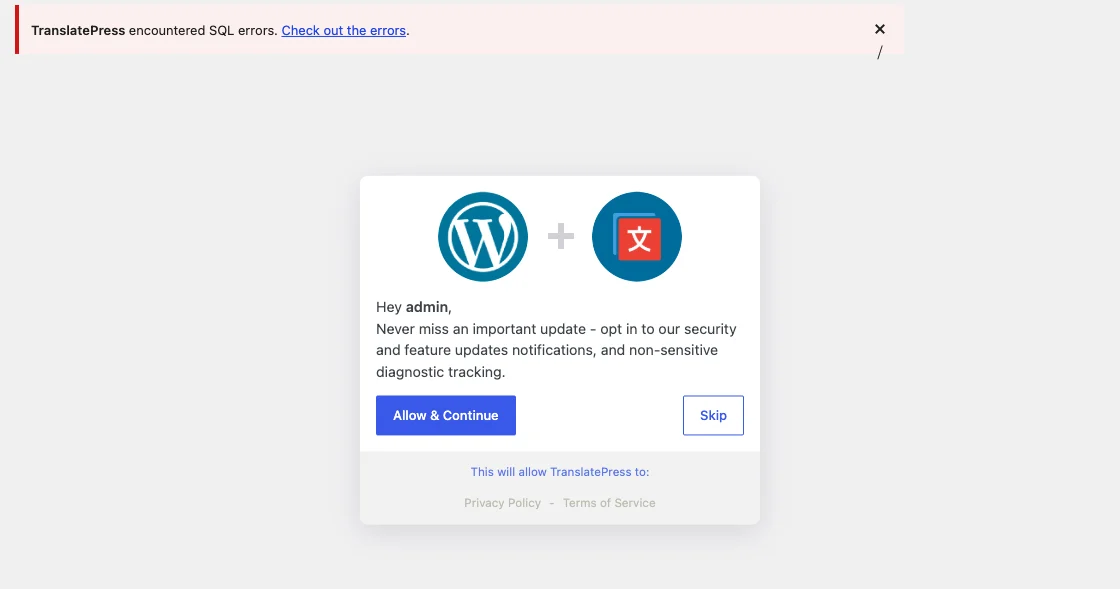
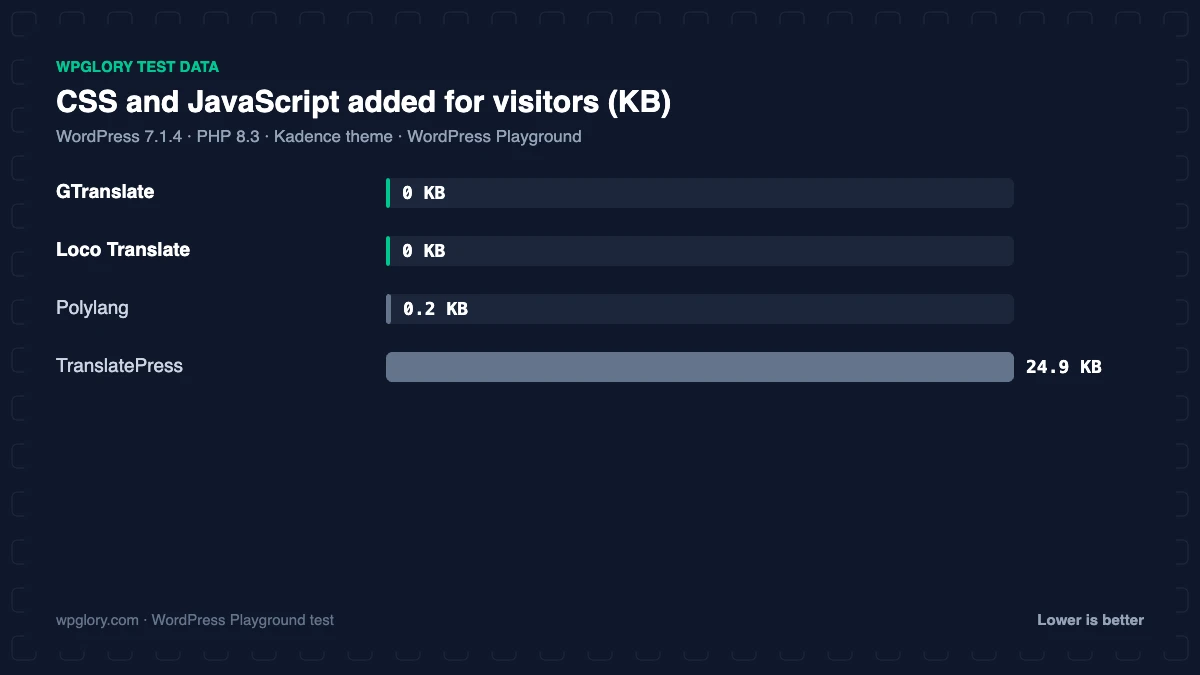
Polylang, GTranslate and Loco Translate were all very light: under 1 MB of extra memory and no tables. TranslatePress was the heaviest: 24.9 KB of CSS and JavaScript on every page, 7.5 MB of memory, 3 tables, 2 cron jobs and an admin-bar “Translate site” button. In Playground it also showed a notice about SQL errors; Playground runs WordPress on SQLite rather than MySQL, so that notice is likely specific to our test environment.
1. Polylang: best WordPress translation plugin for SEO
9.5/10 Free plan v3.9.1 · 900,000+ installs · 4.7★ on WordPress.org
Polylang has 900,000+ active installs and 4.7 stars from 3,004 reviews. You write each translation as its own post or page, linked together, and Polylang handles language URLs (/fr/, subdomains or separate domains), translated categories, tags, menus and widgets, a language switcher and hreflang. It is compatible with Yoast SEO.
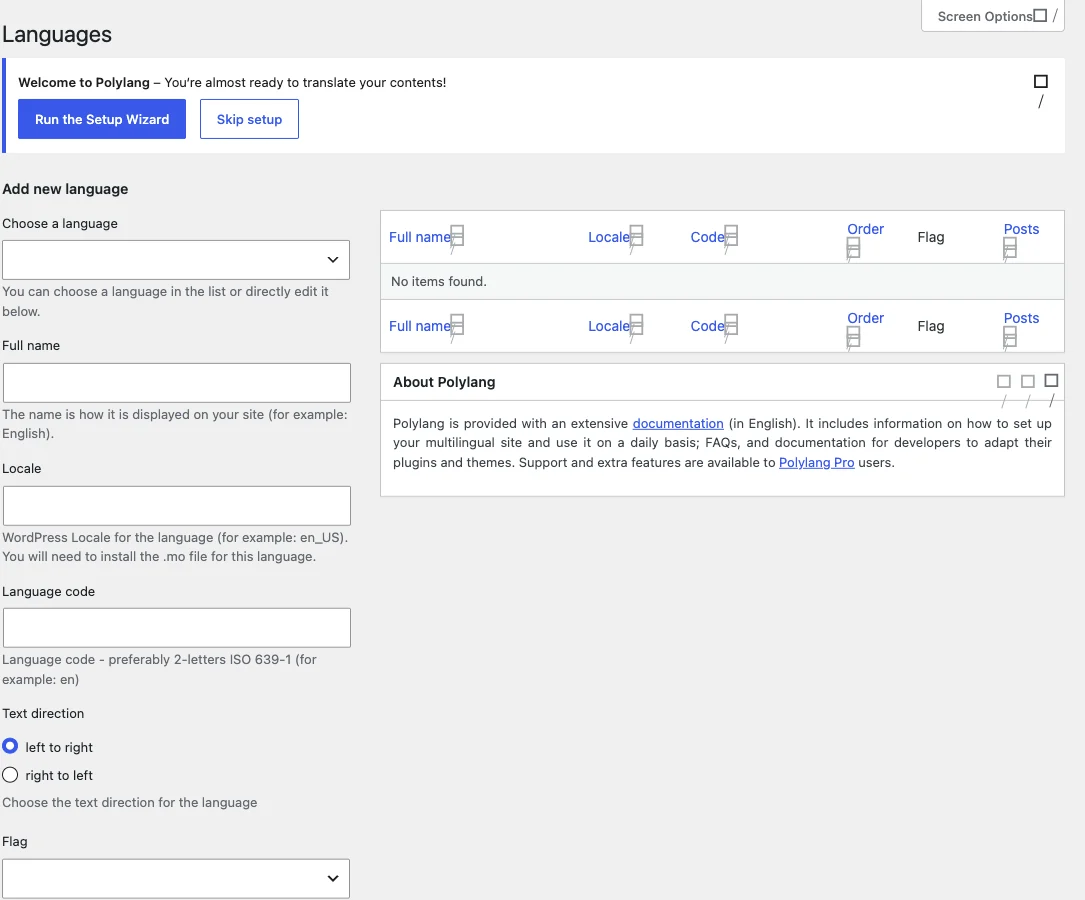
It was the lightest full translation plugin in our test: 0.2 KB of CSS, 0.9 MB of memory and no extra tables (it stores languages as taxonomies). After activation it redirected to a short setup wizard to choose your languages. Machine translation with DeepL, block-editor sync and translated slugs are Polylang Pro, and WooCommerce needs the paid Polylang for WooCommerce add-on.
Free download: Polylang on WordPress.org (version 3.9.1, last updated 21 October 2026).
Pros
- Unlimited languages free
- SEO-friendly URLs and hreflang
- Very light: 0.9 MB, no tables
Cons
- You write each translation yourself in the free version
- WooCommerce support is a paid add-on
2. TranslatePress: easiest translation plugin
8.7/10 Free plan v3.3.9 · 400,000+ installs · 4.7★ on WordPress.org
TranslatePress lets you click any text on the live front end and type the translation, including text from your theme, page builder and plugins. That visual approach is why many people find it the easiest.
The free version supports one extra language, with a small TranslatePress AI allowance (2,000 words) and Google Translate if you add your own API key. More languages, the SEO Pack (translated titles, slugs and alt text) and DeepL are paid add-ons. In our test it was the heaviest: 24.9 KB on every page and 7.5 MB of memory.
Free download: TranslatePress on WordPress.org (version 3.3.9, last updated 3 November 2026).
Pros
- Visual, translate-on-the-page editor
- Translates theme and plugin text too
- Free AI and Google Translate options
Cons
- Free: one extra language only
- SEO Pack is paid
- 25 KB of CSS/JS on every page
3. GTranslate: instant machine translation
9.9/10 Free plan v5.0.2 · 900,000+ installs · 4.9★ on WordPress.org
GTranslate adds a language switcher that translates your pages with Google’s machine translation on the fly. It has 900,000+ active installs and the best rating here (4.9 from 4,962 reviews).
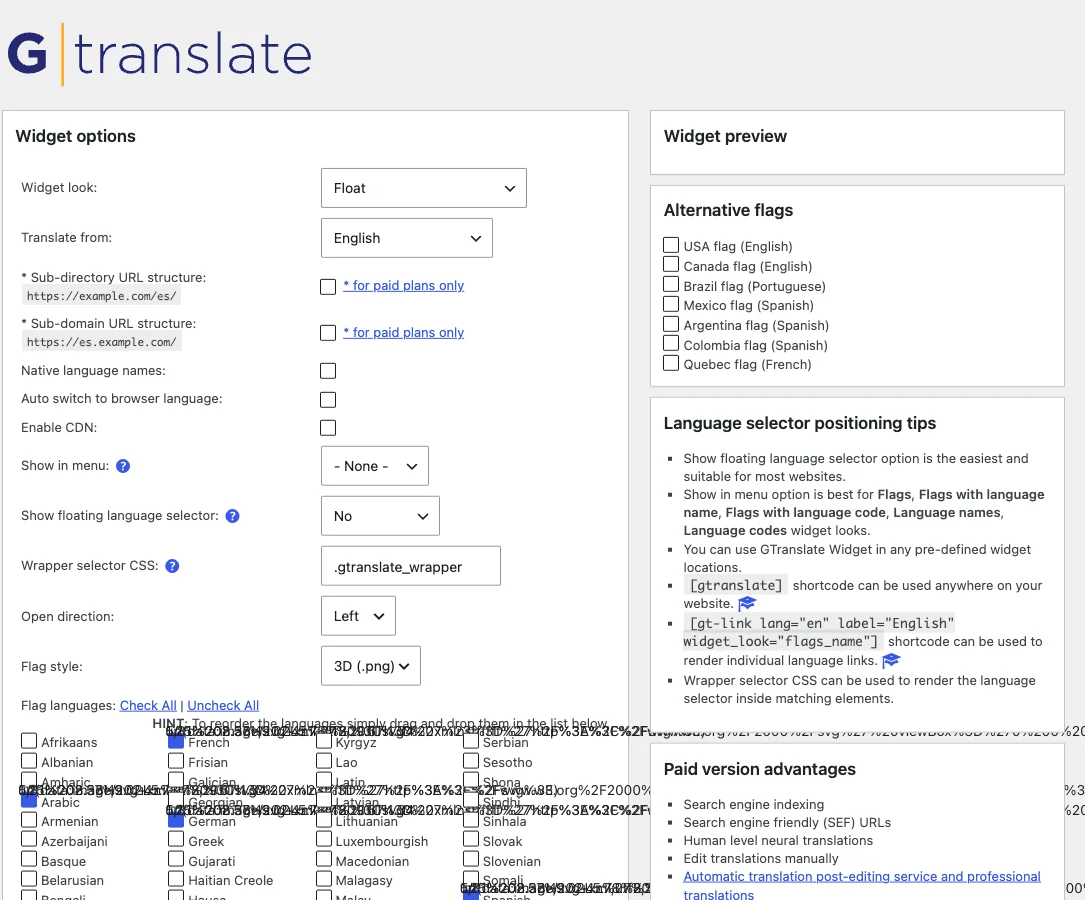
It is tiny (0.8 MB of memory, no tables), but its own FAQ is clear that the free version gives no SEO advantage: translations are not stored, your URLs do not change, and search engines will not index the translated pages. Paid plans add translated URLs (sub-directories, sub-domains or country domains) that can be indexed.
Free download: GTranslate on WordPress.org (version 5.0.2, last updated 23 October 2026).
Pros
- Translates into 100+ languages instantly
- Very light
- Best rating: 4.9 stars
Cons
- No SEO benefit in the free version
- Machine translation quality varies
4. Loco Translate: for theme and plugin text
9.9/10 Free plan v2.8.9 · 1 million+ installs · 4.8★ on WordPress.org
Loco Translate is different: it edits the translation files (.po/.mo) of your theme and plugins from the dashboard, so you can translate or change words like “Add to cart” or “Read more”. It has 1 million+ active installs.
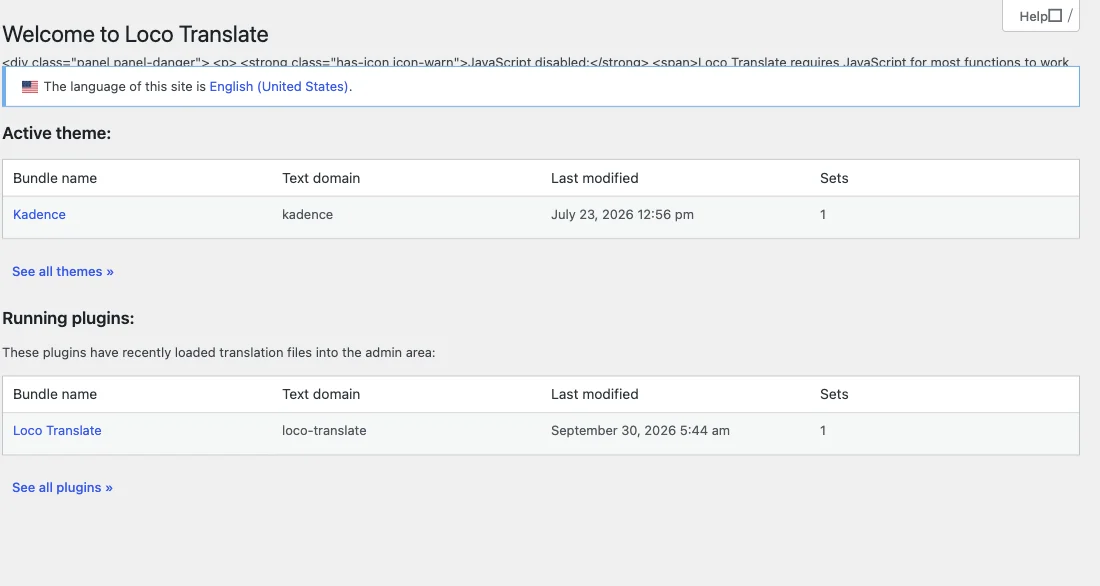
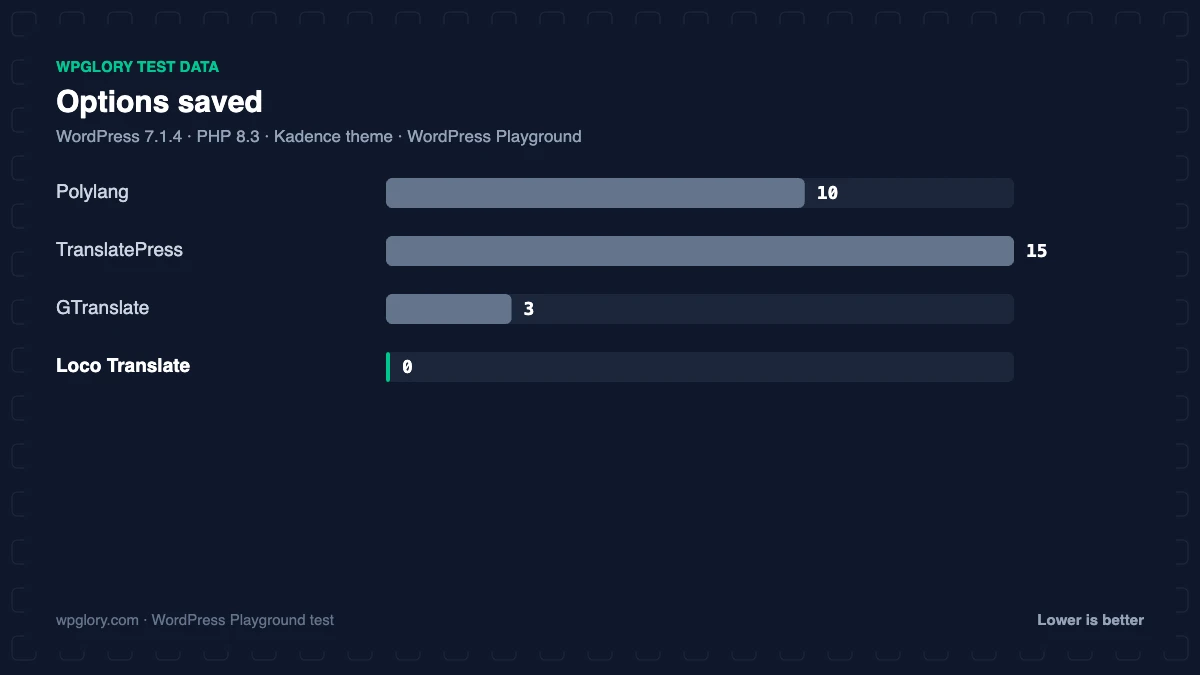
It added nothing measurable in our test: no front-end files, no tables, no options. Use it alongside Polylang or on a single-language site that is not in English.
Free download: Loco Translate on WordPress.org (version 2.8.9, last updated 30 September 2026).
Pros
- Edit any theme or plugin string
- Zero front-end overhead
- Free
Cons
- Does not translate posts or pages
How to choose the best WordPress translation plugin
- You want to rank in several languages: Polylang (or TranslatePress with paid add-ons).
- You want a bilingual site fast and like visual editing: TranslatePress free.
- You only need visitors to understand your content: GTranslate free.
- Your theme shows English words on a non-English site: Loco Translate.
Speed matters more on multilingual sites, because every language multiplies your pages; see our cache plugin test.
What to look for in the best WordPress translation plugin
Check these points before you choose a WordPress translation plugin.
- SEO: separate URLs per language and hreflang tags, so each version can rank.
- Workflow: translating in the editor (Polylang) or on the live page (TranslatePress).
- Machine translation: DeepL or Google for a first draft, reviewed by a human.
- WooCommerce and builders: check support for your shop and page builder.
- Number of languages: some free versions allow only one extra language.
How we tested
Every plugin was installed from WordPress.org on a clean WordPress 7.1.4 site (PHP 8.3, Kadence theme) in WordPress Playground in November 2026. We activated one plugin at a time, measured the site, then deactivated it again, so each result is compared with the same baseline.
We loaded the home page and a normal blog post as a logged-out visitor three times and kept the median PHP peak memory, added up the CSS and JavaScript files the plugin added, and recorded database tables, options, scheduled cron jobs, admin menus, notices, dashboard widgets and any redirect on the first admin visit.
Screenshots were taken on the same test site right after activation. Ratings, installs and versions come from the WordPress.org plugin directory on the same day.
The WPGlory score rates what a plugin costs your site, not how many features it has: front-end weight 30%, server cost 20%, admin clutter 20%, WordPress.org rating 20% (weighted by the number of reviews) and maintenance 10%. Features are covered in the text. Read the full method.
FAQ
What is the best WordPress translation plugin?
Polylang for SEO-friendly multilingual sites; TranslatePress for the easiest visual editing.
Is there a free WordPress translation plugin?
Yes. Polylang supports unlimited languages free; TranslatePress free supports one extra language.
Does GTranslate help SEO?
Not the free version: its FAQ says translations are not indexed and URLs do not change.
Can I translate WooCommerce for free?
TranslatePress free can translate WooCommerce text for one extra language. Polylang needs a paid add-on for WooCommerce.
Is machine translation good enough?
For a first draft, often yes. For pages you want to rank and convert, have a native speaker review them.
Will a translation plugin slow my site?
Polylang added 0.9 MB of memory in our test; TranslatePress 7.5 MB and 25 KB of files.
Final verdict
Polylang is the best WordPress translation plugin for SEO
Unlimited languages, proper language URLs and almost no overhead. Choose TranslatePress if you prefer translating on the live page.
9.5/10