Best WooCommerce Side Cart Plugin (2026): 3 Free Plugins Tested
Some links on this page are affiliate links. If you buy through them we may earn a commission, at no extra cost to you. It never changes our verdict. How we test and make money
On this page
Short answer: The best WooCommerce side cart plugin for most stores is FunnelKit Sliding Cart: it was the lightest in our test, includes a coupon box for free and has a perfect 5.0 rating. Side Cart WooCommerce by XootiX is the easiest to set up and works the moment you activate it, and WPC Fly Cart has the most styling options but loaded 174 KB of files on every page.
A side cart (also called a sliding cart, fly cart or cart drawer) opens from the edge of the screen when a shopper adds a product. Instead of a page reload and a trip to the cart page, they see their cart, change quantities and click straight through to checkout. Removing that extra step is one of the simplest ways to lift WooCommerce conversions, especially on mobile.
We installed the three most popular free side cart plugins on the same clean WooCommerce store and measured what each one adds to your pages and your server. Here is which is the best WooCommerce side cart plugin for your store.
Our picks at a glance
1
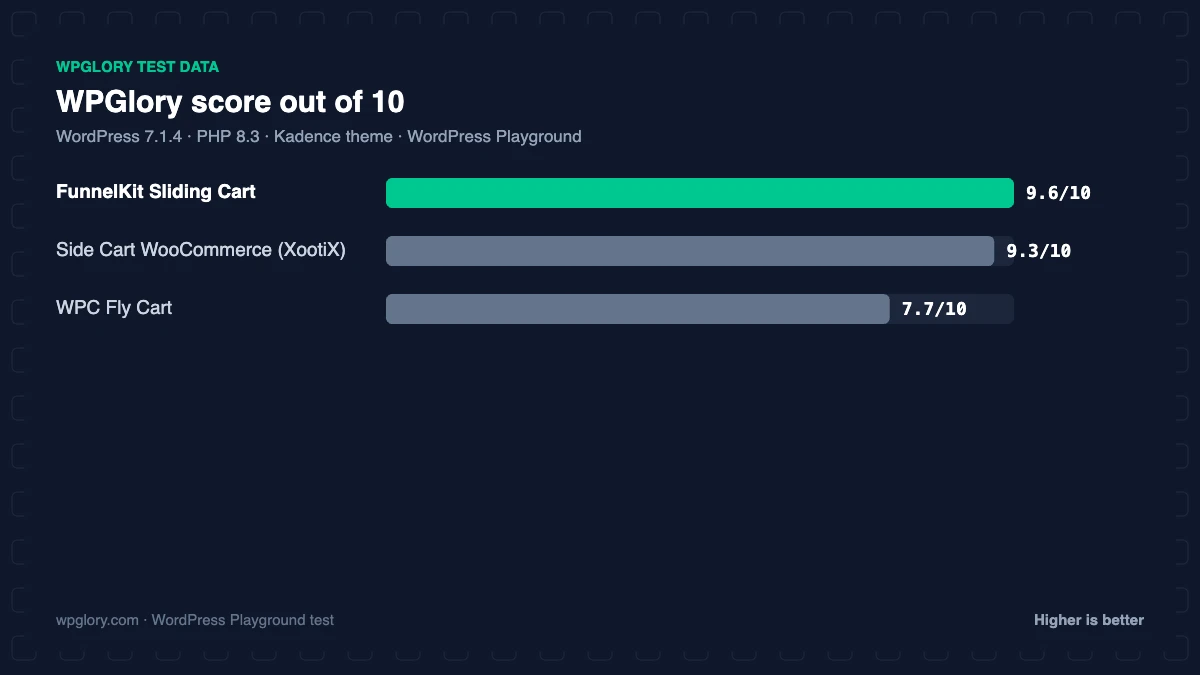
FunnelKit Sliding CartBest overall: lightest, coupon box free
9.6/10
2
Side Cart WooCommerce (XootiX)Easiest: works on activation
9.3/10
3
WPC Fly CartMost design options
7.7/10
The order is our recommendation for most sites, weighing features and fit. The score measures only what each plugin costs your site.
WooCommerce side cart plugins compared: test results
| Measurement | FunnelKit Sliding Cart | Side Cart WooCommerce (XootiX) | WPC Fly Cart |
|---|---|---|---|
| Version tested | 1.9.1.2 | 2.8.3 | 6.3.1 |
| Active installs | 30,000+ | 70,000+ | 10,000+ |
| WordPress.org rating | 5.0 (111) | 4.9 (453) | 4.7 (61) |
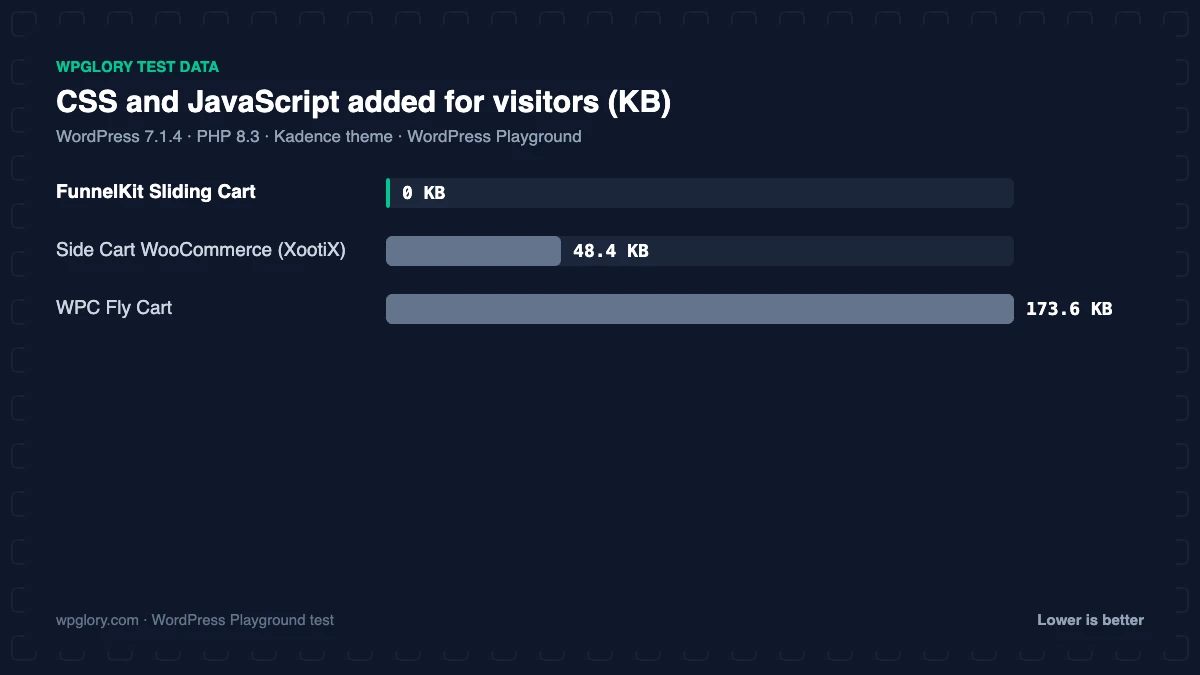
| CSS/JS added for visitors | 0 KB | 48.4 KB | 173.6 KB |
| Extra PHP memory (front end) | 0.1 MB | 0.2 MB | 0.1 MB |
| Extra PHP memory (admin) | 0.8 MB | 0.4 MB | 0.1 MB |
| Database tables | 2 | 0 | 0 |
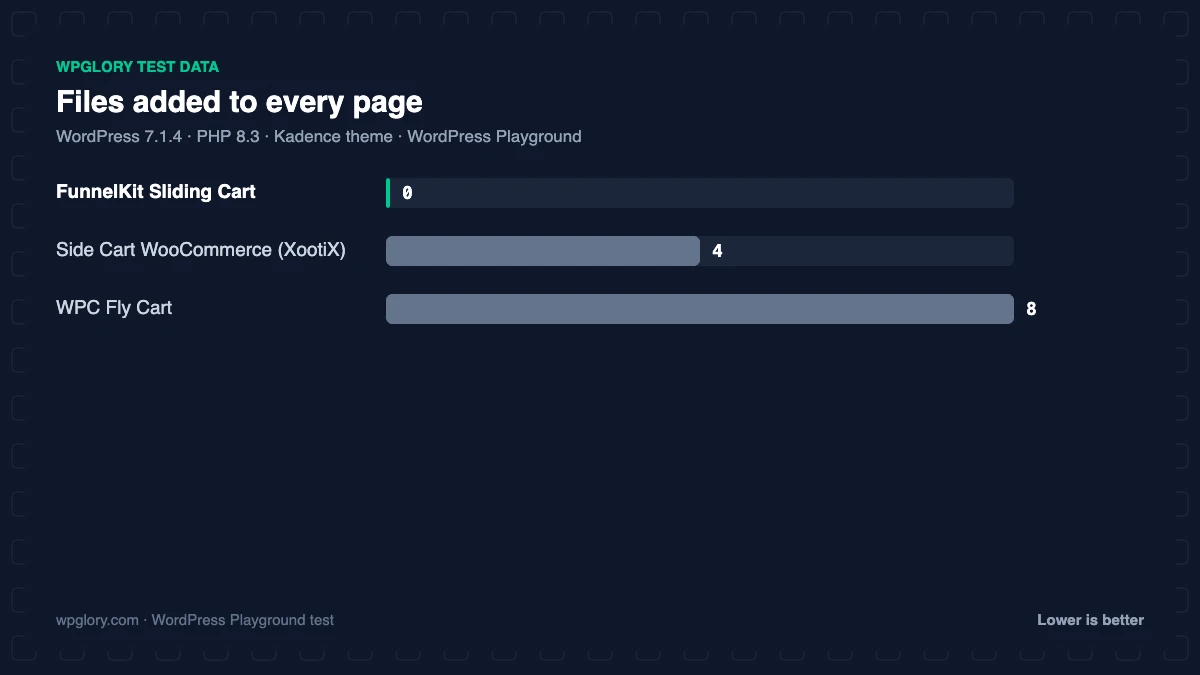
| Files added to every page | 0 CSS, 0 JS | 2 CSS, 2 JS | 5 CSS, 3 JS |
| Notices / redirects | None | None | None |
| Plugin size | 2.3 MB | 4.3 MB | 1.2 MB |
| WPGlory score | 9.6/10 | 9.3/10 | 7.7/10 |
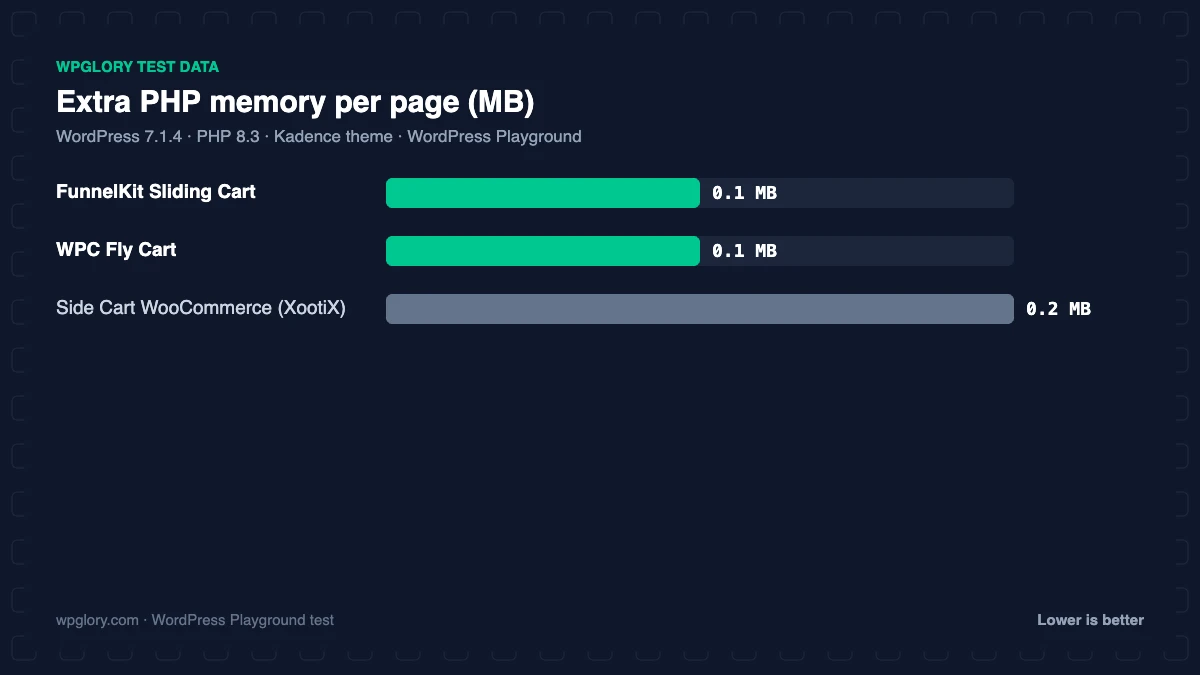
The difference is front-end weight. A side cart has to load on every page where a shopper can add a product, so its files matter. FunnelKit’s cart added nothing until we switched it on in its settings. XootiX added 48.4 KB (2 CSS and 2 JavaScript files) immediately, and WPC Fly Cart added 173.6 KB across 5 stylesheets and 3 scripts, the heaviest of the three. None of them added meaningful server load (0.1 to 0.2 MB of memory).
1. FunnelKit Sliding Cart: best WooCommerce side cart plugin overall
9.6/10 Free plan v1.9.1.2 · 30,000+ installs · 5.0★ on WordPress.org
FunnelKit Sliding Cart is part of the FunnelKit family, but it works on its own. The free version gives you a floating cart icon (site-wide, on selected pages or in your header via shortcode), styling controls, quantity editing, item removal and a coupon box, which the other two keep for their paid versions. It is rated 5.0 stars from 111 reviews.
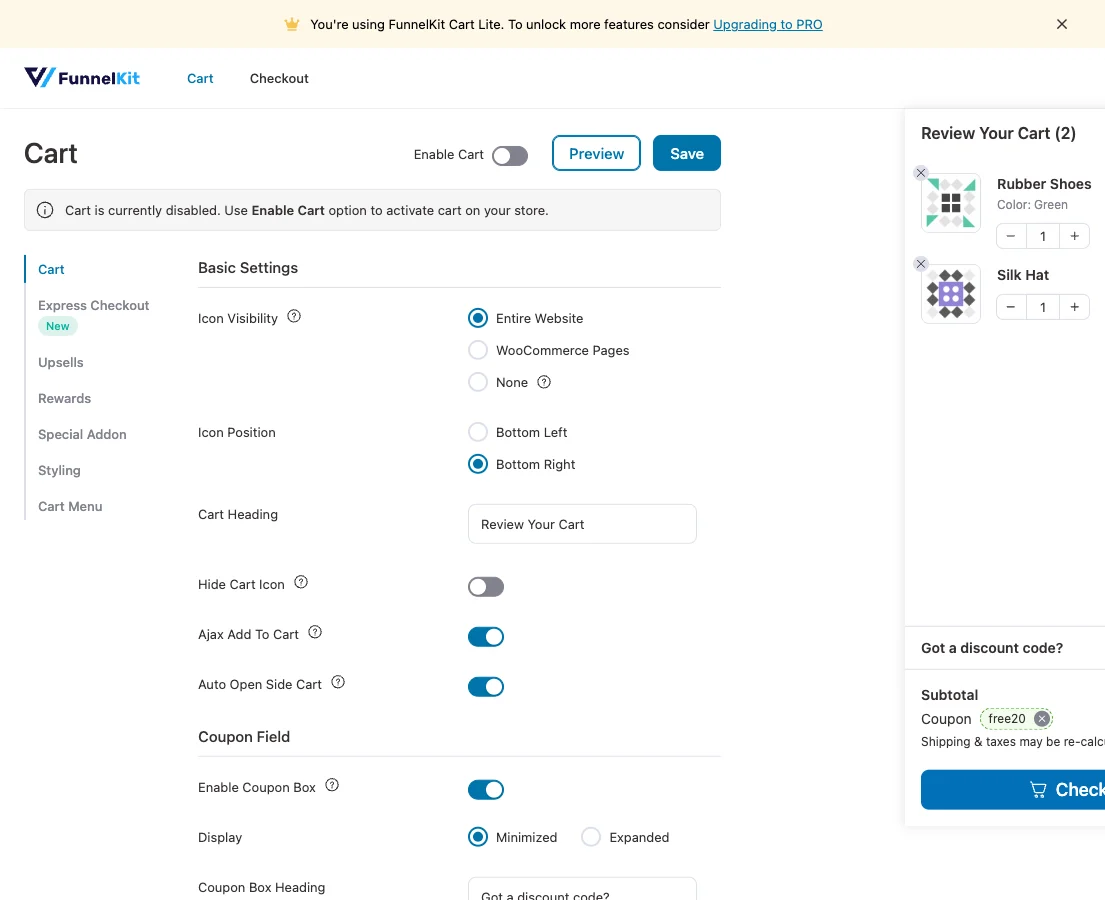
It is also the lightest: 0.1 MB of memory, 2 small tables, no files on your pages until you enable it under FunnelKit > Cart, and no notices. Upsells inside the cart, cross-sells and reward bars (free shipping at $50, for example) need Funnel Builder Pro. It was last updated in August 2026 and tested up to WordPress 7.0, slightly behind the others. Read more in our FunnelKit review.
Free download: FunnelKit Sliding Cart on WordPress.org (version 1.9.1.2, last updated 14 August 2026).
Pros
- Lightest: nothing loads until you enable it
- Coupon box free
- Perfect 5.0 rating
- Pairs with FunnelKit checkout and upsells
Cons
- Must be switched on after activation
- Cart upsells and rewards need FunnelKit Pro
- Tested up to WordPress 7.0
2. Side Cart WooCommerce (XootiX): easiest WooCommerce side cart
9.3/10 Free plan v2.8.3 · 70,000+ installs · 4.9★ on WordPress.org
Side Cart WooCommerce by XootiX works the moment you activate it: add a product and the drawer slides in. It has 70,000+ active installs and 4.9 stars from 453 reviews, the most popular of the three.
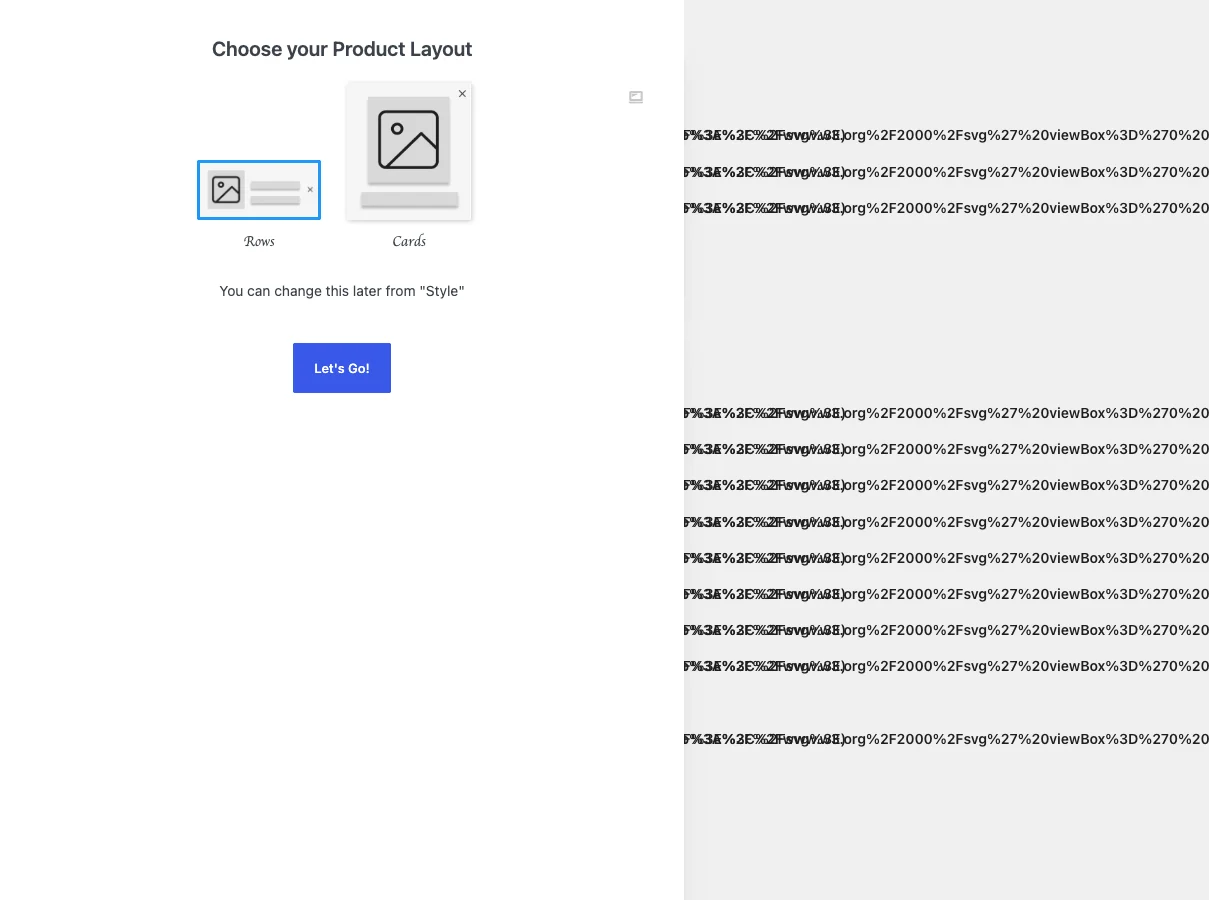
The free version includes AJAX add and remove, a floating basket with an item count, colours and layout controls, quantity updates and an option to hide the cart on chosen pages. Coupons, express checkout buttons, a shipping calculator, upsells and reward bars are premium. In our test it added 48.4 KB of CSS and JavaScript to every page, 0.2 MB of memory and 7 options, with no notices.
Free download: Side Cart WooCommerce (XootiX) on WordPress.org (version 2.8.3, last updated 3 November 2026).
Pros
- Works on activation, no setup
- Most installs of the three
- Light on the server
Cons
- 48 KB of files on every page
- Coupons and express checkout are premium
3. WPC Fly Cart: most design options
7.7/10 Free plan v6.3.1 · 10,000+ installs · 4.7★ on WordPress.org
WPC Fly Cart from WPClever has the most visual choices: preset skins, overlay effects, background images, bubble icon styles, cart position, undo on remove and suggested products. If you want the drawer to match a strong brand, it gives you the most to play with.
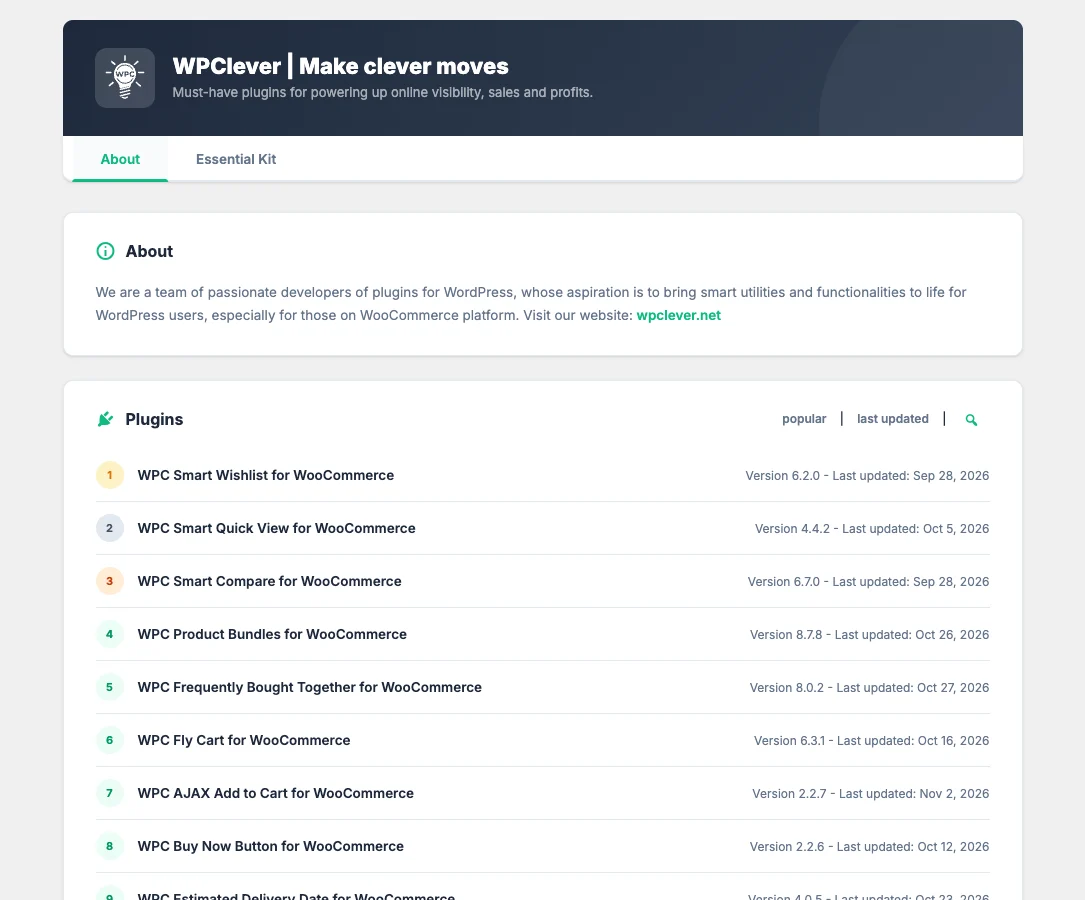
It is also the heaviest: 173.6 KB across 8 files on every page in our test, about three and a half times XootiX. It added no tables or options and only 0.1 MB of memory. Instant checkout, coupons and shipping costs are premium. It has 10,000+ active installs.
Free download: WPC Fly Cart on WordPress.org (version 6.3.1, last updated 16 October 2026).
Pros
- Most styling options and skins
- Suggested products in the free version
- No tables or options
Cons
- Heaviest: 174 KB on every page
- Coupons and instant checkout are premium
- Adds a WPClever menu
How to choose the best WooCommerce side cart plugin
- You want the lightest cart with a free coupon box: FunnelKit Sliding Cart.
- You want it working in 30 seconds: Side Cart WooCommerce by XootiX.
- Design matters most and you can spare the page weight: WPC Fly Cart.
A side cart takes shoppers to checkout faster, so make that checkout count. Our WooCommerce funnel builder test covers custom checkouts and order bumps.
What to look for in the best WooCommerce side cart plugin
A WooCommerce side cart is small, but it appears on every product page. Check these points before you choose.
- Page weight: the cart loads on every page where shoppers can add products, so lighter is better.
- Coupon box: free in FunnelKit, premium in the others.
- Express checkout: Apple Pay and Google Pay buttons in the drawer can lift mobile conversions.
- Upsells and rewards: a free-shipping progress bar is one of the most effective cart add-ons.
- Theme compatibility: test that the cart icon and drawer do not clash with your theme’s own mini-cart.
How we tested
Every plugin was installed from WordPress.org on a clean WordPress 7.1.4 site (PHP 8.3, Kadence theme) in WordPress Playground in November 2026. We activated one plugin at a time, measured the site, then deactivated it again, so each result is compared with the same baseline.
We loaded the home page and a normal blog post as a logged-out visitor three times and kept the median PHP peak memory, added up the CSS and JavaScript files the plugin added, and recorded database tables, options, scheduled cron jobs, admin menus, notices, dashboard widgets and any redirect on the first admin visit.
Screenshots were taken on the same test site right after activation. Ratings, installs and versions come from the WordPress.org plugin directory on the same day. WooCommerce 11.2.2 was active with four sample products, and we measured the home page, shop page, cart page and a blog post.
The WPGlory score rates what a plugin costs your site, not how many features it has: front-end weight 30%, server cost 20%, admin clutter 20%, WordPress.org rating 20% (weighted by the number of reviews) and maintenance 10%. Features are covered in the text. Read the full method.
FAQ
What is the best WooCommerce side cart plugin?
FunnelKit Sliding Cart: the lightest in our test, with a free coupon box and a 5.0 rating. XootiX is the easiest alternative.
Does a side cart slow down WooCommerce?
It can. XootiX added 48 KB and WPC Fly Cart 174 KB of CSS and JavaScript to every page in our test. FunnelKit added nothing until enabled.
Can I skip the WooCommerce cart page?
Yes. A side cart lets shoppers go from product to checkout without visiting the cart page.
Will a side cart work with my theme’s mini cart?
Usually, but you may see two cart icons. Disable one in your theme or plugin settings.
Does a side cart work with variable products?
Yes for editing quantities. Changing variations inside the cart is a premium feature in FunnelKit.
Final verdict
FunnelKit Sliding Cart is the best WooCommerce side cart plugin
It is the lightest, includes a coupon box for free and grows into cart upsells with FunnelKit Pro. Choose XootiX if you want zero setup.
9.6/10