Best Image Optimization Plugin for WordPress (2026): Tested
Some links on this page are affiliate links. If you buy through them we may earn a commission, at no extra cost to you. It never changes our verdict. How we test and make money
On this page
Short answer: The best image optimization plugin for WordPress depends on how you want to pay. Smush is the best free option: unlimited lossy and lossless compression with no monthly cap, plus lazy load. ShortPixel gives the best compression and WebP/AVIF per credit (100 free a month), Imagify is the simplest (20 MB free a month), and Optimole optimizes and serves images from a CDN, free up to 2,000 visits a month. None of them added any files to your pages in our test.
Images are usually the heaviest part of a WordPress page. An image optimization plugin compresses uploads, resizes huge photos, converts them to WebP or AVIF and lazy-loads them, which can cut page weight by half or more. Choosing the best image optimization plugin for WordPress comes down to three questions: does it compress on your server or in the cloud, what does the free plan include, and what does it add to your site?
We installed the most popular image optimizers on the same clean WordPress site, one at a time, measured what each one adds, and captured the setup screens. We did not run compression benchmarks: cloud optimizers need an account and API key, and results depend heavily on your images. Instead we focus on cost, setup and free limits, which are what decide the choice.
Our picks at a glance
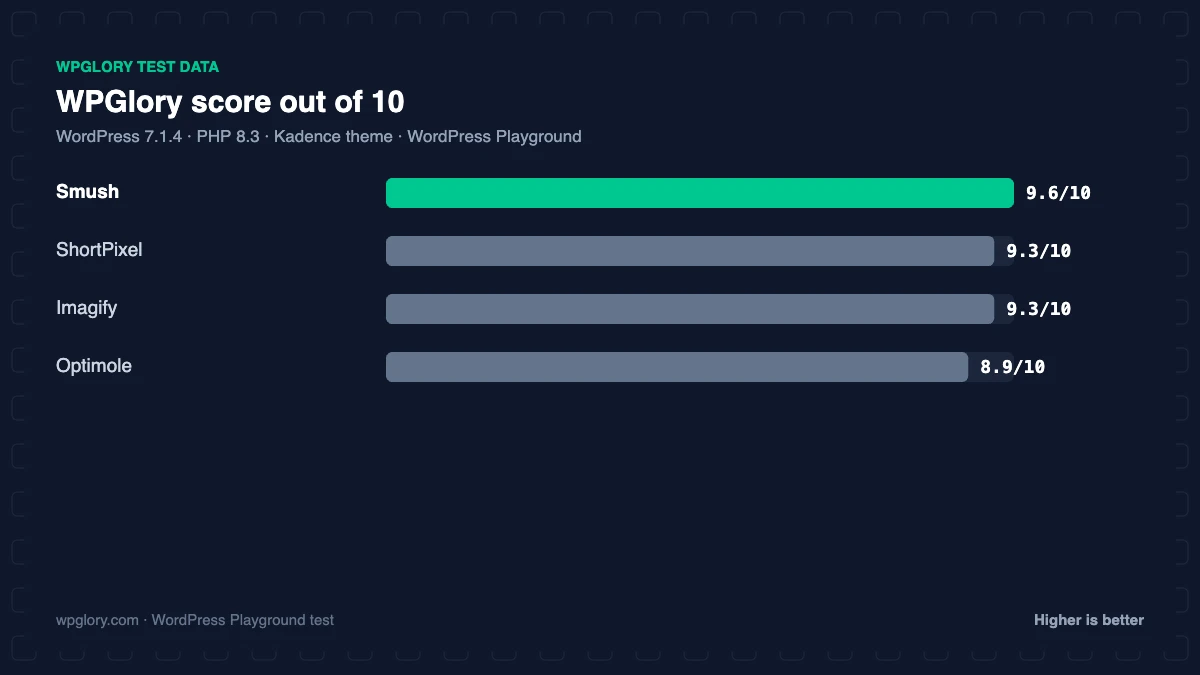
1
SmushBest free: unlimited local compression
9.6/10
2
ShortPixelBest compression per credit, WebP/AVIF
9.3/10
3
ImagifySimplest setup
9.3/10
4
OptimoleBest with a CDN, small sites free
8.9/10
The order is our recommendation for most sites, weighing features and fit. The score measures only what each plugin costs your site.
Image optimization plugins compared: test results
| Measurement | Smush | ShortPixel | Imagify | Optimole |
|---|---|---|---|---|
| Version tested | 4.3.6 | 6.6.1 | 2.3.4 | 4.2.19 |
| Active installs | 1 million+ | 300,000+ | 900,000+ | 200,000+ |
| WordPress.org rating | 4.8 (6,053) | 4.5 (830) | 4.3 (1,657) | 4.7 (640) |
| CSS/JS added for visitors | 0 KB | 0 KB | 0 KB | 0 KB |
| Extra PHP memory (front end) | 4.3 MB | 1.6 MB | 4.0 MB | 4.2 MB |
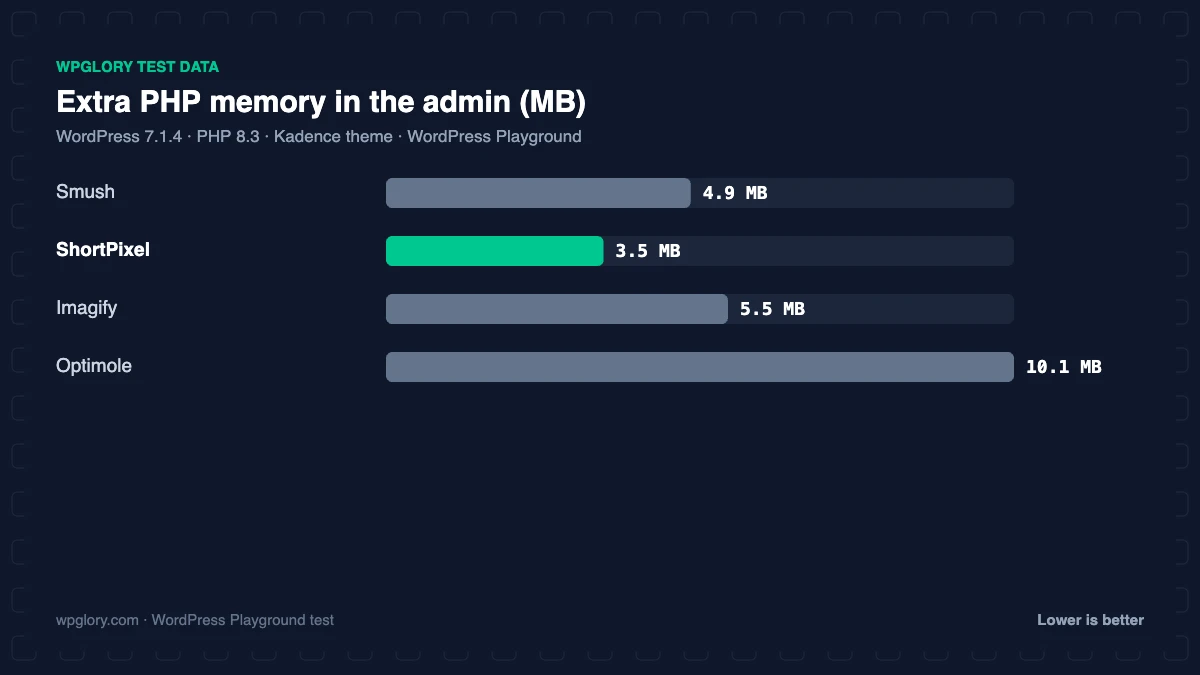
| Extra PHP memory (admin) | 4.9 MB | 3.5 MB | 5.5 MB | 10.1 MB |
| Database tables | 1 | 5 | 6 | 0 |
| Options saved | 12 | 8 | 18 | 11 |
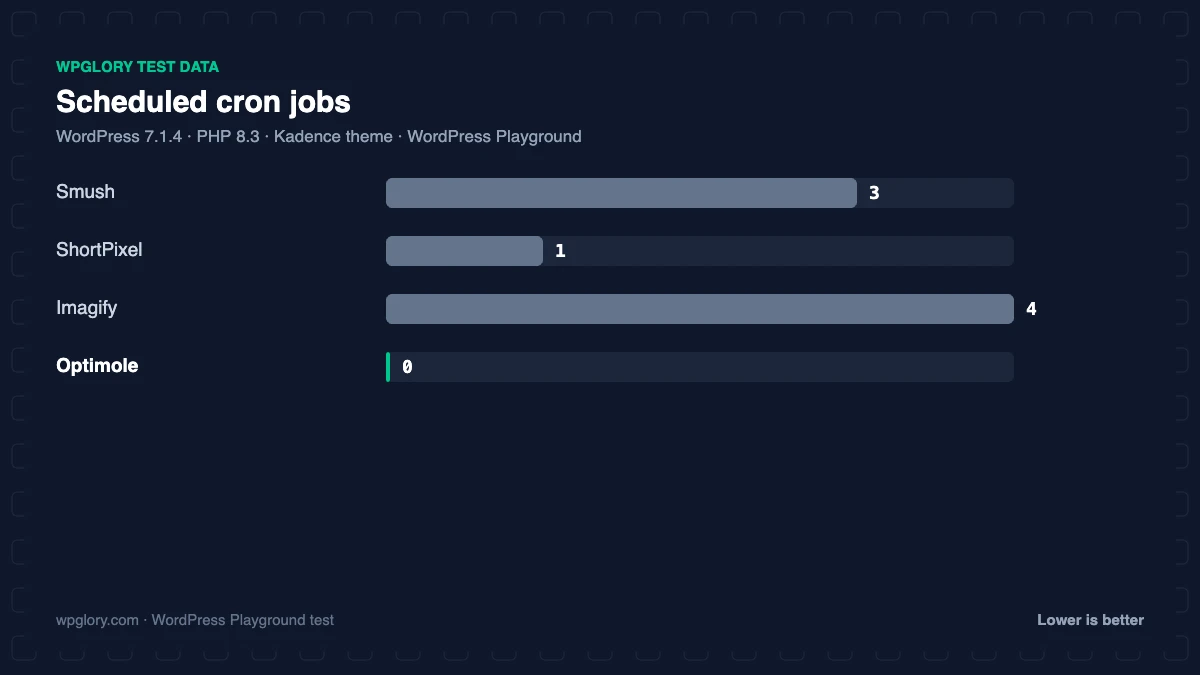
| Scheduled cron jobs | 3 | 1 | 4 | 0 |
| Notices / redirects | None | setup redirect | admin-bar item | setup notice, setup redirect, dashboard widget |
| Plugin size | 19.6 MB | 5.4 MB | 6.9 MB | 4.1 MB |
| WPGlory score | 9.6/10 | 9.3/10 | 9.3/10 | 8.9/10 |
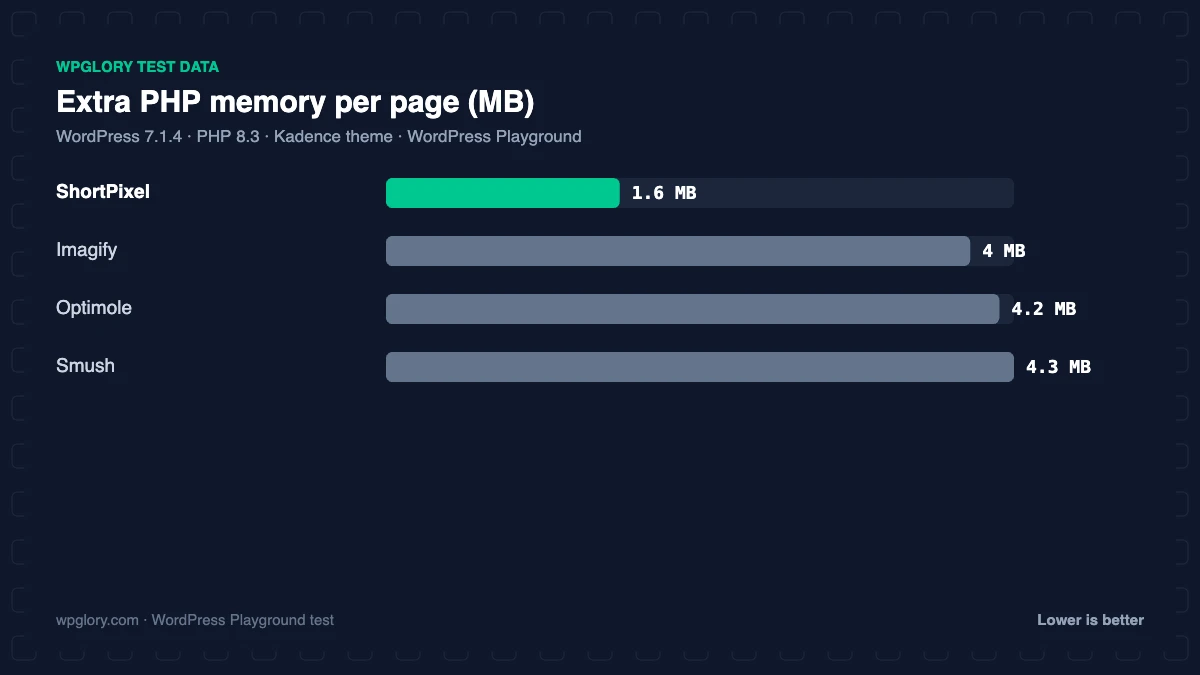
None of the plugins loaded CSS or JavaScript for visitors straight after activation. ShortPixel was the lightest on the server (1.6 MB of memory), while Optimole used 10.1 MB in the admin and added a dashboard widget and a “Finish setting up” notice. Imagify added 6 tables, 4 cron jobs and an admin-bar menu; Smush added 1 table and 3 cron jobs.
One plugin could not be tested: Converter for Media (500,000+ installs) stopped with a fatal error when we activated it in WordPress Playground. It converts images to WebP on your own server and needs the GD or Imagick extension with WebP support, which our browser-based PHP does not provide. On normal hosting it works for a huge number of sites.
1. Smush: best free image optimization plugin
9.6/10 Free plan v4.3.6 · 1 million+ installs · 4.8★ on WordPress.org
Smush from WPMU DEV is the most installed image optimizer (1 million+) with 4.8 stars from 6,053 reviews, the most reviews of any plugin in this test. The free version compresses images on WPMU DEV’s servers with lossless or lossy compression, bulk-optimizes your existing library without the old 50-image limit, resizes oversized uploads, and lazy-loads images.
In our test it added 4.3 MB of memory, 1 table, 12 options and 3 cron jobs, with no notices. The limits: free Smush skips images over 5 MB and only compresses the resized versions WordPress creates, not the full-size original. WebP and AVIF conversion, the image CDN and full-size compression are Smush Pro.
Free download: Smush on WordPress.org (version 4.3.6, last updated 2 November 2026).
Pros
- Unlimited free compression, lossy or lossless
- Lazy load built in
- Most reviews of any plugin here
Cons
- WebP/AVIF and CDN need Pro
- Free skips images over 5 MB and full-size originals
2. ShortPixel: best compression per credit
9.3/10 Free plan v6.6.1 · 300,000+ installs · 4.5★ on WordPress.org
ShortPixel compresses images in the cloud with lossy, glossy or lossless modes, converts to WebP and AVIF, and can optimize PDFs and other folders. You sign up with an email to get an API key, and the free plan includes 100 image credits a month that reset monthly.

After activation it opened its settings page under Settings > ShortPixel. It was the lightest image plugin in our test: 1.6 MB of memory, 5 tables, 8 options and 1 cron job. Paid credits are sold as monthly plans or one-time packs.
Free download: ShortPixel on WordPress.org (version 6.6.1, last updated 14 October 2026).
Pros
- Best formats: WebP and AVIF
- Lightest on the server: 1.6 MB
- Pay-as-you-go credit packs
Cons
- Only 100 free credits a month
- Each thumbnail size counts as a credit
3. Imagify: simplest setup
9.3/10 Free plan v2.3.4 · 900,000+ installs · 4.3★ on WordPress.org
Imagify, from the WP Rocket team, keeps things simple: three compression levels, WebP conversion and bulk optimization from a clean screen under Media. The free plan covers 20 MB of images a month, about 200 images, with no credit card.
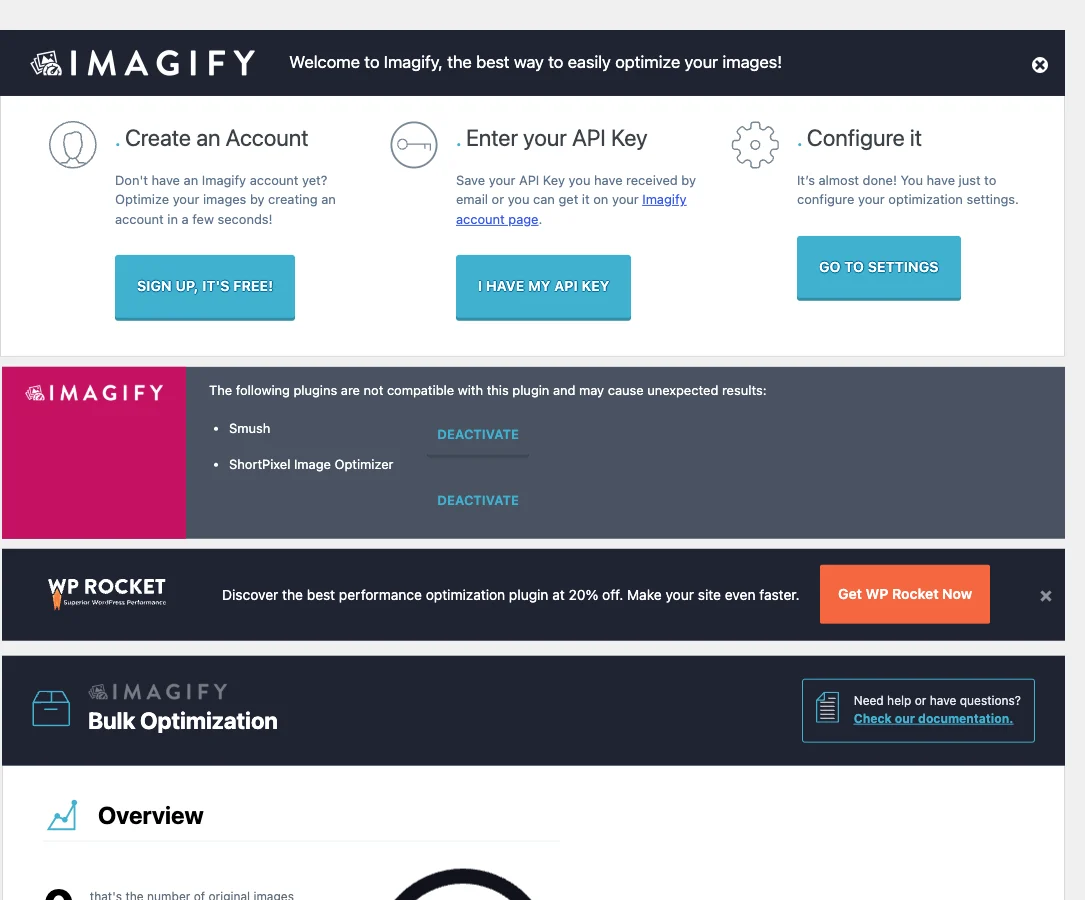
It added 4 MB of memory, 6 tables, 18 options, 4 cron jobs and an admin-bar menu. Its rating is the lowest of the cloud optimizers (4.3 stars).
Free download: Imagify on WordPress.org (version 2.3.4, last updated 7 September 2026).
Pros
- Simplest interface
- WebP conversion free
- From the WP Rocket team
Cons
- 20 MB free a month
- Admin-bar menu
- 4 cron jobs
4. Optimole: best with a CDN
8.9/10 Free plan v4.2.19 · 200,000+ installs · 4.7★ on WordPress.org
Optimole optimizes images in real time and serves them from Amazon CloudFront, resizing each image to the visitor’s screen and converting to WebP or AVIF automatically. There is no bulk process: images are optimized as they are requested.
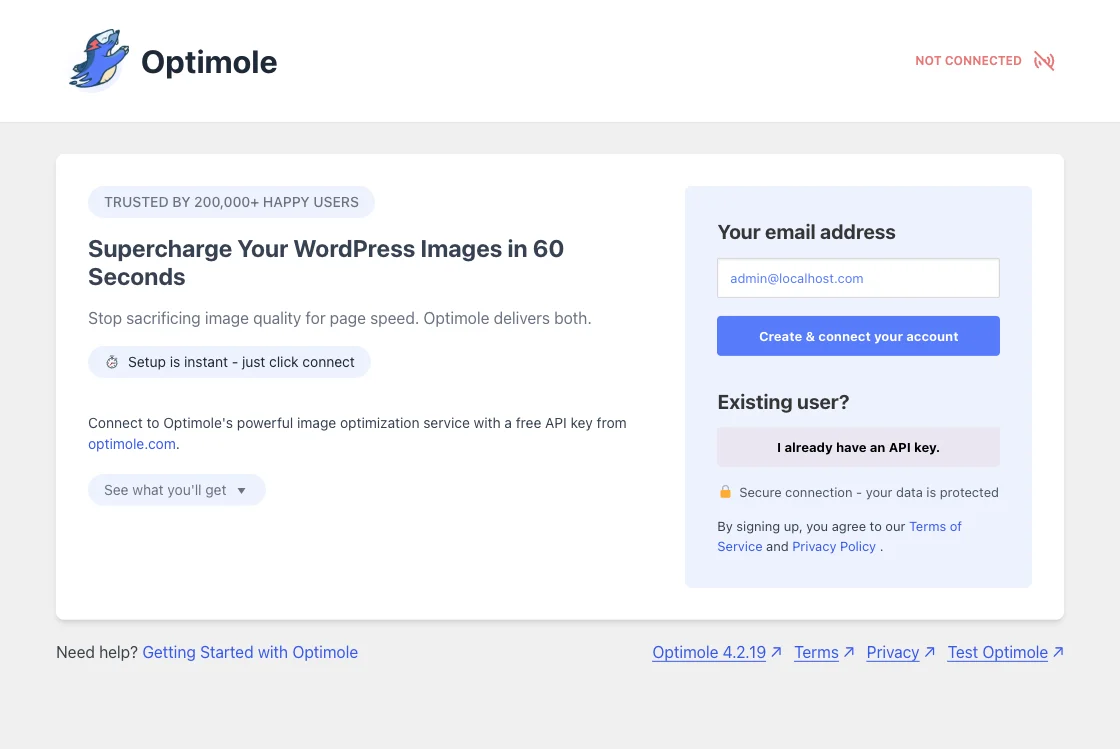
The free plan covers sites with up to 2,000 visits a month. After activation it redirected to its setup screen, showed a “Finish setting up” notice and added a dashboard widget; it used 10.1 MB of memory in the admin.
Free download: Optimole on WordPress.org (version 4.2.19, last updated 4 November 2026).
Pros
- Real-time resizing per device
- CDN included
- No bulk optimization needed
Cons
- Free only up to 2,000 visits a month
- Images served from Optimole’s CDN
Free plans compared
| Plugin | Where it compresses | Free limit | WebP/AVIF free? |
|---|---|---|---|
| Smush | WPMU DEV servers | Unlimited (images up to 5 MB) | No (Pro) |
| ShortPixel | ShortPixel cloud | 100 credits/month | Yes, uses credits |
| Imagify | Imagify cloud | 20 MB/month | WebP yes |
| Optimole | Optimole CDN | Up to 2,000 visits/month | Yes |
| Converter for Media | Your server | Unlimited WebP | WebP yes, AVIF Pro |
How to choose
- You want free and unlimited: Smush, and add Converter for Media for free WebP.
- You want the smallest files and WebP/AVIF: ShortPixel with a credit pack.
- You want something simple for a small blog: Imagify.
- Your audience is global and the site is small: Optimole.
Image optimization pairs with page caching for the biggest speed gain; see our cache plugin test and Smush vs ShortPixel comparison.
What to look for in the best image optimization plugin for WordPress
The best image optimization plugin for WordPress is the one that fits how your images are created and served. Check these points.
- Free limit: unlimited (Smush), monthly credits (ShortPixel), megabytes (Imagify) or visits (Optimole).
- Formats: WebP is now standard; AVIF saves more but needs a plugin that supports it.
- Originals: make sure you can keep or restore originals in case you want to re-compress later.
- Where compression happens: cloud services work on any host; local tools need server extensions such as GD or Imagick with WebP support.
- Lazy load and sizing: WordPress lazy-loads images natively; extra resizing and correct dimensions matter more for Core Web Vitals.
How we tested
Every plugin was installed from WordPress.org on a clean WordPress 7.1.4 site (PHP 8.3, Kadence theme) in WordPress Playground in November 2026. We activated one plugin at a time, measured the site, then deactivated it again, so each result is compared with the same baseline.
We loaded the home page and a normal blog post as a logged-out visitor three times and kept the median PHP peak memory, added up the CSS and JavaScript files the plugin added, and recorded database tables, options, scheduled cron jobs, admin menus, notices, dashboard widgets and any redirect on the first admin visit.
Screenshots were taken on the same test site right after activation. Ratings, installs and versions come from the WordPress.org plugin directory on the same day. Cloud optimizers were not connected to an account, so the numbers show what each plugin adds to your site, not compression results.
The WPGlory score rates what a plugin costs your site, not how many features it has: front-end weight 30%, server cost 20%, admin clutter 20%, WordPress.org rating 20% (weighted by the number of reviews) and maintenance 10%. Features are covered in the text. Read the full method.
FAQ
What is the best image optimization plugin for WordPress?
Smush is the best free option; ShortPixel gives the best compression and formats per credit.
Do image optimization plugins slow down WordPress?
Not for visitors: none added CSS or JavaScript in our test. They use 1.6 to 4.3 MB of extra memory and run background jobs.
Is WebP free?
With Imagify, Optimole and Converter for Media, yes. Smush keeps WebP for Pro; ShortPixel uses credits.
Should I use two image optimizers?
No. Pick one compressor, optionally with a separate WebP converter, to avoid double compression.
Does an image optimization plugin improve Core Web Vitals?
Usually yes, mainly Largest Contentful Paint, because the main image downloads faster.
Will compression reduce image quality?
Lossy compression removes detail you rarely notice; lossless keeps every pixel but saves less. Glossy modes sit in between.
Final verdict
Smush is the best free image optimization plugin for WordPress
It compresses unlimited images for free with lazy load built in. Upgrade to ShortPixel when you want WebP and AVIF with the smallest files.
9.6/10