Templately vs Starter Templates vs Kadence Starter Templates: Tested
Some links on this page are affiliate links. If you buy through them we may earn a commission, at no extra cost to you. It never changes our verdict. How we test and make money
On this page
Short answer: Templately was the cleanest install: nothing on the front end, 1.9 MB of memory, no nags. Starter Templates (Astra) has the best-rated library but redirects you to its importer and leaves two small scripts on the front end. Kadence Starter Templates is the natural pick for Kadence sites, but it showed an AI-builder promo straight after activation.
Starter templates plugins import a complete site design in a few clicks. We installed the three most popular starter templates plugins on the same Kadence site to see what each one loads, nags about and leaves behind.
Starter template plugins import a ready-made site design. You usually only need them once, so it matters what they leave behind. We installed each on the same Kadence site.
| Measurement | Templately | Starter Templates (Astra) | Kadence Starter Templates |
|---|---|---|---|
| Version tested | 3.8.1 | 4.7.9 | 2.3.4 |
| Active installs | 300,000+ | 1 million+ | 200,000+ |
| WordPress.org rating | 5.0 (383 reviews) | 4.9 (4,755 reviews) | 4.3 (19 reviews) |
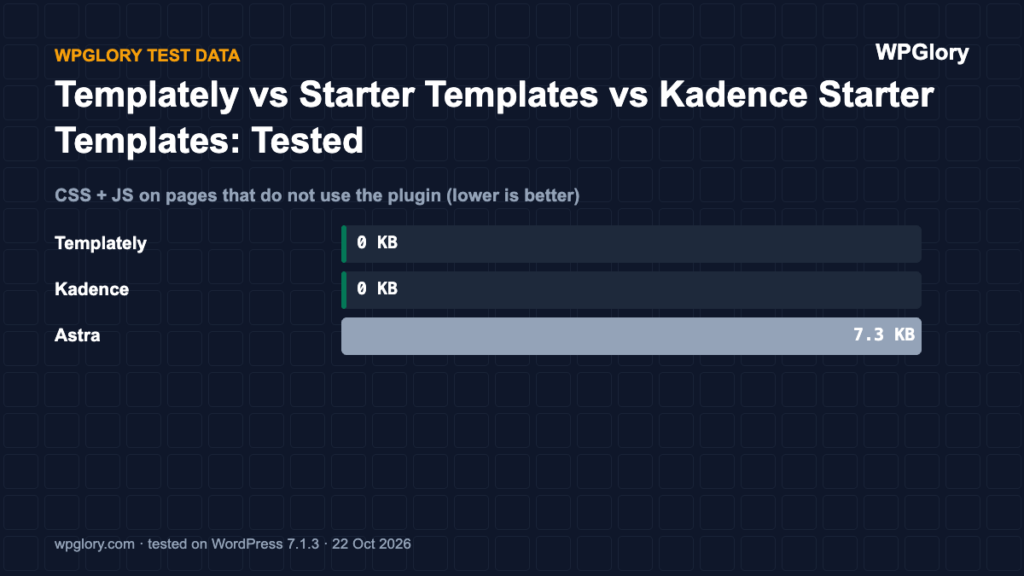
| Extra CSS/JS on pages that don’t use it | 0 files, 0 KB | 2 files, 7.3 KB | 0 files, 0 KB |
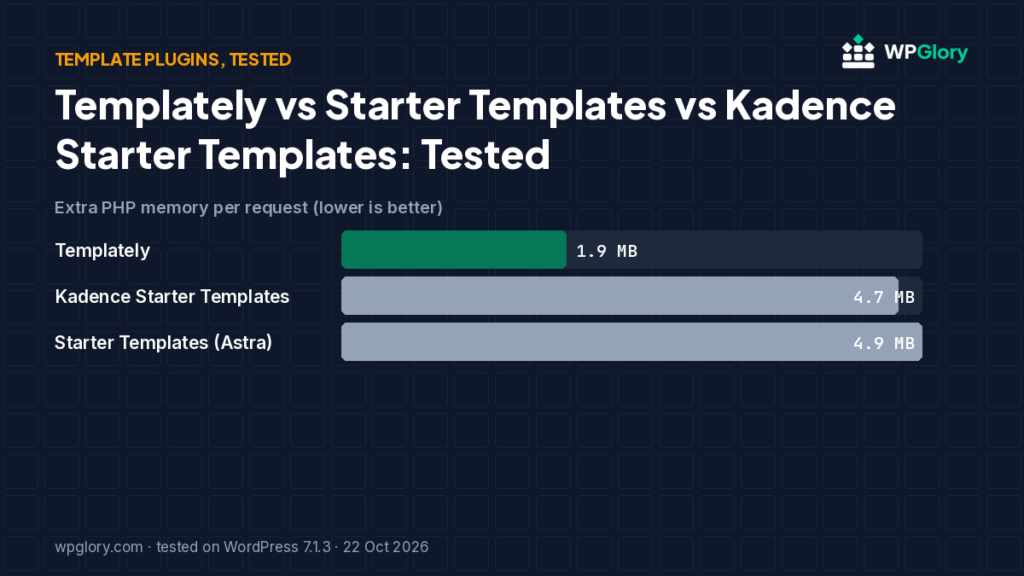
| Extra PHP memory | 1.9 MB | 4.9 MB | 4.7 MB |
| Database tables created | 0 | 0 | 0 |
| Notices / redirects after activation | None | setup screen | 1 upsell |
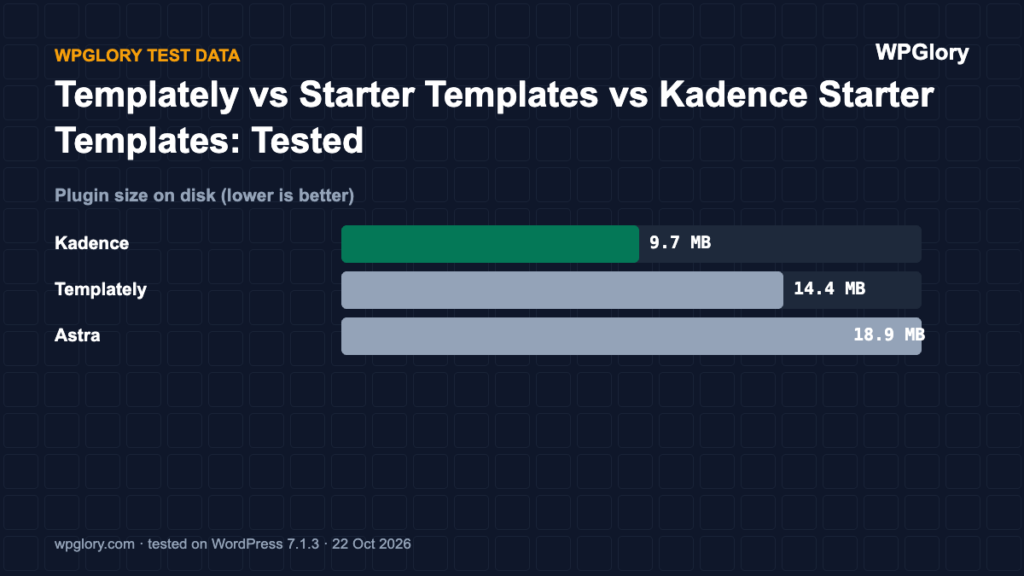
| Plugin size | 14.4 MB | 18.9 MB | 9.7 MB |
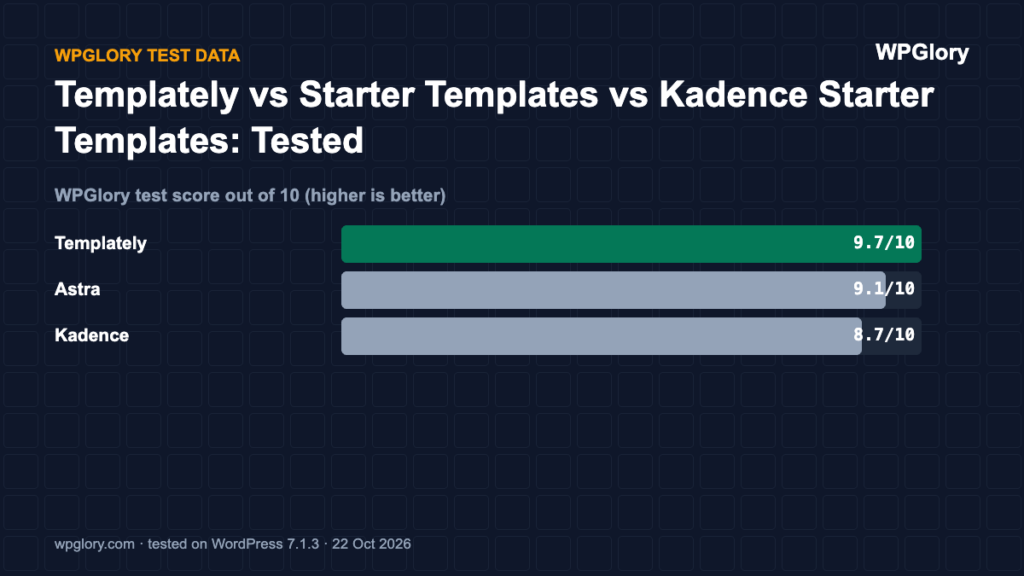
| WPGlory test score | 9.7/10 | 9.1/10 | 8.7/10 |
Best starter templates plugins: our picks at a glance
1
TemplatelyCleanest install, Elementor and Gutenberg
9.7/10
2
Starter Templates (Astra)Best-rated library
9.1/10
3
Kadence Starter TemplatesBest match for the Kadence theme
8.7/10
1. Templately — cleanest install
9.7/10 Free plan v3.8.1 · 300,000+ installs · 5.0★ on WordPress.org
Templately added nothing to the front end, used 1.9 MB of memory and showed no notices; it adds one dashboard widget. Its library covers both Elementor and the block editor. The Starter plan is free; paid plans started at $5.99/month on templately.com when we checked.
Pros
- Nothing on the front end
- No nags
- 5.0★ from 383 reviews
Cons
- Dashboard widget
- Many templates are Pro
2. Starter Templates (Astra) — best-rated library
9.1/10 Free plan v4.7.9 · 1 million+ installs · 4.9★ on WordPress.org
Starter Templates by Brainstorm Force (the Astra team) has 1 million+ installs and a 4.9★ rating from 4,755 reviews. It sent us to its importer on the first dashboard load and loaded two small scripts (7.3 KB) on the front end.
Pros
- Huge, well-rated template library
- Works with Gutenberg and Elementor
Cons
- Redirect to importer after activation
- 7 KB of scripts on the front end
3. Kadence Starter Templates — best match for Kadence
8.7/10 Free plan v2.3.4 · 200,000+ installs · 4.3★ on WordPress.org
Kadence Starter Templates imports designs built for the Kadence theme and Kadence Blocks. It added nothing to the front end, but showed a “Build Your Dream Site in Minutes With AI” promo notice after activation, and its WordPress.org listing was tested up to WordPress 7.0.7 when we checked.
Pros
- Designed for Kadence
- Nothing on the front end
Cons
- AI-builder promo notice
- Fewer reviews than the others
How to import starter templates safely
- Import starter templates on a fresh site or a staging copy, never on top of a live site with content.
- Install the theme the template was built for first (Kadence, Astra, or a block theme).
- Import only the pages you need instead of the whole demo when the plugin allows it.
- Replace demo images with your own; many demo images are licensed only for the preview.
- Delete the demo posts, menus and widgets you do not use.
- Deactivate and remove the starter templates plugin when you are done.
Free vs paid starter templates
All three plugins offer free starter templates, and each has a paid library. The free designs are enough for a blog or a small business site. Paid plans make sense for agencies building many client sites.
Score breakdown: where each plugin gained and lost points
Our test score adds up five criteria. The table shows each plugin’s points per criterion (out of 10), followed by what we measured. A higher number is always better here. In this section, Kadence means Kadence Starter Templates and Astra means Starter Templates by Brainstorm Force (the Astra team).
| Criterion | Templately | Kadence | Astra |
|---|---|---|---|
| Front-end weight (30%) | 10.0 | 10.0 | 9.7 |
| Server cost (20%) | 9.3 | 8.4 | 8.3 |
| Admin clutter (20%) | 9.2 | 8.0 | 8.0 |
| WordPress.org trust (20%) | 9.8 | 8.2 | 9.8 |
| Maintenance (10%) | 10.0 | 8.0 | 10.0 |
| Total score | 9.7/10 | 8.7/10 | 9.1/10 |
Front-end weight (30%)
We loaded a normal page that does not use the plugin and counted the extra CSS and JavaScript files. Every 25 KB costs one point. Templately and Kadence added nothing to that page. Astra added 2 files (7.3 KB).
Server cost (20%)
Extra PHP memory per request ranged from 1.9 MB (Templately) to 4.9 MB (Astra). Memory matters on shared hosting, where every visitor request runs the plugin code. Database tables created: Templately 0, Kadence 0 and Astra 0. We deduct 0.35 points per MB of memory and 0.1 points per table.
Admin clutter (20%)
We counted what appeared in the dashboard right after activation. Templately added 1 dashboard widget. Kadence added 1 upsell notice. Astra added an admin-bar menu and a setup screen on activation.
WordPress.org trust (20%)
This is the WordPress.org rating, pulled toward 8/10 when a plugin has few reviews so that a handful of five-star ratings cannot win on its own. Templately: 5.0 stars from 383 reviews, 300,000+ active installs. Kadence: 4.3 stars from 19 reviews, 200,000+ active installs. Astra: 4.9 stars from 4,755 reviews, 1 million+ active installs.
Maintenance (10%)
Templately 3.8.1 was last updated 3 days before our test and is marked as tested up to WordPress 7.1.3. Kadence 2.3.4 was last updated 71 days before our test and is marked as tested up to WordPress 7.0.7. Astra 4.7.9 was last updated 2 days before our test and is marked as tested up to WordPress 7.1.3. Plugins tested with the current WordPress version get full points; an update older than six months costs three points.
Which starter templates plugin we would install today
If you use the Kadence theme, start with Kadence Starter Templates: the designs match the theme settings and the import is quick. Its score was lower mainly because of a smaller number of WordPress.org reviews and an upsell notice, not because of speed.
If you use Astra, its Starter Templates plugin is the obvious pick. It has more than a million active installs and the largest library. Templately scored highest in our test and works with any theme, which makes it the best choice if you switch themes often.
Whichever plugin you use, you can deactivate it after the import. Starter templates only copy pages, images and settings into your site; the design keeps working without the plugin.
Can you use starter templates on an existing site?
Yes, but import pages one at a time. All three plugins let you import a single page design instead of a full site, which leaves your posts, menus and settings alone.
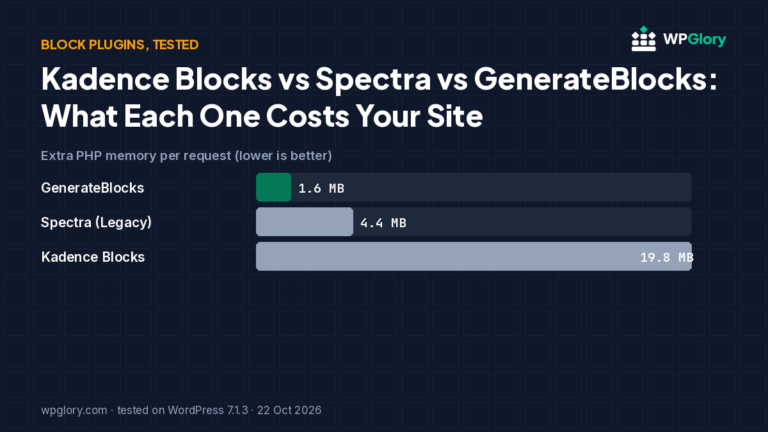
Before a single page import, check which plugins the design needs. Many designs depend on a block plugin or a form plugin and install it for you, which adds weight you may not want. Kadence designs usually rely on Kadence Blocks and Astra designs often rely on Spectra. In our block plugin test, Kadence Blocks alone added 19.8 MB of memory per request.
If you only like the look of one section, rebuilding it with core blocks is often lighter than importing it together with its plugins.
How we tested
Every plugin was installed from WordPress.org on a clean WordPress 7.1.3 site (PHP 8.3, Kadence theme, default content) in WordPress Playground on 22 October 2026. We took a snapshot before and after activating each plugin, one plugin at a time, and compared them: CSS and JavaScript added to a logged-out page that doesn’t use the plugin, extra PHP memory to load WordPress, database tables, and every admin notice, dashboard widget and setup redirect. Directory facts (version, installs, rating) come from the WordPress.org API on the same day.
The WPGlory test score rates what a plugin costs your site, not how many features it has: front-end weight 30%, server cost 20%, admin clutter and upsells 20%, WordPress.org rating 20%, maintenance 10%. Features are covered in the text. Full method.
FAQ
Should I keep the template plugin after importing?
Usually not. Once your design is imported you can deactivate and delete it. The imported pages stay.
Do starter templates slow down a website?
The import itself does not, but the plugin may load files while it is active. Starter Templates (Astra) loaded 7 KB of scripts on the front end in our test, so remove the plugin after importing.
Can I use starter templates with any theme?
Each library is designed for specific themes. Use Kadence Starter Templates with Kadence and Astra Starter Templates with Astra for the best result.
Final verdict
Templately for a clean install, Kadence Starter Templates for Kadence sites.
Whichever you use, remove it after the import.
9.7/10