MailPoet vs FluentCRM (2026): We Measured Both on the Same Site
Some links on this page are affiliate links. If you buy through them we may earn a commission, at no extra cost to you. It never changes our verdict. How we test and make money
On this page
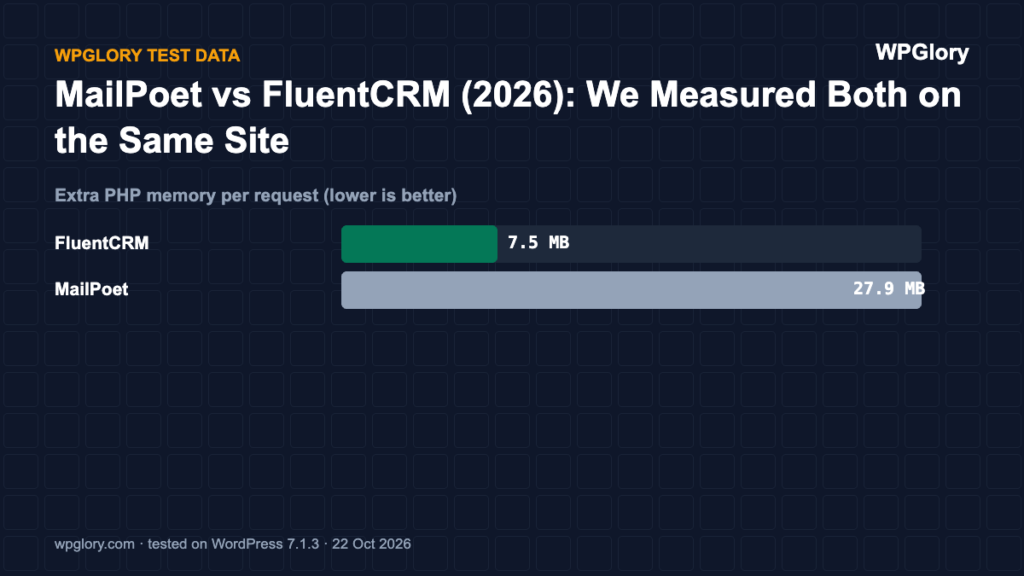
Short answer: In our MailPoet vs FluentCRM test, FluentCRM was the lighter choice: it added 7.5 MB of PHP memory and 17 database tables, while MailPoet added 27.9 MB and 40 tables. Neither loaded anything for visitors on normal pages. Pick MailPoet if you want WordPress to send your emails through its own sending service with very little setup; pick FluentCRM if you want a full CRM and you are happy to connect your own email provider.
MailPoet vs FluentCRM is the main choice if you want to run your newsletter from inside WordPress instead of a hosted service. We installed both on the same test site, one at a time, and measured what each one costs your server, your database and your dashboard.
MailPoet vs FluentCRM at a glance
| MailPoet | FluentCRM | |
|---|---|---|
| Version tested | 5.43.0 | 3.2.6 |
| Made by | MailPoet (part of Automattic since 2020) | WPManageNinja (makers of Fluent Forms) |
| Active installs | 500,000+ | 80,000+ |
| WordPress.org rating | 4.4 (1,433 reviews) | 4.8 (250 reviews) |
| Extra PHP memory | 27.9 MB | 7.5 MB |
| Database tables created | 40 | 17 |
| Files on normal pages | 0 | 0 |
| Admin menu items | 10 | 15 |
| Plugin size | 28 MB | 20.1 MB |
| WPGlory test score | 7.8/10 | 8.9/10 |
Server cost: where the two plugins differ most
Both plugins are free on WordPress.org and both keep your subscribers in your own database. That is where the similarity ends. MailPoet added 27.9 MB of PHP memory to every request, almost four times FluentCRM’s 7.5 MB. Memory is used on every page load, including pages that have nothing to do with email, so on shared hosting this difference matters.
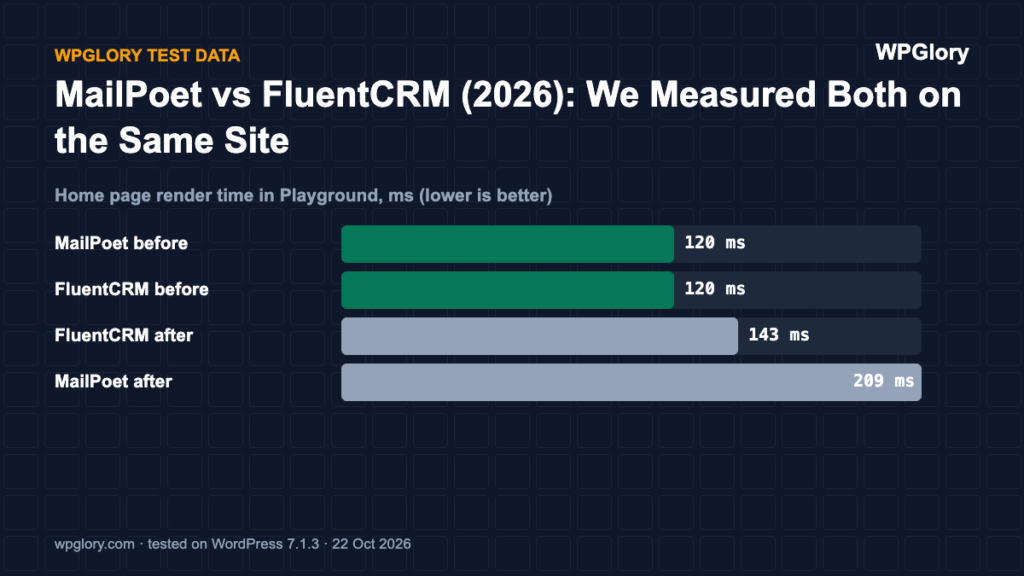
We also timed how long WordPress took to load and render the home page in Playground, before and after each plugin. These timings are relative, not what you will see on real hosting, but the gap is clear: MailPoet raised home page render time from 120 ms to 209 ms, FluentCRM from 120 ms to 143 ms.
Database tables and what they mean for you
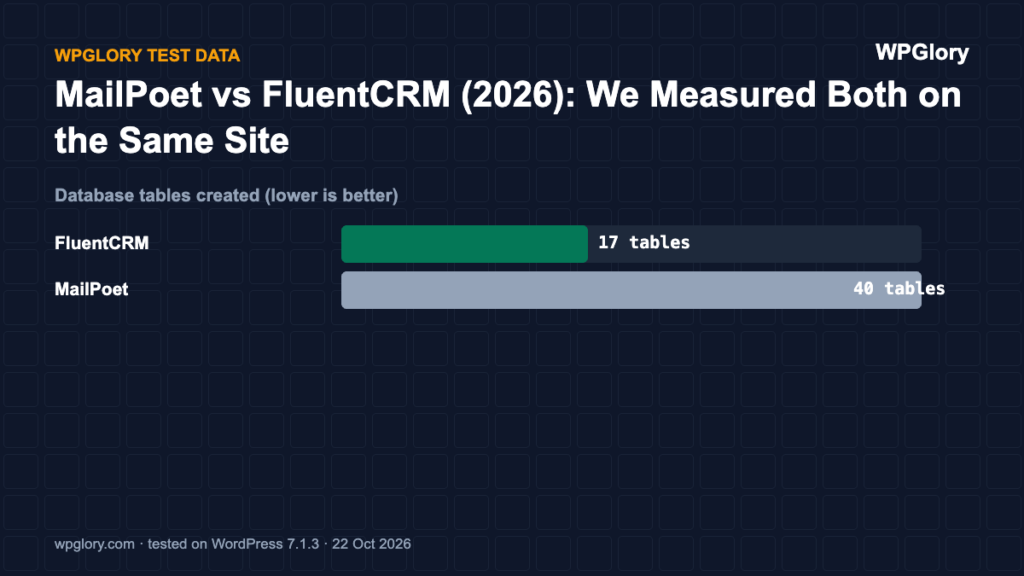
MailPoet created 40 database tables and FluentCRM created 17. For comparison, most plugins in our tests created between 0 and 11. More tables do not slow a site by themselves, but they make your database and backups bigger, and they stay behind after you delete the plugin unless you remove the data first.
Both plugins store every subscriber, every email sent and every open and click. With a list of a few thousand people and weekly emails, these tables grow quickly. Check that your hosting backups include the database and that your plan has room for it.
Front-end weight: a draw
On a normal blog post with no sign-up form, neither MailPoet nor FluentCRM added a single CSS or JavaScript file. Both load their form files only where a form is shown. For visitors, the MailPoet vs FluentCRM choice makes no difference until you add a form to a page.
Dashboard and setup
Neither plugin showed an upsell notice or a dashboard widget after activation in our test, which is less common than it should be. MailPoet added a top-level menu with 10 items. FluentCRM added a menu with 15 items and an admin-bar menu.
The bigger difference is how email gets sent. MailPoet offers its own sending service, so you can send without setting up an email provider; the free plan has a subscriber limit, and higher limits need a paid plan. FluentCRM does not include a sending service. You connect an SMTP or API provider, usually through an SMTP plugin like FluentSMTP, and pay that provider directly.
Features: what each one is built for
- MailPoet focuses on newsletters: a visual email editor, sign-up forms, automatic post notifications, welcome emails and WooCommerce emails. It is the simplest way to send a blog newsletter from WordPress.
- FluentCRM is a CRM first: contact profiles, tags, lists, segments, automation funnels and email campaigns. It connects tightly with Fluent Forms and many other plugins, and suits course sites, stores and agencies.
Both have paid versions with more automation and integrations. Prices change often, so check the current plans on each vendor site before you decide.
Sign-up forms
Both plugins include their own sign-up forms, so you do not need a separate form plugin for a basic newsletter box. MailPoet has a form editor with ready-made designs for pop-ups, slide-ins, fixed bars and below-post forms. FluentCRM has simple built-in forms and works best with Fluent Forms, where any form can add or tag a contact.
Whichever you choose, use double opt-in. It keeps fake sign-ups and typos off your list, and it protects your sender reputation, which matters even more when you send from your own server.
Automations and segments
This is where FluentCRM pulls ahead. It treats every subscriber as a contact with tags, lists and custom fields, and its automation builder can react to form submissions, purchases, course progress and tag changes. That makes it a good fit for stores, membership sites and course sites that want different emails for different people.
MailPoet keeps automations simpler: welcome emails, post notifications and WooCommerce emails. For a blog that sends a weekly newsletter and a welcome sequence, that is often all you need, and it is easier to set up.
Deliverability and sending limits
Deliverability decides whether your emails reach the inbox. With MailPoet’s sending service, MailPoet handles authentication and reputation for you, which is the main reason beginners like it. With FluentCRM you choose the provider, for example Amazon SES, Brevo, Mailgun or Postmark, and you add the SPF and DKIM records yourself. That takes longer to set up but can be much cheaper for large lists.
Sending from WordPress also means WordPress does the work of queuing emails. On a list of tens of thousands, both plugins send in batches through WP-Cron or a server cron job, so a real cron job is worth setting up on either.
Removing either plugin later
Because both plugins create many tables, it is worth knowing how to leave. Before you delete either one, export your subscribers as a CSV file. Then look in the plugin settings for an option to delete all data on uninstall; without it, the tables stay in your database after the plugin is gone.
In our test that would mean 40 leftover tables for MailPoet and 17 for FluentCRM. They do no harm, but they make backups bigger and can confuse you or a developer later. If you have already deleted the plugin, a database clean-up plugin or phpMyAdmin can remove the leftover tables.
Our experience running the test
Both plugins installed and activated without errors on WordPress 7.1.3 and PHP 8.3. Neither forced us through a setup wizard before we could use the site, and neither added notices to every admin page, which is not true of many plugins in our other tests.
The memory difference was the result that surprised us. We measured memory while WordPress loads, so MailPoet’s extra 27.9 MB applies to every request, including normal front-end pages where no email work happens, not only to its own admin screens. For a small blog on good hosting this will not matter much. On a busy site, or on a cheap plan with a 128 MB memory limit, it is a real share of the budget, and it is the main reason FluentCRM won this MailPoet vs FluentCRM comparison.
We did not test sending speed or inbox placement, because both depend on the email provider you connect rather than on the plugin. If deliverability is your main concern, compare providers first and then pick the plugin that supports yours.
MailPoet vs FluentCRM: which should you install?
Choose FluentCRM if server cost matters, if you already use Fluent Forms or if you want tagging and automations. It scored 8.9 in our test and was the lighter of the two on every server measure.
Choose MailPoet if you want the easiest start, you do not want to set up an email provider and your hosting has memory to spare. It scored 7.8, mostly because of its server cost.
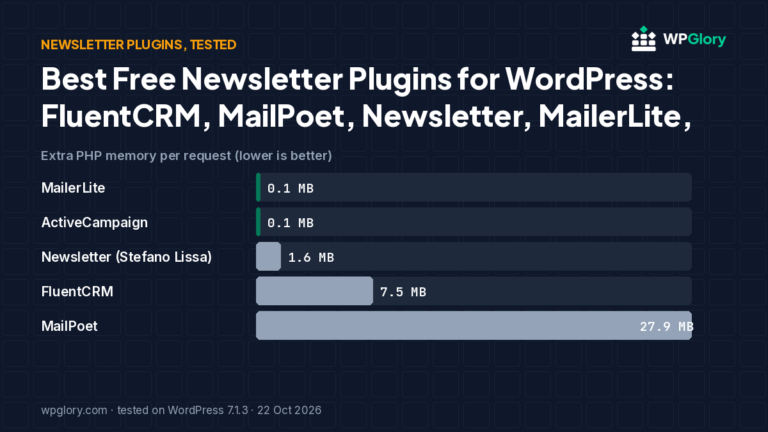
If you only need a sign-up form for a hosted service, you need neither. The MailerLite and ActiveCampaign form plugins added 0.1 MB of memory in our tests. See all five options in our newsletter plugin comparison.
How we tested
Both plugins were tested in WordPress Playground on WordPress 7.1.3, PHP 8.3 and the Kadence theme on 22 October 2026, one at a time from the same baseline. We measured files on a page that does not use the plugin, PHP peak memory, tables, admin changes and render time. Full method.
FAQ
Is MailPoet free?
Yes, the plugin is free on WordPress.org and the free plan includes sending through MailPoet’s service up to a subscriber limit. Larger lists need a paid plan.
Is FluentCRM free?
Yes, the core plugin is free on WordPress.org with campaigns and basic automations. You need your own email provider to send.
Can I move from MailPoet to FluentCRM?
Yes. Export your MailPoet subscribers as a CSV file and import them into FluentCRM, then recreate your forms and automations.